Allowing users and clients to format their text without delving into code has long been on developers’ priority lists, but these days, providing this usability is far easier than it once was. Here are 10 of the best WYSIWYG HTML editors that are commonly used, and are worth a look if its something you need for a project.
We will be updating this article throughout this week, but definitely check out the editor’s choice…and watch it’s demo video.
Check it out! :)
Table of Contents:
- What Is The Best WYSIWYG HTML Editor
- Code Editor Review: Sublime Text
- 4 Code Editors for Tablets, SmartPhones, and Any Computing Device
- 5 Killer Ways to Streamline your Coding Efficiency
- Web Development Tips And Tools For Beginners (And Experts)
UNLIMITED DOWNLOADS: Email, admin, landing page & website templates

What Is The Best WYSIWYG HTML Editor in 2016?
In this section, you will find some amazing editors that will make your efforts easier and faster. Now what are the best WYSIWYG HTML editors? Find out now…
Drum roll please…
Editors Choice: Atom.io
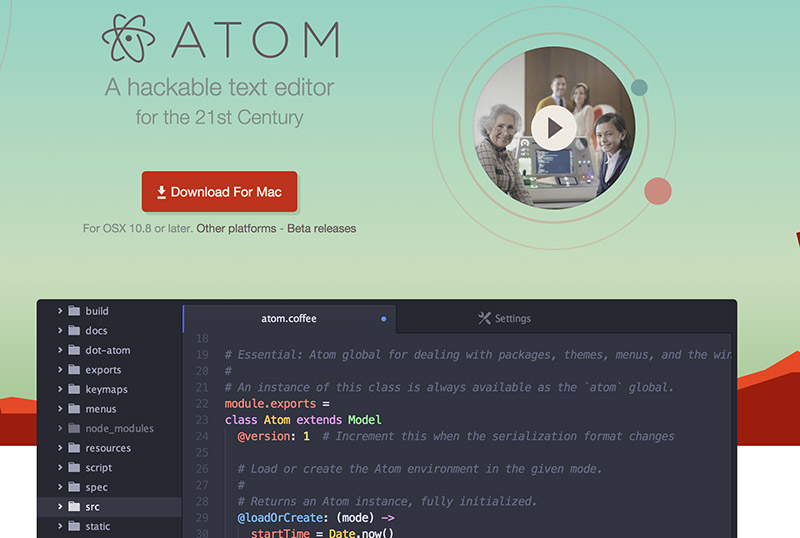
If we could recommend you one tool, we would recommend this one..
Now over the years, there have been many text editors, but only a few have stayed and improved over the years. Atom.io right now is used by all my programmer friends, myself include.
If you want to use the best WYSIWYG HTML editor, that will save 10x the time when coding use Atom. Just try it, you’ll thank me later. Oh, and watch their demo video below. It’s super cool as well. Best of all.. Atom.io is free and it’s made by Github..:)
If you don’t love it let me know!
Another honorable mention goes to Coda, a super cool text editor for Mac users. It’s pixel-perfect and beautiful, but it does cost $99 to use it. I’ll stick with Atom for now!
Now the rest of the article…
1. NicEdit

NicEdit is an alternative to some of the larger, more complex WYSIWYG editors out there, with its small download size. It boasts many of the expected editor features and easily integrates into your site.
2. TinyMCE
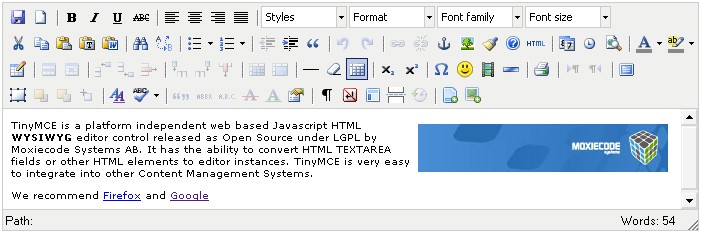
TinyMCE is an open-source JavaScript HTML WYSIWYG editor. It’s easy to integrate, and is highly customisable with themes and plugins. TinyMCE is one of the more “complete” editors out there, offering an experience similar to MSWord.
3. CKEditor
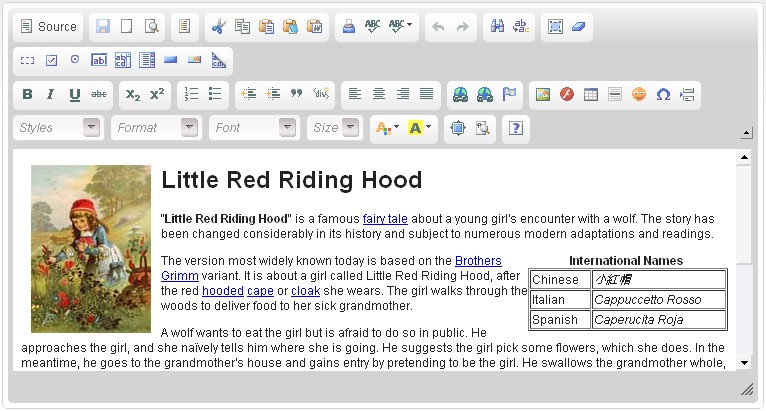
CKeditor is the new FCKEditor that proved to be the market leader previously. It builds from that, and aims to fix what FCKEditor got wrong. The result is a high performance and one of the best WYSIWYG HTML editors that offers editing features comparable to MSWord and Open Office.
4. YUI Rich Text Editor
Demo | Download
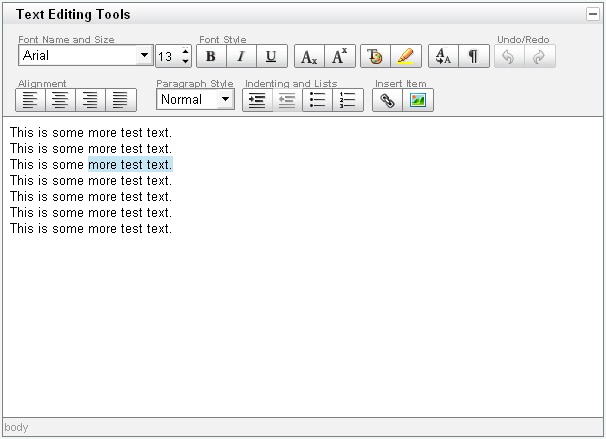
The YUI Rich Text Editor is a UI control from Yahoo that turns textarea’s into fully functioning WYSIWYG editors. It comes in several different versions of varying features and complexity, but still manages to achieve a great user experience without a plethora of buttons crowding the interface.
5. MarkItUp!
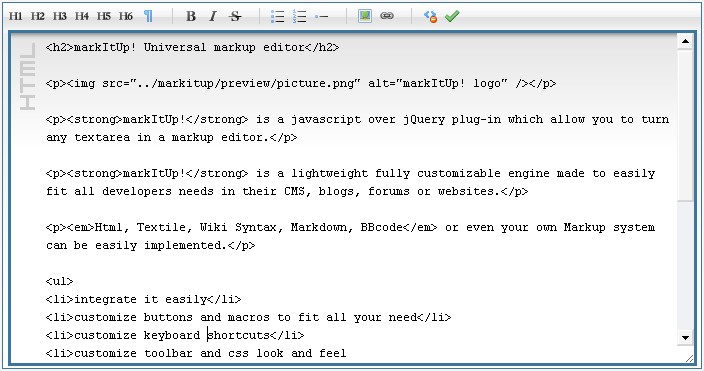
Markitup is a jQuery plugin that allows you to turn the text areas into markup editors in any markup you wish. HTML, Wiki syntax, and BBcode are just a few that are supported. Markitup is not a WYSIWYG editor, but that doesn’t hold it back from offering all the basic features you’d expect, and a lightweight download that works well.
6. FreeTextBox
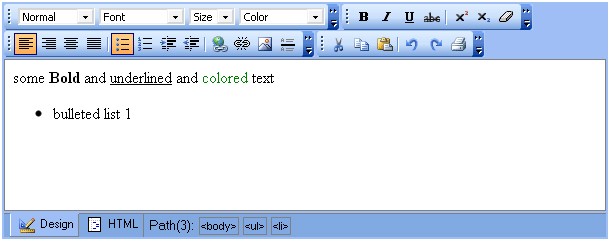
FreeTextBox is an HTML editor specifically for ASP.NET. The look and feel of the editor is the most like Microsoft Word that you are likely to get. The free version does lack a couple features, but has more than enough to get you going.
7. MooEditable
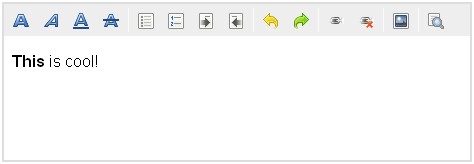
WYSIWYG editors have become common as plugins for the popular jQuery library, but not so common on Mootools. MooEditable though, fills that void, by providing a simple but effective user experience, by building on top of a well-written JavaScript library. If you’re a Mootools fan, then you’ll have no problems with this.
8. OpenWysiwyg
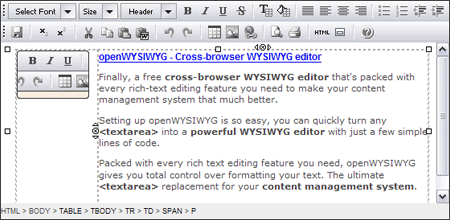
OpenWYSIWYG is a cross browser rich text editor with almost every editing capability you could want. It features a sleek user interface including drop-downs and buttons. High on its features list is its capacity to handle tables well, with different borders and colours. However, Chrome is still not supported.
9. Spaw Editor
Demo | Download
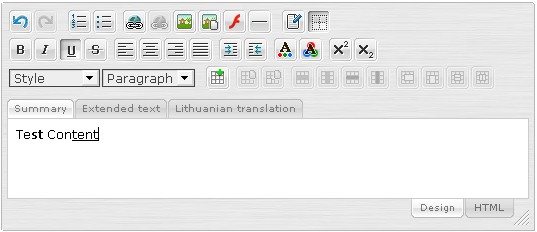
Spaw Editor is a web-based in-browser WYSIWYG editor control that enables web site developers to replace a standard text area HTML control with full-featured, fully customizable, multilingual, skinable web-based WYSIWYG editor.
10. jHtmlArea
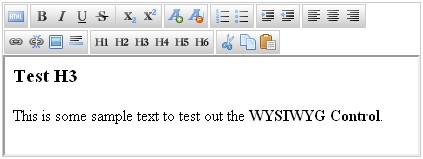
jHtmlArea is another WYSIWYG text editor built as a plugin for the popular jQuery library. It’s purpose is to be simple and lightweight, and it serves this well, with only the most needed options included in the plugin. It allows itself to be easily customised from the looks to the functions down to the language.
Further Discussion?
If you have used one of these before, or have used another web-based Rich Text editor that you think deserves a mention, then go ahead and add them in the comments area below. We’d love to hear from you on the subject!
If you are still hungry for more info, we’ve got more. The next thing in this article is a review of the Sublime Text editor. Let’s go to it.
Code Editor Review: Sublime Text
As a designer and developer, I’m always trying to find the best possible tools to do my job and to have fun with it. I’m both a PC and Mac user so Notepad, Coda, Textmate, Dreamweaver, Komodo and Aptana are some of the many editors I’ve tried. But none of those have made an impact as big as Sublime Text.
“Sublime Text is a sophisticated text editor for code, HTML and prose. You’ll love the slick user interface and extraordinary features.”
Interface
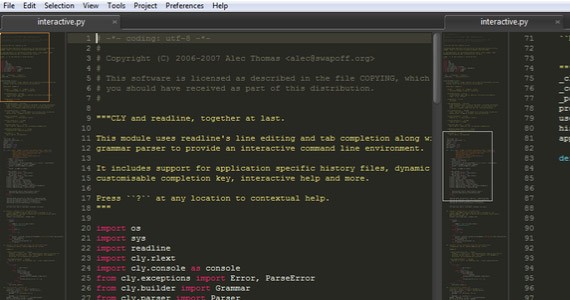
Sublime Text interface
Themes
The first impression that will pop into your mind is how amazingly beautiful the Sublime interface is. I was especially impressed while using Windows because usually editors are only visually appealing under Mac OS. However, I would say Sublime Text is unique in this regard. Changing themes takes two clicks (for real) and by default you get 22 to choose from. You can download even more themes if you like.
Minimap
Although the interface itself is extremely beautiful, usability and functionality is even more impressive. Imagine something you would like to see in an editor and you will probably find it in Sublime Text. Let’s start with the basics and that would point us to the default layout. Sublime Text comes with a minimap which is available at the top right corner showing you every line of code you may have. However with the minimap, my favourite part is that it made me stop using the scroll bar to scroll down the page because you will be able to do it much easier using the minimap. And if you don’t like you can simply hide it.
Panels/Groups/Screen Modes
Talking about the good stuff, one of my favourite features is that Sublime offers you the possibility to display as many files as you want through one-to-four panels. So basically, you can see four files at the same time. If you have more than one file open, Sublime will automatically create groups and you can send a file to a group or select a group using the option focus. On the other hand, if you have a peaceful and calm personality and you like to keep things quiet you can use the Full Screen Mode (F11) or Distraction Free Mode (Shift+F11) which will hide all tabs, forcing you to focus on just your code/text.
Sidebar
Finishing the important aspects of Sublime interface, one last and also common feature is the sidebar. Sublime has it all and if you don’t like tabs you can use the sidebar or vice-versa. You can also change everything from its original position.
Features
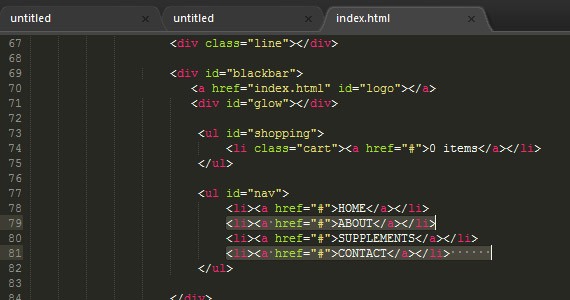
Sublime Text – Multiple selections
Multiple Selection
Although it’s a simple functionality, one thing that surprised me was the multiple selection option, which does precisely that. It offers you the possibility of selecting multiple lines simultaneously and honestly I’ve never seen an editor with such an ability. This is something that helped me choose Sublime as my number one editor because I believe the small details design the big picture.
Auto-complete/Snippets
While expecting nothing less, Sublime brings you the auto-complete feature. However if you’re expecting the fantastic Dreamweaver-like auto-complete you can stop right there. Yes, it supports snippets so write html and press TAB and the entire HTML head element appears. However, the auto-complete option itself is achieved by pressing ctrl+space which gives you a list of possible words based on the ones you have already written and this is where I feel it needs a bit more work because it does not give you a list of hints. This means you need to know how to code, so if you’re expecting a big help while writing your HTML you will find a hard time doing it.
Python/Community
Not satisfied because that option you really wanted is not there or isn’t as great as you imagined? Don’t worry because you may have a way to make it look good. With Python plugins you can add as many features as you want to Sublime and if you’re not comfortable with Python you have a great and big community in their forum to help you out.
Customization
Every toolbar, mouse scroll speed, keyboard shortcut, etc can be customized at will so feel free to make yourself comfortable!
Complete Features List
- Side by side multi-pane editing
- Minimap: see your code from 10,000 feet
- Full screen mode: use all your pixels, all the time
- Nothing but text mode: the text, the whole text, and nothing but the text
- Syntax highlighting for many languages with C, C++, C#, CSS, D, Erlang, HTML, Groovy, Haskell, HTML, Java, JavaScript, LaTeX, Lisp, Lua, Markdown, Matlab, OCaml, Perl, PHP, Python, R, Ruby, SQL, TCL, Textile and XML supported out of the box, and more available for download
- Multiple color schemes, with several included, and many more available for download
- Bracket highlighting
- Auto save: never lose your changes, not even if the dog thinks power cords are tasty
- Fully customizable key bindings, menus and toolbar
- Rich key binding language including sequenced key bindings, regular expression key matches, contextual bindings and parameterized bindings
- Python plugins with a rich API
- Rich selection of editing commands, including indenting / unindenting, paragraph reformatting, line joining and much more
- Multiple selections: Simplify many tasks that used to require macros or regular expression
- Column select
- Regular expression search and replace
- Incremental find as you type
- Preserve case on replace
- Bookmarks: Makes navigating through long files a breeze
- Spell check as you type
- Bracket matching
- Commenting and uncommenting blocks of text
- Asynchronous file loading, so you’re never blocked when loading files off slow network drives
- Macros
- Snippets
- Auto complete
- Repeat last action
- Build tool integration
- Automatic build on save
- WinSCP integration for editing remote files via SCP and FTP
Video Analysis
DevHQLessons made a good video analysis about Sublime Text which I recommend. Check the video below.
Sublime Text 2: Best text editor ever?
Final Words
I’ve made a very quick and rough review of Sublime but it should be enough to make your eyes shine. So if you’re looking for a powerful solution Sublime Text is for you. You can try Sublime through the unlimited trial or buy it for only $59.
Download Sublime Text
Okay, maybe you don’t like to work all the time on your computer, and you like to use tablets or something else. We’ve got you covered. Check the next thing, just bellow.
4 Code Editors for Tablets, SmartPhones, and Any Computing Device
Tablet computers and smartphones are indeed portable but what else can you use them for aside from browsing Reddit and tagging photos of cute cats on Facebook and flinging wild birds onto measley-built fortresses? Don’t want to bring your heavy laptop? Code using your smartphone or tablet using Online IDEs!
NOTE: Take note that for server-side programming languages you will need to have an internet connection for them to work. To make it formal, these are called Online IDEs. The usual local machine setup you have for your programming needs is an IDE, Integrated Development Environment. Now, Online IDEs make use of the cloud to remove the barriers of coding, since it has been limited to just your machine for a couple of decades now. Now you can develop anywhere, using any machine, with colleagues. No need to setup Apache, Ruby, Python, C, C#, and others.
Advantages of Using Online IDEs
Online IDEs have been around for quite some time now but they’ve garnered little attention. I know that a lot of web developers would simply work on their laptops or desktops, since they’re more powerful machines. But what about those who are always on the go, web developers who don’t want to carry heavy loads? Well, what do you know, with your smartphone or tablet computer, you can code just about anywhere, as long as there’s an internet connection.
If you are working with people scattered around the map, brainstorming and asking for help is quite pesky. With Online IDEs you can collaborate with people in real-time. Imagine Google Docs, only it’s for coding. Yep, let’s put it this way: it’s the Google Docs for coding.
So, again:
- accessible through smartphones and tablet computers
- online collaboration in real-time
- no need to setup your machine
- accessible through a browser
Disadvantages of Using Online IDEs
Well, this one is pretty obvious. You can’t use Online IDEs without an internet connection!
4 Online IDEs for the On-The-Go Web Developer
1. Compilr
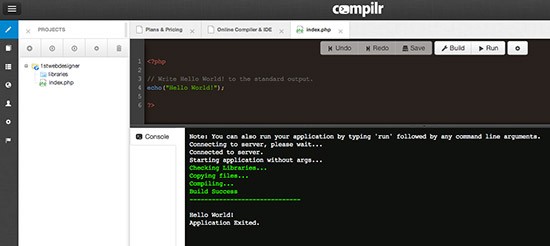
Compilr supports HTML, CSS, JavaScript, Node.js, PHP, Python, Ruby, and a lot more. It is an online compiler that works for every device, no matter what the OS is. All you need to have is an internet connection.
2. ShiftEdit
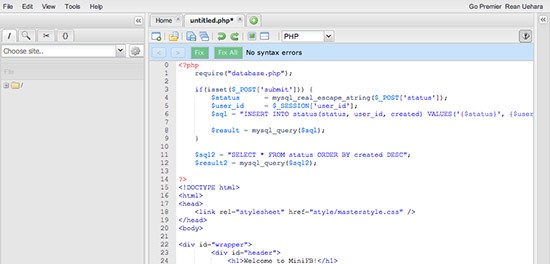
ShiftEdit supports PHP, Ruby, Python, Perl, HTML, CSS, and JavaScript. No need to install anything on your device to test your code since everything is taken cared of by ShiftEdit, and online IDE.
3. Cloud9 IDE
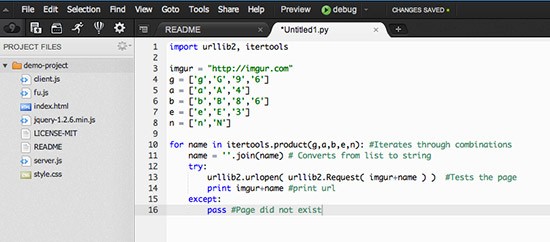
Cloud9 IDE probably takes the cake since it is fully loaded with features that you’d see on a professional developer’s arsenal. All you need to have is an internet connection and you’re ready to roll. Cloud9 IDE supports HTML, CSS, JavaScript, PHP, Perl, Python, Ruby, XML, Java, and a dozen more. It also allows online collaboration with your team!
4. Cloud IDE
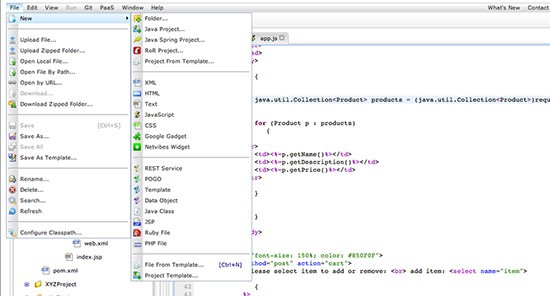
Cloud IDE supports HTML, JavaScript, Ruby, PHP, Ruby on Rails, and a lot more. It also has a collaborative editor where teams can work on a single project at the same time. These were the text editors, and they are great, but now, we have some tips on how to write your code faster! Check this out.
5 Killer Ways to Streamline Your Coding Efficiency
You can start to charge more per hour, if you are more efficient, and faster at producing quality work, as long as quality is not compromised for speed. Apart from practice, how can you actually speed up your coding, you may be thinking? Well there are plenty options out there to aid you in doing so.
1. Snippets
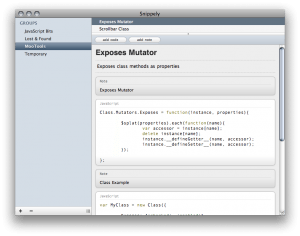 The first of these is having snippets at your finger tips. Programmers of high-end applications commonly make use of something called a module library; basically a library of pre-written, pre-tested code that can be inserted into their software. The benefits of this isn’t only faster coding, but faster error checking as well, as you know it is already tested to work. Why shouldn’t we, as web developers, also be making use of our own version of a module library?
There are pretty much 3 ways snippets can be organised, and used. The first is online, commonly via a website that will store your snippets as a database for everyone to share and use. Here are a few you might want to check out, while I’m sure there are plenty more quality options out there.
- http://snipt.net/
- http://www.smipple.net/
- http://snipplr.com/
- http://snippetsmania.com/
The second way is to have your own local database of useful snippets at your fingertips, instead of them being out there online, and everyone else’s being there too. There are plenty applications and so on to cover this, with this short round-up covering just a few.
- Snippely
- jCodeCollector
- Snippetsapp
2. Text expanders
The third and possibly best way to make use of your snippets is via a text expander. Think of them as a snippets library application on steroids. Basically, you set up your snippets so that you type a few characters, and then without leaving the keyboard, expand it into your full snippet. It will seriously revolutionise, and drastically improve the way, and speed with which, you code.
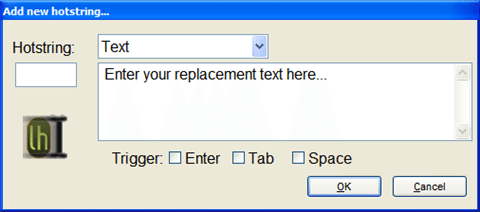
This article and screen cast by Jeffrey Way gives you a visual view of the power a text expander puts at your finger tips, and is well worth a read. Having seen what you can achieve, here are several text expander applications that you may want to try out.
- Texter
- Fastfox
- TextExpander
- Snippetmonkey
- Typinator
Editor’s Note: I highly suggest you to use Phrase Express instead of Texter. A far better option than its competitor.
3. Integrated Development Enviroment (IDE)
An Integrated Development Environment, or IDE as they are commonly refered to as, is basically like a well-developed environment to code your websites in.  They often comes with great perks, which help you improve your coding, such as auto closing tags, code hints, and much more. Lets take Aptana Studios – my favourite IDE – as an example by looking at what features it has to offer.
- HTML, CSS, and JavaScript Code Assist – Code Assist helps you author HTML, CSS and JavaScript code more quickly. It supports all HTML elements and properties and generates suggestions and hints for CSS.
- JavaScript Debugging – Aptana Studio integrates with Firebug for Firefox and Internet Explorer, offering multiple debugging options including breakpoints, stepping through code, DOM inspection, and more.
- JavaScript Libraries – Support for popular JavaScript libraries and frameworks such as jQuery, prototype, scriptaculous, Ext JS and more. For each you get code assist, importable sample projects, and doc links at your fingertips.
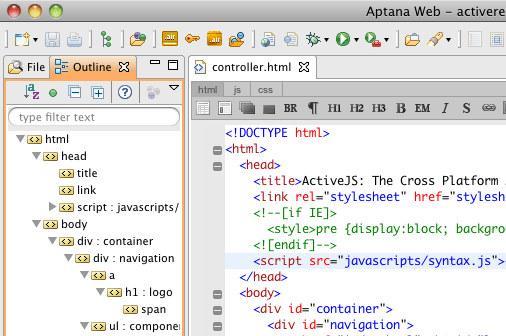
- DOM Outline View – View and navigate the DOM in this hierarchical outline of your HTML page. Select nodes to jump to that location in the editor. Filter nodes to see collections that match patterns.
- File Transfer & Synchronization – Support for one-shot as well as keep-synchronized setups. Multiple protocols including FTP, SFTP and FTPS. Ability to automatically publish your websites to selected ISPs and hosting services.
- Live Preview – Quickly switch between a view of your source code and the rendered HTML page in popular web browsers.
Compared to your code editors such as Notepad++ and so on, a web IDE such as this makes coding so much easier, as well as testing and so on. You rarely have to leave your coding environment for anything else! Check out these options below, or ask around to find out about many more, there are plenty out there.
- Komodo IDE
- Aptana
- Coda
- Textmate
- Netbeans
4. Zen Coding
Zen Coding is a text editor plugin for many IDE’s and text editors out there that will seriously change the way you code. Think of it like a text expander, but for any code you want to write. Basically, you write out your blocks of code as CSS selectors, then expand them. Zen Coding will then swiftly turn this into proper HTML code! Take this for example.
div#page>div.logo+ul#navigation>li*5>a
This code would be turned into a fully fledged logo and navigation HTML structure for you to work from. Think of the typing, and tabbing time that can be saved across multiple HTML documents with this!
<div id="page">
<div class="logo"></div>
<ul id="navigation">
<li><a href=""></a></li>
<li><a href=""></a></li>
<li><a href=""></a></li>
<li><a href=""></a></li>
<li><a href=""></a></li>
</ul>
</div>
Check out Zen Coding v0.5 from Sergey Chikuyonok on Vimeo to see live action of Zen Coding.
Zen Coding, as I’ve already mentioned, is available for plenty different applications, including Aptana, Textmate, Coda, Expresso, Komodo Edit, Notepad++ and PSPad, with unofficial support in plenty others. Go get it here!
5. Frameworks
The final way you may want to improve your coding efficiency is via the use of a framework. There are plenty frameworks out there, for a variety of different things, but some of the main uses are for CSS layouts and a basic set up for you to start coding with. Think of all those things you type up, and repeat every time you start a new project, or even a new HTML or CSS document. What about grids and classes you set up in almost every project you code?
Well what if they were already there every time you started a project, saving you having to type them out again. That’s what so-called frameworks hope to solve. Some aim at CSS grids, some aim at having an HTML base, and so on. Check out some of these below to get an idea.
- Easy Framework
- Blueprint Css
- 960 Grid System
- Html5 Boilerplate
Further Discussion
Know of further ways to improve coding efficiency and speed? Get them down in the comments as always. It’s always great to get some further insight and thoughts on subjects such as these.
The next section is dedicated to tools that all developers, from beginners to experts can benefit from. Ready? Let’s go.
Web Development Tips And Tools For Beginners (And Experts)
Every great web developer starts with HTML. From there comes an array of tools that every developer can use to create great websites. The basics would be a text editor and an image editing software. But why be content in using those two when there are available tools that can expedite not only your coding speed but also help you organize and learn new things?
Expedite Development With the Following:
1. MVC Framework
A Model-View-Controller framework is like an architectural plan in software/web development. According to a web developer I interviewed about MVC, there are two ways a developer codes. The first way is to write everything you need in a file; the second way is to write codes separately according to their proper place.
Now I will elaborate this to the point where even my grandma would understand, because the concept can be confusing for people who are just learning of MVC’s existence just now (I was made aware of this gem 8 hours prior writing this).
In the second way I mentioned, suppose you have a DropDown for the quantity of shirts to add on your cart and:
- your logic suggests that the customer’s order should be greater than zero,
- the customer’s order is saved in the database,
- and the quantity ordered is displayed in the cart page.
Every bullet suggests one file each. While in the first way, all of which are saved in a single file.
To make it simpler, here’s an analogy:
- Model is like the software
- Controller is the Operating System
- View is the keyboard, mouse, and monitor
Each can function separately and as one, making development more organized.
Below are the most notable MVC framework for PHP developers:
2. Validation Tools
You don’t have to own several browsers and operating systems just to test if your website is properly running in them. I actually saw an online advertisement looking for people to hire just to have a website tested for compatibility issues in different OS and browsers.
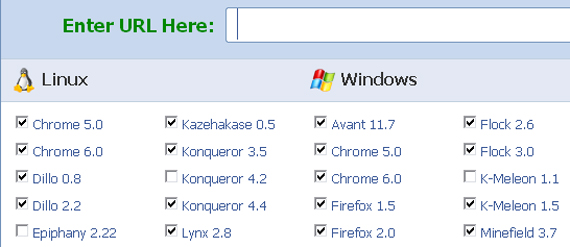
I’ll admit that BrowserShots takes screenshots really slowly, it takes several minutes! But this is one of the few free browser testers that offers a wide variety of OS and browsers, even if no one knows what Kazehakase 0.5 is.
There is no such thing as getting things perfect on the first try, that is why validation tools are available to help you take a glimpse of the little details that aren’t doing what they’re supposed to be doing.
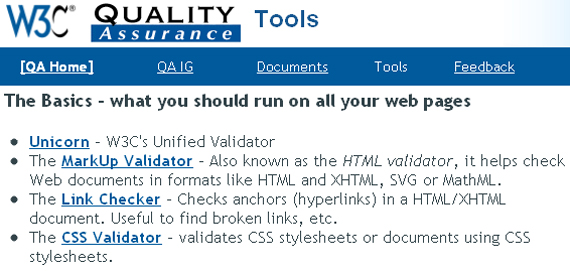
There is an article on 1stwebdesigner that discusses and gives a list of validation tools which include, but not limited to, checking if your website is OK for mobile viewing, CSS validation, HTML validation, and more. Visit it by clicking 20+ Online Tools for Website Validation and Testing.
I find Firebug very useful for development and QA. You can inspect and edit HTML, JavaScript, and even CSS on the spot and see the effect instantly. It is also a good tool to use for hacking. *laughs*
3. Text Editor

Notepad++ has a wide range of languages it supports, several dozens of them, in fact. A real all-in-one editor.
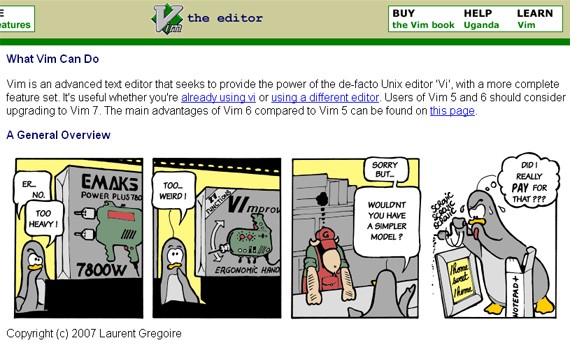
Vim is not a tool that gives you everything at first glance, you must learn how to use it and it will cooperate with you. As their description page says, Vim is often called the “programmer’s editor.”
4. Image Editor
Leave aesthetics to the designer and focus on functionality? We are now at the age where developers and designers alike should know at least the basics of both trades to survive.

GIMP is a wonderful tool not only because it is free, but because it provides plenty of tools like Photoshop. This is perfect for developers who wish to crop, resize, and create buttons and banners.
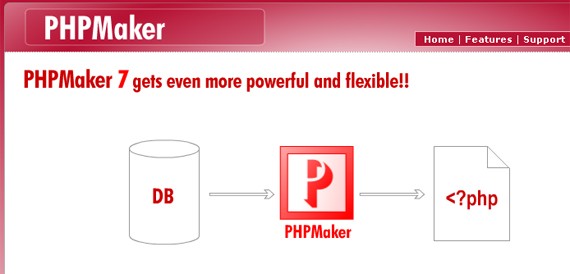
5. Code Generators
Code generators may seem to defeat the very purpose of learning a language in-depth but do not look at it that way. Code generators can expedite the process. A beginner and expert alike can learn many things from these too.
Now, if you are in a hurry, there are many applications available that will provide you the codes you need in just a few clicks. Of course these are not applicable if your website’s service is not common.

6. Collaborate and Join Forums
Sharing and learning from others is important. Having a look at several perspectives from experts and beginners is indeed a rich learning experience.
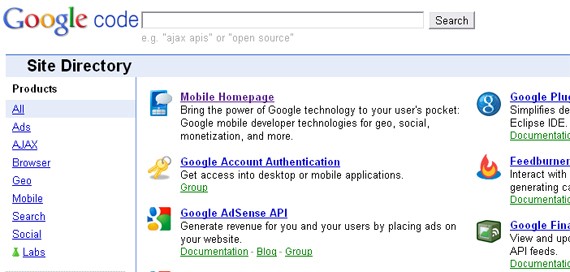
The search engine behemoth gives us yet again a way to love it more! Although this is not new, Google Code might escape the sights of budding developers, which shouldn’t happen! There is so much to use and to learn at Google Code that will surely boost your career as a developer.
DreamInCode Tutorials and Forums
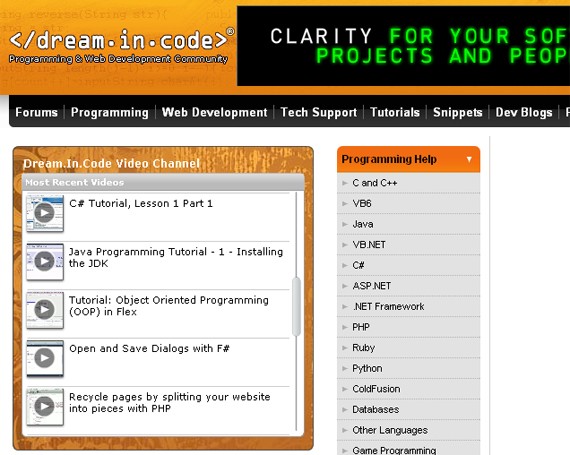
Inside DreaminCode’s forums, developers encourage each other to act first before asking. You can’t go posting and asking for a code, what they do is help you with the code you have. As Carl Sagan said “When you make the finding yourself — even if you are the last person on Earth to see the light — you will never forget it.”
Similar forums are Dev Shed Forums and WebDeveloper.com.
There are over a hundred available tools online for web developers, consider this as a summary of what a developer can use to be a superstar!
This post may contain affiliate links. See our disclosure about affiliate links here.