
In this section,we have put all the best of 1stWebDesigner’s free web design course contents in the one place. Here, as the title says, you will be able to catch up if you are starting out as a web designer and polish your skills as an amateur. Keep coming to this page often, pick your interesting section, and go through each article one by one until you come out as a web design professional, ready to take control over your life and work.
Your Designer Toolbox
Unlimited Downloads: 500,000+ Web Templates, Icon Sets, Themes & Design Assets
Table of Contents
- Getting Started – What It Takes To Be A Freelancer?
- Graphic Design Theory, Basics, Color, Balance
- Graphical Design Tutorials – Learn Photoshop
- Usability, UI, UX
- Coding Basics – Start Your Programming Career
- HTML Tutorials
- CSS Tutorials
- JavaScript Tutorials
- WordPress Tutorials
- Freelance Business Training
Ultimate Free Web Design Course For Beginner Designers Starting Out in 2016
The ultimate free web design learning course in 2016!
How Do You Become A Successful Freelance Web Designer?
I admit that this is a massive section because we have covered a lot during our seven years of existence. However, we truly believe that this is the best of the best training content to make a massive growth in 2015. We have videos, written content, and podcasts just waiting for you to get started and take in the wealth of knowledge.
Congratulations on coming to this page and showing your commitment to become a designer or become a better designer. With this profession the first thing to remember is that your learning is never done. You must be committed to never-ending education and self-growth if you want to be a brilliant web designer. This will be easy if you love what you do! If you don’t you shouldn’t become a designer anyway.
You need to be productive on your own to make this work.
If you think earning online by building websites is an easy way to make lots of money and work from home, you are wrong. You need lots of self-discipline and invest serious time for at least a few years to become a truly good professional.
As mentioned earlier, this guide was considered to replace the classical way you learn – spending several years in the school and paying thousands of dollars for these studies. I learned the basics of design in the web design school and basics of coding in the programming school. Looking back, I cannot believe how much time I wasted there learning outdated languages and things I never wanted to do like – interior design, 3D modeling, drawing. I knew I wanted to be a web designer, but in coding school I got to learn HTML/CSS, MySql only in the last year. In web design school I was learning web design from teachers, who didnt know much about modern web design standards and they were teaching us outdated things, which were true about 5-10 years ago.
You need to know the foundation first before going deep into the game.
What I did find valuable in these studies was the basics. I am grateful I learned the basics of coding, colors, balance, and composition in school. However, my question is, did I really need to spend eight years to learn the basics? No! You’ll have a quick crash course right here.
My biggest learning source in graphic and web design have always been the Internet, which is what I am offering to you here. You will learn the basics and as you choose your specific path as a graphic designer, web designer, or programmer you will learn only the skills you need the most to start working with clients.
The best way of learning is with practice. It is when you go out in the world, start working with clients, promise them things you don’t even know yet, how to do it, and figure how to do them along the way.
Since you will need to work a lot with clients, we won’t focus as much on the design side, but we will teach you the business side of things. Why? Because you naturally learn design skills, but most people neglect the business side. If you are working for yourself, you already have a business and you need to treat it as one. You need to learn the basics about how you can stand out and how you can sell your services correctly to be able to get the jobs you really enjoy and pay well.
Do I Need To Go To School To Become a Web Designer?
Absolutely not. If you absolutely love personal connections and learning in classes, you can do it but you should know there is an alternative way of learning everything you need online. Truth is, it is not really important anymore to have a diploma. We have examples, where designers with no formal education is working with clients like NASA, LA Magazine, and the Supreme Court Of Texas.
[ctt title=”Everything starts with curiosity and YOUR first step. Just listen to your instincts. – Tobias van Schneider” tweet=”Everything starts with curiosity and YOUR first step. Just listen to your instincts. @1stwebdesigner” coverup=”1ZcMs”]
Read about the 8 young designers who are doing great without any college education and read a few more reasons why going to school might be a bad consequences to your future.
College vs self-learn – what is the best choice?
We don’t want to show online education as the only right option, but explain more that there is an alternative way of learning. Read objective pros and cons of standard and online education here.
How can you make a living online as a designer?
Even as a creative you need to be aware and take charge of the financial side, because starving artists no longer exist in the modern world. The most classical way of making a living online is by offering services, such as graphics, web design, and coding services to clients. This is the path we will be encouraging you to start with as well. There are alternative ways where you can make passive income and stop trading your hours for money but first, you need to be able to pay your bills and then on the side you can slowly build up passive income streams. For example, I started as a freelance designer, started writing 1stWebDesigner on the side and right now we are an educational company.
Do you have what it takes to be a freelance designer?
First of all before you start the journey and invest serious time in becoming a freelance designer, read this article to see if you are doing it for the right reasons.
Ask yourself:
“What is it I want to achieve during my career?”.
Write the answer down and really think about it. You MUST be passionate and love what you are doing, only then will you be making the right choice! Designing shouldn’t feel like work – if you are truly enjoying it, you will love learning new things, you will love the countless hours you will spend working!
We’ve got a lot of people asking us, if they are not too old to start learning about design, so let me debunk this myth. If you are a fast learner and you know how to use the computer, you can learn anything. Industry changes very fast, everybody needs to keep up with the change. The good thing to newcomers is that they can easily catch up with professionals because of these constant changes.
If you want to become a freelance designer you must know what you are signing up for. It is nice to work from home, but it also requires a lot of self discipline. Read these articles to know what to expect:
- 12 Things I Have Learned After 7 Years of Freelancing
- Questions to Ask Yourself Before Becoming a Freelancer
- 10 Things to Consider Before Starting a Freelancing Career
- Things to Know if You Plan on Working Abroad
In the world where only successful ends of journey are being celebrated, I wanted to share some failure to success stories. Don’t be discouraged by setbacks, learn from them and become stronger in the process! Here are three stories shared by 1stWebDesigner team.
“Why Do I Succeed?
I succeed because I am willing to do the things you are not. I will fight against the odds. I will sacrifice. I am not shackled by fear, insecurity, or doubt. I feel those emotions, drink them in and then swallow them away to the blackness of hell. I am motivated by accomplishment, not pride. Pride consumes the weak-kills their heart from within. If I fall, I will get up. If I am beaten, I will return. I will never stop getting better. I will never give up, ever.
That is why I succeed.” – Anonymous
Inspiring Stories From Successful Web Designers and Business Owners
Now when you know about potential setbacks, think about what kind of lifestyle you would like to have. If you don’t know where you are going, how can you possibly achieve the results you are looking for? Time will pass anyway, isnt it better to work towards your dream lifestyle?
Do you want to travel the world, while working online? Do you want to work 3-4 hours a day and spend more time with your family? This is an excellent time to take a piece of paper and start writing where you want to be in one year, three years, ten years.
Do what you love and trust your gut feeling.
To get your creative juices flowing, I will share several case studies and interviews with successful web designers and business owners:
- How to Travel the World as a Freelance Web Designer or Web Developer – learn how you could live life as a digital nomad – as a web designer
- An Interview With Chris Coyier – Founder of CSS-Tricks – Chris is a famous web designer and successful speaker, blogger, and writer. He answers reader questions about starting a designers career online.
- Principles of Design and David Kadavy’s Design for Hackers, Interview – learn how David got into the design world, how having a blog contributed to his success and allowed him to write a book that went to #18 spot on Amazon. Very inspiring story.
- Living a Full Life as a Freelance Web Designer with Brian Hoff – Brian Hoff took the traditional way to learn in school by working at Apple. He felt unhappy in a 9-5 job and, eventually, went on to become a freelance web designer. Learn how he did it.
- Wildly Successful Freelance Designer Jacob Cass Shares His Insights – Jacob is a young designer, who has been doing really well online during the years. He shares exactly how he started, how he manages his freelance work with full-time work. Lots of great lessons.
- Joost de Valk, Founder of Yoast, Shares His Success Story – Joost is coming from the SEO and development world. His most popular WordPress plugin is WordPress SEO. Learn how he mixed his developers experience with SEO to create a sustainable online business.
- How Ruben Gamez Turned Bidsketch Into A Successful Online Business – Ruben will talk more about the business side of things and share his story. He started as freelance designer and now runs a successful online business.
- An Interview with Lea Alcantara: One of the Best Female Web Designers in the World – we have strong male stories, how about a female success story? She will talk a lot about establishing your own personal brand.
- Interview with Alex Bilusic – Why And When Doing Spec Work Might Be A Good Idea – Alex explains the pros and cons behind spec work. Spec work is work on crowd-sourcing sites which work like a contest and where designers submit their designs. However, only the winning designer gets paid. It is a popular starting option for new designers with it’s pros and cons.
I hope you noticed in the stories how these people took charge of their life, understood what makes them happy, and are passionate, and did it! Passion is the key and if you are going to walk this path, you must love what you do. Also notice how each of these designers have found ways to stand out and differentiate themselves from the crowd.
[ctt title=”You’ve got to find what you love. If you havent found it yet, keep looking. Dont settle. – Steve Jobs” tweet=”You’ve got to find what you love. If you haven’t found it yet, keep looking. Don’t settle. – Steve Jobs @1stwebdesigner” coverup=”Xjru5″]
I keep reminding myself these wise words from Steve Jobs:
“You’ve got to find what you love. And that is as true for your work as it is for your lovers. Your work is going to fill a large part of your life, and the only way to be truly satisfied is to do what you believe is great work. And the only way to do great work is to love what you do. If you haven’t found it yet, keep looking. Don’t settle. As with all matters of the heart, you’ll know when you find it.
And, like any great relationship, it just gets better and better as the years roll on. So keep looking until you find it. Don’t settle…Your time is limited, so don’t waste it living someone else’s life. Don’t be trapped by dogma — which is living with the results of other people’s thinking. Don’t let the noise of others’ opinions drown out your own inner voice.
Most importantly, have the courage to follow your heart and intuition. They somehow already know what you truly want to become. Everything else is secondary.” – Steve Jobs
Why Becoming a Freelance Web Designer is Great Right Now
Getting Started
Now when you are prepared to do what it takes, let’s get to the actual learning part. In this first part you will learn the basics you absolutely need to know as a graphic designer. We will start with graphic design, then we will go into web design and, eventually, we will graduate to the programming part. Once you have the necessary skills to do the work, we will talk about the business side and how you will go about getting and working with clients.
I would recommend going through this guide step by step and not skipping anything but if you seriously don’t want to do anything with graphical part, you can skip to the web design and programming section.
What does it mean to be a graphic designer?
What does it mean to become a graphic designer? What kind of jobs can graphic designers do and what kind of skills are required? I wouldn’t recommend you to just stop with being a graphic designer because it is much easier to do well as a web designer. Pure art just don’t pay as well as a full web site service or even marketing service together with it. However, you must follow your passion and find your ways, we can just show you the way – you need to walk it.
The main job of a graphic designer is to design visual elements for the web and print, such as layouts for websites (which are the most of the time “translated” into real websites by the web designers), posters, brochures, flyers or advertising campaigns (both in web and offline).
Graphic Design Theory And Basics You Must Know
In this section you will learn the most important basic design principles you absolutely must know and master.
There are, in total, six elements of design which you need to be aware of: the line, the shape, the color, the texture, the value, and the space. Read about each of them and see real-life examples.
Now it’s time to learn about design principles like balance, dominance and priority, proportion, contrast, rhythm, and harmony and unity. It’s very important to learn these principles because they’re what separate the good designers from the amazing designers. Some of the principles we’ll cover today are applied unconsciously, but they definitely exist and we will show you examples from the web to illustrate the concepts.
When you have learned about overall principles, it’s time to learn about composition and it’s basic elements – single visual, the golden ratio, focal point, grid design, Gestalt laws and The “Z” and “F” layout. Learn here how you can use negative space as a design element, too. In the school, we had a really good exercise where you had to hand draw the flyer following these principles.
Once you have learned these basics, start observing the art around you – in the websites you visit, on cars, posters, advertisements. Notice what they are doing right, what they are doing wrong, and how it feels to you. When you become more prolific in design, you will be able to experiment and develop your own unique style.
Another great exercise is described in this article. Nowadays, every phone has a good camera built in them; thus, taking photos is a great way to learn about composition, symmetry (learn about symmetry and asymmetry), background, and rule of thirds.
Use every tool you have to learn. Start with your phone.
Do you know what is the good step by step way to start and finish a design project? If you don’t, you must read the 7 -step formula of the design thinking process. Too many times designers spend too much time than necessary on design projects just because they are all over the place and are not applying systematic step by step approach. By saying that, it’s good to have a design thinking process. However, you should not go overboard but to make sure you still stay creative and actually embrace imperfection.
*Note: If you have kids at home, why not learn design together with them? Did you know by teaching what you are learning to others deepens and amplifies your growth rate?
Learn About Typography
Using beautiful graphics and fonts other talented designers have created is the fastest way to produce quality outcome yourself. As for typography, it is important that you don’t mix ugly fonts together and don’t go too crazy as a beginner. That’s why we have created this article on combining multiple fonts and how to do it the good way. Be careful though, don’t use too many fonts, it’s best to stick to one main font and use one another different font for accents. For example on the blog, you would have all the textual content in one main font and then only main article headings in different font. You would do this to bring extra attention to headlines, since in the blog one of the main goals is to get visitors to read your content.
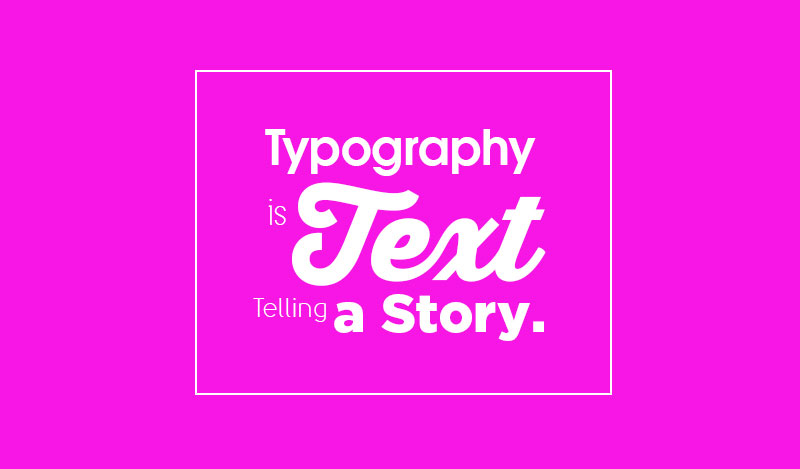
Typography is more important than you think.
Here is a very helpful tutorial with examples and explanation, how you can work with types to create really unique and beautiful posters. And this typography tutorial style was even used on popular rapper disc cover.
If you like to work with type, you should learn about Swiss Style typography as well. With recent minimalism style, Swiss typography really looks great.
[ctt title=”Good artists copy, great artists steal. – Pablo Picasso” tweet=”Good artists copy, great artists steal. – Pablo Picasso @1stwebdesigner” coverup=”Uc4q7″]
Typography is like the soul to design so you shouldn’t underrate it. Make sure you don’t make any of these typography mistakes.
It might be too early for web typography, but this seemed the most appropriate place to pitch in these three articles:
- A Simple Guide to Improving Web Typography
- How to Safely Match Web Design and Typography
- A Short Course On How To Improve Your Website’s Typography – learn the guidelines to consider in mastering typography for the web and discover useful tools, techniques and resources to help you achieve effective designs
If you enjoy typography, you should keep learning more about it online, here is the list of further learning and reading materials.
Learn About Colors And How To Utilize Them Correctly
I have seen so many bad designs created just because of the color choices designers made. Even if you create a balanced design with good focus points and typography, if you choose bad colors or use too many of them your design will not look good.
I stick to the same rule as proposed for typography. Go with one main color and use another contrasting for all the calls to action, like links and buttons. 1stWebDesigner uses white color, dark background on header and our action color is orange, which we took from our logo. In the result site looks clean and professional.
Back to you now, first you should have a fun and educational read about optical illusion and notice how great power you have in your hands as a designer. For graphic designers, unfortunately we do not have articles about colors for them, but we do have a lot of educational materials about how to apply color in web design. Don’t worry though, because basically the same principles apply on graphic design.
Colors are important. Make sure you understand them as a designer.
How to use colors effectively in the web:
- How Colors Help Make Websites Successful – read how colors stimulate senses, how to mix colors and see us analyzing different websites and giving you ideas for colors you could use when building your website
- Colors in Web Design: Choosing The Right Combination for Your Website – this article goes more in depth by showing color spectrum and what colors mean in different cultures
- Empathizing Color Psychology in Web Design – similarly to previous article, this one talks about different color meanings and analyze good website examples
- 5 Web Design Colors that Encourage Visitors to Click that Subscribe Button – I saved the best article for last. Learn about the five most popular color schemes used in web design. With the help of color palettes created by talented designers you will make a great impression with colors
- A Guide To Improve Your Website’s Readability Through Colors – many designers sacrifice usability and readability to create a sexy design. Don’t do that. Rule of thumb – your grandma should be able to read the text in your design easily and the most important element should grab the attention first
We are big advocates of keeping your designs simple, clean and minimal. We recommend you make use of white space and white color. This article goes in-depth explaining what makes white color beautiful and how to create websites, that look professional and elegant.
To wrap this color section up, read this article to get more ideas how to pick the right color combinations when building websites or creating designs for your clients. Usually your clients will have logos already created, which makes an excellent starting point. As I mentioned earlier, colors for 1stWebDesigner website are directly derived from our branding logo.
Creating A Logo Design And Branding
It’s hard to teach logo design and we won’t pretend that 1WD is the best place to learn it. I can give you a few pointers though – keep it simple. The best logos created are simple, elegant and with hidden meaning by utilizing negative space. For beginners the best way to create a new branding is by playing with typography and modifying text. 1stWebDesigner logo is a typographic one and has achieved unique looks just by playing with type.
Represent the brand correctly. Know what’s at the stake.
If you are a creative type, you definitely should think about becoming a logo designer. If you like creativity within the set of rules like I do, you should become a web designer, the path we embrace here.
Good and Bad Logo Design Case Studies:
- 15 Famous And Successful Logo Redesigns – What Has Been Improved? – in this article we analyze the changes done to famous company logos and how these changes improved company branding
- The Difference Between Timeless And Classic Logo Design – learn what are the four basic logo types, you can always start with when creating logos
- Successful and Failed Logo Redesigns – oftentimes when companies update their logo, they loose the association they had with their clients and that’s when logo redesign has been failed. Don’t make this mistake yourself
- Razzie’s Of Logo Design: The Worst Logos Ever Designed – title may be a bit bold, but this is a more fun read where designers unconsciously create controversial logos, which convey the wrong message
When trying to create a new branding, it’s important to experiment, just sketch, play with type and have loads of inspiration with successful branding examples. We can help you with some inspiration:
- Lines into Trademark: Finest Line Art Logo Examples for Inspiration
- 38 Brilliant Logo Branding Designs For Your Inspiration
- 25 Sources For Logo Design Inspiration
- 20+ Awesome Flickr Groups for Logo and Web Design Inspiration
Graphic and Web Designers – Be Inspired!
Since we are on the groove to become inspired, let’s not stop with logo design. This section will definitely get you excited to tinker around Photoshop, start drawing and get pumped up to start delving deeper in graphic and web design.
Inspiration is important for everyone. Make sure you are motivated in what you are about to do.
It is very important to learn from others, be part of community to exchange ideas and share knowledge. You can find inspiration everywhere – online or offline, you just need to look for it.
[ctt title=”Look deep into nature and then you will understand everything better. – Albert Einstein” tweet=”Look deep into nature and then you will understand everything better – Albert Einstein @1stwebdesigner” coverup=”9mrbD”]
You should never underrate the past and you should learn from history. Many great artists have lived before you, and if you neglect their work, you are simply arrogant. In the design school we spent quite a bit of time learning about great art movements that inspired our day designers and I regret to say I neglected these studies at first.
Our world is full with different countries and it is always interesting to explore how their cultural differences reflect in their artworks:
- Graphic Design Examples Worldwide: from Latin America, China, Japan, Middle East, India and the Netherlands
- Worldwide Graphic Design: from Scandinavia, Israel, Russia and Africa
- Graphic Design from Around the World 3: from Turkey, Egypt, The Philippines, Thailand and Cuba
Notice how your culture affects how you design and develop your own unique style!
Now let’s mix up inspiration a bit more and here are lists of beautiful magazine covers, business cards, brochures, packaging designs and more:
- Useful Tips on How to Design a Great Magazine Cover – this is more useful learning than inspiration you should read if you are creating cover for magazine
- 23 Creative Book Cover Designs and Their Story – after reading magazine article, check these creative book cover designs
- 50 Fresh and Creative Business Card Designs – every business needs a business card, in my early days I created quite a bit of cards. The most important thing to remember is that you are designing for print. Don’t put important elements on the edges of business card and make sure you consult with printing companies if they can print what you have created
- 40 Awesome Examples of Typography in Advertising – typography in advertising can be very creative process. Not many companies will want to associate with such craziness, but you can always choose to find ones, that will
- Showcase of Creative and Effective Booklet and Brochure Designs – how about booklets and brochures? Graphic designers will love this
- Creative and Environment-Friendly Packaging Designs – packaging design is best for creative type of designers
- 50 Awesome Examples of Minimal Typography – typography can be applied everywhere, just be creative about it
Become A Part of Designer Community
We didn’t want to leave you hanging with limited inspiration selection, so go ahead and check this article, where we review the best designer communities, that will be endless source of inspiration, whenever you need some.
You are the average of your 5 closest friends. Test this and make sure you have great friends.
Participate in these communities, gain new friends, follow designers, who you admire and read blogs about topics that interest you. Being part of design industry means that you need to be committed to never-ending learning and growth.
- 30 Must-Follow Designers on Twitter – if you are on Twitter and your friends tweet about what they ate in dinner, you need to mix it up with inspiring tweets of people sharing their latest design lessons and inspiring thoughts
- 30 High Quality and Most Influential Web Design Blogs of All Time – if somebody would have shared this article when I started I would have been so grateful. This article reviews in detail the best websites to read and what they write about. Read 1stWebDesigner and then read some more
You have learned the basics now and you know what you are signing up for when becoming a freelance designer. I wanted to congratulate you getting this far. You have taken the most important step and decided to take charge of your life and follow your passion!
Graphical Design Tutorials – Learn Photoshop
Note: If you are a developer, read why you should learn how to to design and join this learning!
It is time to go and learn your tools of trade. How will you design actual graphics? We will help you to get started with Adobe Photoshop, which is the most popular tool for designers. Adobe Illustrator, Adobe InDesign come next for graphic designers, but if you learn Photoshop, it will be quite easy to learn Illustrator and InDesign next because all of them are Adobe products and their interfaces are similar.
Every designer must know at least the basics of Photoshop.
Since we are focusing on web design here, our tutorials reflect that. We are committed on helping you become a professional web designer with great business sense, not a starving artist.
We do recommend for you to learn Adobe Photoshop to get started with. It is the most popular designer tool, and everybody will recognize designs you provide in .psd format (Adobe Photoshop file type). As you grow, you will learn your own preferred tools, but now lets have a little history lesson and explore how Adobe Photoshop started its existence and grew throughout the years.
Adobe Photoshop has 30 day free trial and then it costs either 10$/mo or 30$/mo based on your needs.
To be able to work faster, download a Photoshop cheat sheet, print it out and keep it handy as you start learning Photoshop keyboard shortcuts.
It’s time for tutorials! Over years 1WD has created lots of tutorials you can follow.
Let’s start with easy ones for beginners:
- Design a Custom Twitter Header in 8 Simple Steps – start by making your own Twitter header professional!
- Create a Flat Countdown iOS 7 Inspired Timer – design a poster for yourself, textual and video tutorial combo for your convenience
- Learn How to Quickly Create Tasty Social Icons – learn to use shape tools, brushes and layer style options
- How to Create Flat Icons – learn how to create an icon embracing flat web design trend
- Create a Pricing Table using Photoshop in about 20 Minutes – work with colors, rectangles, type, line and create a good looking pricing table! Oh, if you are seriously creating a pricing table for client or yourself, make sure you learn the best practices!
- Create an All-Purpose Advertisement Banner – simple tutorial showing you how to create a banner
- Design an Elegant Calendar in 15 Minutes – do some quick magic to learn how to subtly work with colors to create elegant and minimal design
- How to Create a Music Player UI Using Adobe Illustrator – alright we will throw in one AI tutorial, just so you get some grasp about power of vectors. Enjoy!
Now it’s time for the next step, building your first website page! Are you ready?
Before we go in, I will share with you where you can find beautiful web design resources you can use when crafting your designs.
We have two great Adobe Photoshop tutorials for this, both focusing around creating the first page on your website, which is called a landing page. Second tutorial is a little bit outdated since web design trends change very fast, but look past that. It’s all about learning and you need to get a hang of Photoshop and understand how you can create website elements there:
- Create a Classic-Styled Portfolio Design – learn how to use a combination of textures and patterns to create a nice old-school look and how to use guides in a smart way
- Create Design Agency Landing Page – this tutorial focuses on slightly minimal style, it uses lots of simple shapes and styles to achieve clean looks
Are you still with me?
If you are and you are still thirsty for more Photoshop tutorials, here is a roundup of free and premium places where you can learn Adobe Photoshop even more. By the way we have our own video course where you can learn how to build a website in Photoshop, convert to HTML and then convert it into responsive flat WordPress Website. Check it out here.
Once you are ready to move on, I will introduce you to the basics on web design usability, user interface, user experience and latest web design trends. From now on, we will going deeper in web site design creation process.
Learn About User Interface (UI) And User Experience (UX)
First of all you should understand what UI and what UX actually means. Both of these terms will be intertwined as you design websites, but it is important for you as a designer to understand the difference.
UI and UX is all about the little details in web design, that matter. Little things matter.
Take care of visitors. It will make all the difference.
In simple terms:
- UI – in simple words, user interface is actually the system through which users will interact with the machine. There is hardware and software included in the user interface, hardware in the physical form and software in the logical form.
- UX – also known as user experience or user usability is the way most basic users feel about using an application, a program, a website or anything. User Experience is based on the reactions and responses the user performs and provides. While it can seem related to gaining feedback, it is actually not the same. User Experience is meant to understand and make the user reach the “final goal” which is defined by the owner of the product.
Learn about UX most important factors, which influence a user’s experience with your system/product here. Once you have learned these factors transform this understanding into tangible and perceivable changes you can do in your website.
Since we are on the topic about what elements matter in a good website design, let’s keep going deeper:
- Why UX Design is like Your Clothes – this fun article uses interesting comparison with clothing and UX, must read
- How to Use Images Successfully, Web Design Usability Guide – this study explores how much images affect your design user experience and how to use images in your favor
- Guide to User Flow – The “Foolishly Ignored” Backbone of Website Design
- Essential Factors to Consider When Designing a Website – learn how to design for your target website user to ensure better user experience
- The Elements of Design in Modern Web Design – use these elements like grid, line, form to create a harmonious website that feels and looks good
- How to Make the Best Out of the Fold – as a web designer you will hear the term “above the fold”, it’s important that you learn about it. And while you are on it, make sure you are not making these header mistakes that drive visitors away
- Introduction To Defensive Web Design – what does it mean? The defensive design is also called contingency design and refers to the idea that the interface has to be designed in such a way that potential failures will not force the user away from your webpage, but will keep him there.
- 5 Web Design Colours that Encourage Visitors to Click that Subscribe Button – I know I included this article already in the color section, but this is so important study, that you need to get it right and ensure you are using good colors
- How To Design For The Right Audience – this article talk about the importance to know what age and social group will be visiting website, so you can adjust design to elements they will enjoy. For example medical websites have their specific guidelines, the same way as for kids you would design a different website than for grownup
That was a lot of learning, you now know most than many amateur designers! You deserve some inspiration with web designs across the globe! Enjoy!
Now, since you have learned the good way of creating websites, let’s look at the common mistakes beginner designers make. These two articles are great case studies showing terrible examples and then contrasting good solutions:
- 20 Reasons Why Your Website Design Sucks Part 1
- 20 Reasons Why Your Website Design Sucks Part 2
Embrace Flat Web Design Trend
Minimalism has been a very popular web design trend for recent years and it doesn’t seem to be going away any time soon. And it makes sense, because you cannot go wrong with clean and minimal website. Even in interior design minimalism rules for years.
Flat design trend is the best thing that has happened so far.
These are good news for you if you are starting out just now. It is easier to learn minimal and flat web design trend than it was before with Web 1.0, Web 2.0 years ago. You just need to remember old designer saying – “Less is more.” and get to work.
Flat design principles are really simple and you can get started now. Maybe regular users don’t really care if your website is flat or not, but by following this trend, you will simply make less mistakes. And since flat trend has been embraced so much, there are so many free and cheap UI kit elements you can use in your designs. I would even go as far as to recommend to simply purchase cheap flat premium WordPress theme, customize it and build great websites quickly. It is a bit early now though, since you still need to learn HTML,CSS, WordPress and basic business skills first.
If you dont know how flat web design looks like, check this showcase of 40 beautiful flat web designs.
Flat goes hand in hand right now with HD web design (sites optimized for retina displays), so educate yourself about it too, this knowledge soon will come handy.
Learn The Web Design Basics
We already had an introduction to web design with UI, UX and web design trends, let’s keep on learning how to make a better websites and become a professional web designer. While studying this guide make sure you make the most out of it and take action, don’t just read this guide as a book – but instead play around, take tutorials, research.
As you start studying about web development, learn the 10 things every beginner developer should know. You are good with the first point from article, because you are already taking the good way of learning by learning basics first and then earning your way up to the good stuff.
Since you are working on becoming a web designer here are ten more things you should expect in your upcoming career.
Depending where you are in your journey – either coming out of school, starting fresh or just freshening up your knowledge, pick your interesting topics here. We will talk about what are the role you could fill in web industry and a good way of preparing and executing a web design project.
What potential seat you could fill in the web industry? This article is generalization and also exploring some alternative online paths like SEO, content creation and customer service, but it is a good overview in the main roles you can fill online.
Know the basics, have the foundation.
When preparing for a potential web design project execution, how do you do it a good way? You will learn absolutely the most recommended way to execute a project and I invite you to take in at least wireframing, prototyping and organizing lessons. So many times I lost so much times because I didnt organize my files, didnt think the design through and in the end wasted lots of my and my team’s time.
- Website Planning & Developing Your Website Blueprint – what are the things you need to think and research before designing your website?
- Beginner’s Guide to Wireframes and Tools to Create Them – your first introduction to wireframes, what they mean, why and how to start creating them
- How Well Do You Understand Wireframes and Prototypes? – one more article showing great examples of wireframes and prototypes
- 7-Step Process All Designers Should Follow To Complete Every Project – title says it all
- Preparing For a Web Design Project – remember I told you how important is to be organized with your files? This article explains exactly how to do it
- And here are some more new ninja tools you can use to plan better, do real user testing and recommended wireframing tools.
If you do even 20% of these recommended steps when taking a web design project, I guarantee you will spend at least 50% less time looking for files, changing designs and being stuck.
Coding Basics – Start Your Programming Career – Build A Website
Alright, finally you will be able to do some coding! This is the part where you will learn how to build websites. Let’s take a brief history lesson before we start. Did you know how web industry started in 1989? And just 20 years ago nobody was using Internet and now whole world cannot imagine how they can live with their little mobile device which gets them connected!
The path we embrace here at 1stWebDesigner is:
- HTML5
- CSS3
- JavaScript – jQuery
- PHP – WordPress
Alternative route would be this, but this is the path for hardcore programmers, who like the sound of hacking everything together jumping between C language, Ruby on Rails, Python and Java. This path won’t be for most people, but if you are enjoying solving hard coding problems. That might be the right path for you.
Know at least the basics of programming.
At 1WD we focus more on helping you to become a freelance Front-End designer with strong business sense and helping clients to drive results they want.
Before we start with HTML learning, let me give an introduction to you. If you are starting from scratch, there might be a lot of new terms to you, you won’t get at first. This article will walk you through about the ways you can learn web design, what are the most common terms web designers use and learn about web development process.
Little do’s and dont’s now.
People do appreciate:
- good navigation allowing them to find what they want to find
- familiar setting – you should experiment, but you should follow unwritten web design guidelines. For example, above the fold there should be the most important content, navigation, sidebar has less important, but useful information. Search bar is near the top, you can click on company logo to get to the home page and have additional navigation on footer for people who want to find out more about the company behind the website
- flexible design – website that looks good on popular browsers, mobile devices, tablets
- and more..
What are the dont’s in web design? They are mostly related with usability and there are terrible websites sacrificing it all just to earn a few bucks. Think twice before accepting animated banner, adding auto playing audio or video on your website, paginating articles in 10 parts just to get more pageviews and having too many social buttons in eagerness to get more shares.
Read these two articles to understand what you shouldnt do or if you do, then use with caution:
- Ancient Website Design Practices That Beginners Should Avoid Part 1
- Ancient Web Design Practices that Beginners Should Avoid Part 2
Check these tools to understand if you are doing things correctly. Pingdom for page speed check and Feed The Bot for Google are great tools showing the red flags as well as green lights. Speed is important part of making website usable.
HTML Tutorials
Alright, I think we are ready to get started with HTML. Right now the standard is HTML5 and you should use validator to check how well you are doing and how you can improve your website.
If you don’t know much about HTML5, this introduction article will be a big help. You will learn what are the new additions from HTML 4.0 to HTML 5, see some good website examples as well as get some book recommendations.
Here are some more do’s and dont’s focusing on helping you writing better code, check them out before and after you go into the coding phase.
Are you ready for tutorials? Let’s jump straight in it!
Note: I have separated HTML and CSS sections, but in reality these languages go hand in hand. HTML is for all content display on the web, CSS ir for making it look good.
- Convert Your Product Landing Page From PSD to HTML – this tutorial will show you how to build a page in HTML, so you can see what’s behind the website in the code view
- Create a Custom HTML5 Audio and Video Element UI – this tutorial will show you the power of HTML5 and use of its new audio and video elements with style
- Convert 1st Ideas from PSD to HTML – convert another page to HTML
- Convert A Page from PSD to HTML with Skeleton Boilerplate framework
- Creating a Responsive Email Template – this tutorial will involve some CSS to make it responsive
- How to Create a Responsive Website in about 15 Minutes – cool tutorial showing you how to leverage prebuilt tools and be able to build a simple responsive website fast
Now, when you have some understanding about HTML, here are 20 useful HTML5 code snippets from boilerplate, you probably will be using frequently.
This will conclude our HTML section, but there will be much more of it in CSS tutorial section, as you cannot build a website without HTML or CSS. As you saw from last 15 minute tutorial with tools you can really build out functional website fast. Take a look a these premium HTML and CSS templates to see what is possible to do and get inspired. When working with clients, I would strongly recommend thinking of using any of these cheap premium templates, because you will save so much time and achieve such high quality quickly for such small investment.
CSS Tutorials
This will be a much longer section as we mix in HTML and CSS tutorials, talk about responsive website building, best practices, animation effects. You gonna love it!
Okay, first of all let’s talk about what’s hot and what’s not by analyzing sites from Sony, Starbucks, Disney, Coca Cola and more. And before we go into tutorial marathon, arm yourself with the best responsive design tools and have a proper introduction to responsive web design.
Responsive Web Design is the concept of a website which should adapt to fit any device that chooses to display it. Not only mobile devices, but also stationery computers and tablets.
Now off to the CSS learning – basically, CSS is for styling how your website looks – margins, paddings, borders, size, color etc. Since CSS3 is the new standard, you should learn what’s new in it compared to the previous versions.
Go ahead and download some of these CSS cheat sheets, they are great help when you are starting out. I had one printed besides me, when I was actively coding myself.
Let’s get into tutorials, before we start I will share the video tutorials we are the most proud of. These videos series alone will give you a solid foundation to building responsive HTML and CSS websites.
15 thorough training videos
As a followup, you will learn cool new tricks how to make specific website elements and learn the best features of HTML5 and CSS3:
- How to Create a CSS3 Pop-Out Menu – this tutorial uses bits of JavaScript to add some style
- How to Create CSS3 Diamond Grids – create a nice CSS grid using shapes
- Adding a Countdown Timer on the Coming Soon Page – everybody has a time, when you need one! Learn how to do it
- Image Caption Animation with CSS3 Transform and Transitions – learn new CSS3 animation effects
- Make Different Shapes with CSS – learn how much you can do and be free to experiment
- Creating Shapes with SVG – use SVG format to create a retina scalable shapes, which look great an all size in addition with CSS shapes
- How to Use CSS3 and Photoshop to Animate Objects
- How to Create Smooth CSS3 Animation Styles and Effects with Ease – see what you can do easily with animation
- Bend and Set Text on a Circle Without Using Photoshop – example how to do this with CSS3 and JavaScript afterwards
Now if you are ready to consider taking CSS to a whole new level you should learn about CSS preprocessors.
As a followup we have two tutorials, one about learning SASS and another about learning LESS, two of the most popular CSS preprocessors.
What’s Next?
You learned from the tutorials, you got the basics – what now?
Now you are ready to learn the best practices, get useful CSS snippets and techniques you will use frequently when building your websites. And of course resources for further learning:
- Amazing CSS3 Techniques You Can’t live Without
- 25 Incredibly Useful CSS Snippets for Developers – whether you are a veteran web developer, or are just getting your foot in the door of css, they are all well worth checking out
- CSS Best Practices to Follow and Bad Habits to Avoid – through practice, you should be able to avoid CSS errors. So, to give you a guide on the dos and dont’s when writing CSS codes, we listed below the CSS best practices to follow as well as the bad habits to avoid
- 22 Handy HTML5 & CSS3 Tools, Resources And Guides – save your own time by using tools, that other developers have built before you
- 20+ Useful CSS3 and HTML5 Frameworks, Tools and Templates – and some more CSS3 and HTML5 goodies
- 35 Websites To Teach You How To Use CSS Effectively – I know even if we gave you a lot of learning materials at 1WD, but there are dedicated websites with whole focus to help you learn CSS. Make your best pick and take your knowledge to the next level!
Alright, congratulations! You have completed 1WD CSS training section! You can now officially put 1WD CSS3 Certified badge on your chest! Now we are moving on to JavaScript. Did you know JavaScript has been steadiest growing programming language since 1999?
JavaScript Tutorials
Before we jump into learning JavaScript, you should learn why you should learn JavaScript in the first place.
Thanks to expertly crafted libraries such as jQuery and MooTools, JavaScript has become a foundation of Front-End Development. However, it’s extremely important that we note the higher level concepts utilized in these wonderful libraries.
Why is that?
As web developers, we must equally balance learning the current programming trends with attempts to push the boundaries of those trends. Without this balance, no innovation will occur in web development. So let’s take a moment to appreciate the fundamentals of JavaScript Object Oriented Programming, which include classes, inheritance, and scope.
See what can be done with JavaScript Parallax effect to get inspired to learn JavaScript and learn how to make Parallax effect yourself! Parallax effect is very trending these days on the websites.
Also we didn’t go into WebGL in these series, but just watch what’s possible with it, you can build games with JavaScript too!
Let’s get into tutorials:
- We have created an easy introduction for jQuery, this is where you get the foundation with part 1, part 2, part 3 and part 4 here. You will learn a lot about animation, accordion menu and gallery page creation
- Typography Designs Using CSS3 and Lettering.js – have fun with typography in this tutorial using animated mask and jQuery
- Visualize Data Beautifully With Chart.js Library – with JavaScript you can make any data and numbers look great
- Create a Jigsaw Puzzle Using jQuery and PHP – little introduction to PHP and JavaScript mix used creatively
- How to Create a Multi-Step Form Using RhinoSlider – almost every website has a form on it, learn how to create it
- How to Create a Flash-like Color and Pattern Morphing effect with jQuery – an advanced JavaScript tutorial to finish the series off
Of course we won’t leave you hanging with only these tutorials. There is so much more to learn and if you want to go deeper we collected a great learning resources online, where you can truly learn to become a professional jQuery expert :)
I think we are ready to finally move to WordPress, the content management system we will use to create websites for clients and start making money from it!
Let’s Learn WordPress
We have talked in detail about why you should be using WordPress, how you can be 10x more productive using WordPress premium tools and we have started reviewing tools like Genesis and X theme. For your business centered career, WordPress is all you need.
WordPress is the best automation tool, build powerful websites with it rapidly.
We have even discussed the idea of going to learn web development straight with WordPress learning HTML, CSS along the way.
The best WordPress learning way is with the videos, and we’ve got you sorted with 19 video learning course here (make sure you check Youtube description for supporting files and code):
Learn how to convert HTML website into WordPress
Alright let’s get into the rest of the textual tutorials:
- MySQL Guide for Beginners – WordPress is using MySQL to store all it’s dynamic data and content there, you must have a basic understanding about it
- Code with PHP Variable Variables and Variable Functions – learn how to achieve extra flexibility with variables and functions
- WordPress Plugin Development from Scratch – learn how to develop your own basic WordPress plugin from scratch in these four part series (sorry, the demo isnt working anymore)
- How to Create Anchor Tooltips Custom Shortcode in Minutes! – you will learn how to create anchor tooltips custom shortcode
- How to Customize WordPress Login Page with Ease – a nice little touch of personalization you can make
- How to Create a Custom Error 404 page for WordPress – you always will have 404 pages happening, prepare for that!
- How to Backup WordPress Sites to Dropbox – a little bit unrelated tutorial, but since loosing your hard work because you didn’t have a backup is silly. If it hasn’t happened to you yet, it will
- How to Create a Simple WordPress Settings Page – this is important when creating websites for clients so they can customize some things on their own
- Is My Website Ready for Some Serious Hacks? – since this is the last section in website building, then I thought you should know if your site is secure or how to improve security on your website
Now since we are encouraging you to leverage of the community, where more than 20% of whole Internet is hosted on WordPress, we will include some plugins, themes and tools you can use to create a powerful functionality websites rapidly:
- Create Your Own Landing Page: The Ultimate Guide For Beginners – build a landing page leveraging the templates
- 20+ Killer WordPress Form Plugins Just For You! – have a powerful contact form on your site in seconds with one of these plugins
- 10+ WordPress Plugins to Boost Your Social and Organic Traffic – various must have plugins on your WordPress installation
- How to Build an Online Shop Using WooCommerce – WooCommerce is the top choice to add a shopping cart very easily
- 20+ Best Marketplaces Where You Can Buy And Sell High Quality WordPress Themes
- 12 Useful WordPress Coding Snippets And Hacks – list wouldn’t be complete without some hacks right?
- What You Should Tweak in Your WordPress Theme Options Page (But Forgot) – as you get a hang of using WordPress themes, you should always remember to tweak these things. This article is more for the people, who purchase and then customize themes for clients
That concludes the WordPress section. As always I won’t let you hanging there, we were covering just basics, but if you want to dive deeper there are lots of excellent learning sources online and we gathered the best ones for your convenience:
- 20 Web Design Learning Resources You Should Know – this is one of our most popular articles on 1WD covering the best places to learn Web Design from A to Z
- 10 Best WordPress Tutorial Sites to Help You Understand WordPress Better – sites and sources focusing specifically around WordPress
- 44 Websites to Help You Improve Your Knowledge of WordPress – and some more. These are mostly blogs, which you should be following, subscribing to just to have a feel of what’s going on there and keep learning. And yes, of course keep checking 1stWebDesigner as we are big fans of WordPress too
I didn’t know where to put this so I am putting it here. Always the first step to creating a website and new company is to find an available domain name and choose a web hosting service.
So to help you out we created an article with tips to think about before you go on search to find a good looking and sounding domain name and for hosting services, we have 10 recommendations you can choose from. My personal recommendation is to go with Bluehost, if you are totally on budget and getting started. Go with WPEngine if you are looking for performance and stability and are ready to pay a little bit premium for it.
This concludes our web design section and the next part will be all about internet marketing, freelancing and business, as well as SEO, productivity, and health habits! Let’s jump in!
Freelance Business Training
As we have preached so much about an importance of business training, finally this is where the rubber meets the road. Once you start working on your own, you have a business – a business that takes time and knowledge. In this section you’ll learn everything we know about freelancing and the business side of web design.
You must know how to sell yourself to be successful.
To start out, I will share what the 3 biggest lessons of my life as a freelancer. If you choose this path, you must be confident that you are making the right choice – you enjoy what you are doing. You must learn how to manage your own time and be productive to gain the lifestyle you desire.
There articles will give you a general outlook and more to think about before really committing yourself:
- 25 Awesome Tips to Become a Successful Freelancer – general suggestions and tips for freelancers
- The Signs That You’re Ready To Start Freelancing – set your financial expectations right and prepare yourself
- 6 Tips to Stay Focused on Project Deadlines – I am reminding these productivity tips to myself regularly. I keep the daily planner, be perfectionist and reward myself to be able to keep doing what I am doing for the long run
- 10 Ways to Become a More Productive Freelancer – productivity is the key part when working for home. I myself introduced power naps to my own life to make myself more effective. Not possible really to do it in work, but no problem to take a nap at home!
- Ace the Freelancing Race: How to Spell Freelance Success – more general tips to be aware of when working with clients, getting out there and marketing yourself
- 10 Secrets to Be a Better Freelancer – you will need to work a lot with yourself and stay positive!
- When Should You Quit Your Job? (and Begin Freelancing) – if you have another job already, this article will be a good read for you
- Effective Vanilla Methods for Full-Time Employment Transition – here we are going to discuss about making a transition from your freelancing career to a full-time employment. What can you expect from it? What challenges will you be facing and how can you overcome them?
- Jumpstarting Your Startup Idea – Let’s Make Your Dream Business Come True! – here we explore the idea of you starting your own startup on a side maybe?
Financial Considerations And Tips For a Freelancer and Business Owner
In this section we will discuss financial considerations, how to price yourself and become financially secure as a freelance business owner.
First of all, many people have asked if PayPal is a good option for online payments. We have written an article all about Paypal, talking about the pros and downsides you should take into consideration. Overall, I use both Paypal and credit card payments but I like the speed and ease of use of Paypal.
Now if you want to become a successful freelance designer, you will need to learn how to negotiate the prices and have a solid agreement before starting the work. If you fail to do this, you will end up doing lots of free extra work or working far more hours for the client than you anticipated.
Be mindful of your financial state.
Here are some more articles about money saving, negotiating and learning how to be able to charge more:
- Money Saving Tips for Web Designers and Developers – Financial saving is important because it makes you ready for the unforeseeable future. Who knows what might happen tomorrow, right? So as early as now, you have to make sure that you have enough when that tomorrow comes. Make sure that you are ready when it hits you
- Ramit Sethi Explains How You Can Earn More Money As A Freelance Web Designer – Ramit Sethi is famous in the freelancer industry and one of the smartest guys teaching freelancers skills to work with clients as well as land a well paying job. We got a chance to interview him and learn his best tips
- How To Charge More As a Freelancer – should you charge hourly or per project basis? How to decide and make more money from same clients?
- How to Charge More as a Freelancer From a Developing Country – for people from developing countries, clients have expectation, that they will be able to pay less for freelancer services. Learn how to tackle this issue
- The Freelancer’s Guide to Retirement Preparation – as you take charge of your life, you also need to plan your own future. The earlier you start thinking and working towards your retirement (if you ever want one), the better set you will be
Potential client first and most important impression will come by looking at your portfolio, what have you done before. Make sure you stand out as a professional and expert in your craft. If you are only starting to build your portfolio, there are still ways to make money during the portfolio building process, but you should expect not to earn as much in the beginning.
Make sure your portfolio website looks good and avoid making these common portfolio mistakes. My best tip would be to focus down your niche. Focus on making great membership websites to yoga studios, making shopping carts to small business owners or building great restaurant websites. Don’t be just a freelancer, who sells HTML, CSS, WordPress knowledge. Stand out.
For more regular freelancer tips, watch our #EspressoMonday videos and check our podcast interviews with other successful business owners.
How To Start Finding Clients And Get More Clients
If you are only starting out the first thing you should know if you are only working on getting the first clients is spec work. Learn what it is and how far are you willing to go with it when starting out. Starting is hard, I am not gonna lie, in the beginning it will be hard to make big money, but as you prove yourself, gain good reputation and find long-term clients, you’ll do better and better. That I promise.
How do you get clients? First clients, more clients?
First of all, if you want to get hired, think of the qualities you would look for if you would be the client. Would you hire yourself?
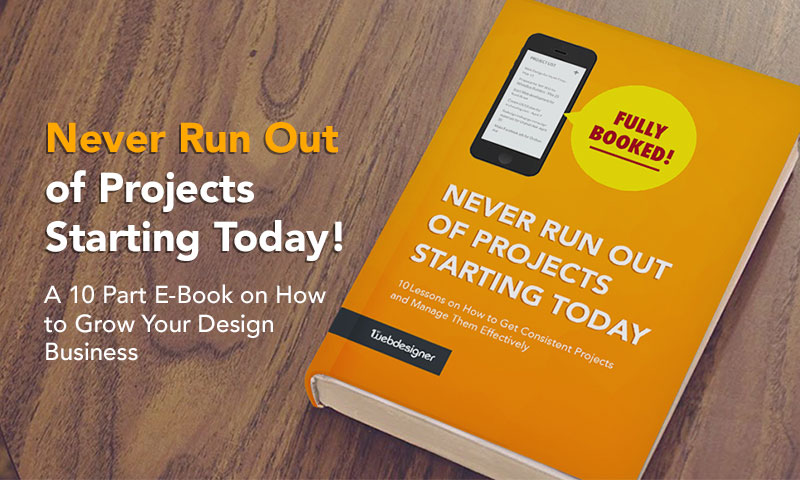
Here’s a little something you can start with, a book on how to build and grow a design business by getting more projects and clients.
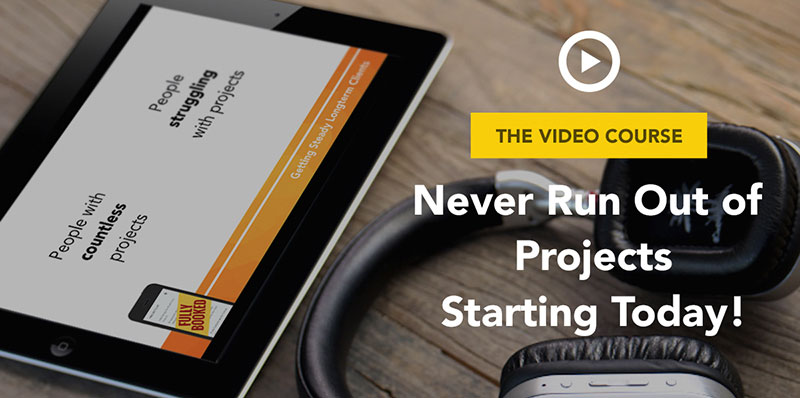
Or even this video version of the ebook.
Here are some articles with tips about self-promotion and writing proposals:
- Tips and Considerations for Self-Promotion – The best designers and developers are the ones we don’t know about, the only difference is that they don’t need, don’t know or don’t care about self-promotion, or promotion at all. But if you value your work, you should value the way you are presenting it to the world. So before you sell a product, you need to sell yourself. Tell them why you deserve to be chosen, why you
- Freelance Proposals and How to Make Them Effective – This will help with your time management, your billing, your timeline, and of course, your sanity. We’ll also talk a bit about a proposal system I love and highly recommend
- How to Write a Freelance Pitch That Gets Clients – In this article we’ll be going over the ins and outs of crafting a freelance pitch that I gained through my years in the industry to help let your voice stand out in a crowd
- Four Effective Marketing Secrets That New Web Designers Should Use – some extra ideas you could try out to market yourself. There are many designers who have done this right. Take Codrops blog for example, they started out to create tutorials because they wanted to get more client work. Now their blog has grown so large, that they just focus on learning new things and creating new tutorials!
- Why Make Effective Networking Part Of Your Freelance Job – Being a freelancer is no regular job to do. It takes a lot of hard work to become successful in this field. And as a freelancer, it is essential to build contacts for your business work. You need sufficient references – people who work out as your clients. You need people to help you deliver expected results. So what drastic steps should you do in establishing contacts for your business?
- How Important Connections Are and Why You Should Start Networking – it’s not about what you know, it’s about who you know. This truth has proven itself countless times in my life
Actually since most of our visitors are freelancers and they kept asking about ways how to get clients, we created our own job search website for designers and developers called AwesomeWeb. This marketplace is a great place for web professionals. If you are still looking around however, here are detailed analysis of the best job search websites for designers and developers. We went to analyze each job search site in detail, allowing you to clearly see their pros and cons.
You should be very well set with client finding tools now, let’s talk about how to work with these clients and ensure good relationships with them.
Must-Know Tips For Handling Relationships With Your Clients
By treating your client very well and a having personal connection, you will ensure your client that he doesn’t ever want to work with another freelancer ever again. Learn how to stand out from the crowd with the way you communicate with the client. Remember his birthdays, greet him in holidays with a personal message. All of this will make the client feel special and like you more.
However, there will be times, when you get an absolutely terrible client. You should know how to deal with him. Don’t try to keep every client but know that you have an option to fire your client if he’s causing more headache to you than benefit. Learn how to deal with non-paying clients and do your preparations to prevent that from happening in the first place.
Collaborate To Be Able To Do More and Focus On Doing What You Love
This is an important section as we don’t want you just work on your own alone. You will be far happier and more productive if you collaborate. It can be a full partnership where you are the graphic designer and your partner is the programmer and you split everything 50/50. You can have friends who you hire on contract basis to be able to complete bigger projects and more complex tasks as they arise. Eventually you can take this all to a whole new level, where you have your own design agency with several full-time people. We are teaching you a business mindset and if you are serious about becoming a business owner and not just a one-man team, you should learn at least the basics about collaboration. Don’t be afraid of it.
Here are some articles to help you understand more about collaboration, it’s pros and challenges:
- Why Collaborating with Other Freelancers Can be a Great Idea – Being a freelancer is a great way to work for a lot of designers and creatives. To be able to give your clients the best possible package though, you may have to look at doing things a bit differently. By considering to collaborate with other freelancers, you’ll have an even better chance to offer something great, along with getting more social in a job that often is quite lonely. Here are some of the reasons why working with others can be a great idea!
- Collaboration: An Important Factor To Have At Work – A successful project depends on how the working relationship of the workers involved are. In the process of working, collaboration is one factor that workers must have to reach their goals or be successful on the project they are working on. In this article, I will be focusing on how important collaboration is between entities
- The Outsourcing Guide for Web Designers – There are times in the life of a freelance web designer when design projects come like rain falling from the sky. Those times are great and abundant to a point that the said freelancer’s bucket is too full that he can’t carry it. Of course, he has options- either he carries the whole bucket and take on all projects or he asks someone to carry the bucket for him.
- 13 Business Lessons from Expanding 1stWebDesigner in 2014 – here we look back at our own business lessons we learned from trying to expand 1stwebdesigner. There are lessons about hiring people, lessons about partnership and much more
- Collaboration Gone Wrong: Key Tips in Addressing and Preventing Conflicts – sometimes things will go wrong and you will need to address the issues. Learn how to tackle conflicts or even better how to prevent them from happening in the first place.
To wrap up this freelancing section, I wanted to include a bit more general article, which will help you to decide about the best place to work from as a freelancer. Now when you have the freedom, you can work from coffee shop, living room, bedroom or anywhere else. Get some tips about what are the pros and cons of each workplace and see some of our team’s workplaces as well.
This concludes our web design and business training section. What’s next? Keep reading 1stWebDesigner, keep learning new things, you could get our training course, if you want to take your skills to the next level!
Be committed to never-ending growth, because in our world there is a saying: “Evolve or Die”. Best of luck!
This post may contain affiliate links. See our disclosure about affiliate links here.