Few people know the actual difference between the two terms ‘Wireframe’ and ‘Prototype’ in creating web design projects. There can be confusion with regards to their similarities. However, it is crucial to know the difference of these two.
Also, what are the benefits that these two can have for your designing projects? It might be possible that sometimes you will only require wireframe in your project and sometimes you will need a prototype for it.
The major phases of web development project are:
- Research. Initially you have to do some research with your client regarding the design of your website
- Conceptualize. This gives you the idea about which elements and features to include in your website.
- Layout. Make a sketch and decide on the layout of your website following with the basic design of the website.
To make it clearer, we are going to have a discussion about the difference between wireframes and prototypes in today’s article. Let’s start with their meanings.
The UX Designer Toolbox
Unlimited Downloads: 500,000+ Wireframe & UX Templates, UI Kits & Design Assets
Starting at only $16.50 per month!

Difference Between Wireframe and Prototype
Both wireframe and prototypes are phases of web development that you present to your client. This section will help you better understand the to different but similar steps. Continue reading and find out.
What is a Wireframe?
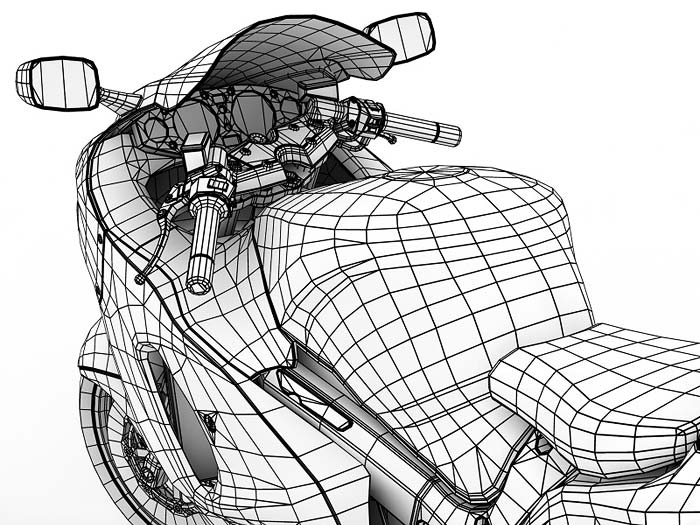
The best definition of wireframe on the Internet explains that wireframe is the visual illustration of single web page.
- It is created to illustrate the content, features, and links that will appear on the page
- It helps designers to create a prototype of the web page, while it helps programmers to understand the features and their working on the web page
- It is very important to understanding where every item should be placed on the website’s page
In simple words, it is a visual layout of your website that shows you where each element will be placed on the page. However, according to the needs of the project, wireframes can be in different forms.
Forms of Wireframes
Wireframes can be an essential part of your product, one if it’s properly created. It will clarify which element should be placed at which spot. They can be in paper or digital drawing form. It can also differ in the amount of detail that it expresses.
There are two ways in which the level of detail in wireframe production or its functions can be expressed.
-
Low-fidelity wireframes
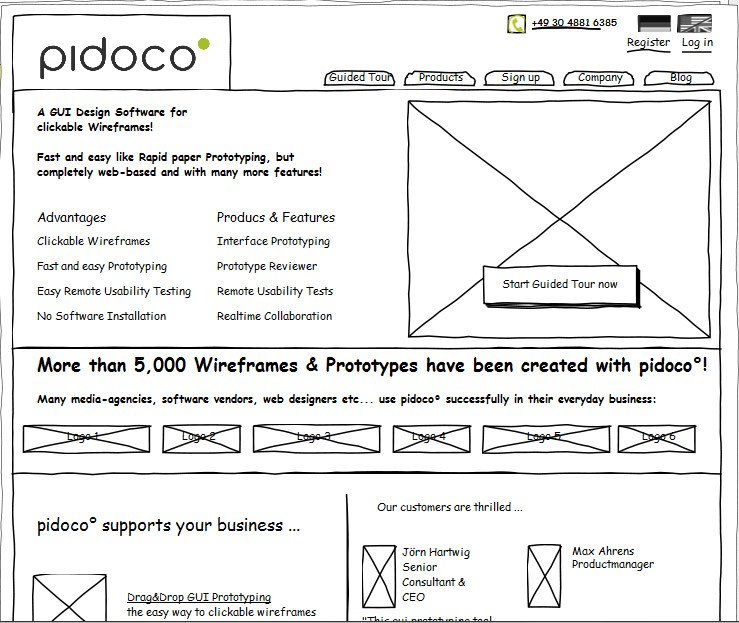
These wireframes help out in making the communication easy.
- They can be created very quickly
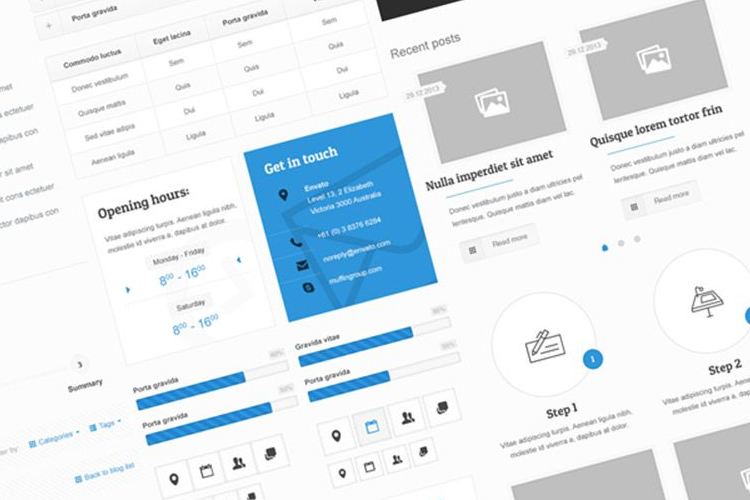
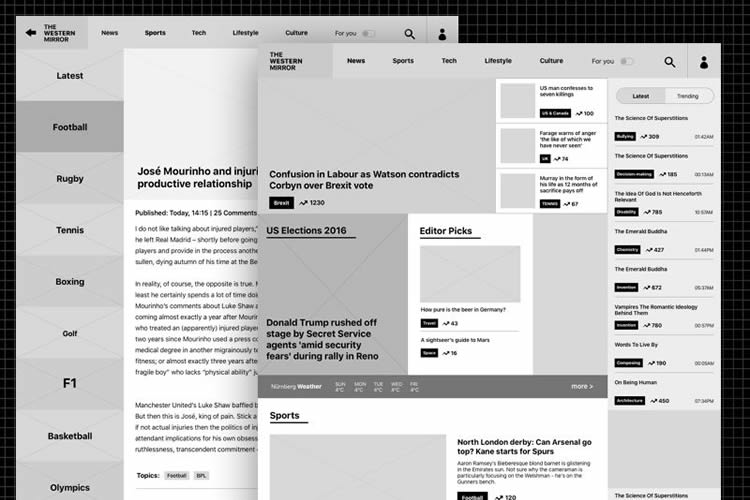
- They are more abstract in nature because of simple images that are used in them to block the space and apply prototypes as seen above.
-
High-fidelity wireframes
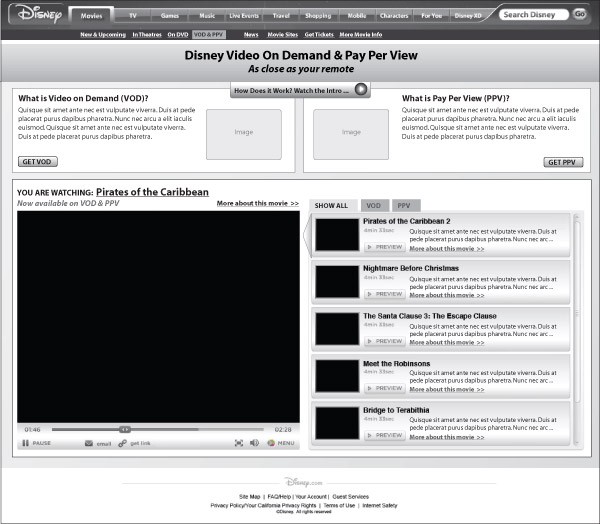
These wireframes are more used for preparing documents.
- They have more level of detail attached to them
- They include important information regarding every particular item available on the page
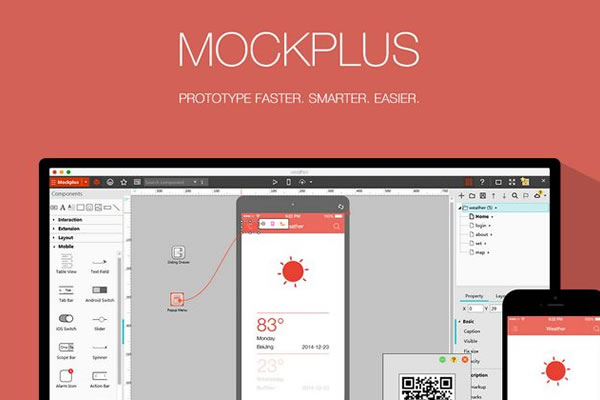
- Dimensions, behavior, and actions of different elements are also included as seen on the image above
Check out the difference between them here.
Visual Diversity in Wireframes
The wireframes have limited amount of diversity when it comes to having visuals. Designers usually use boxes, lines, and gray color schemes when representing different levels of visuals, whereas content such as images, videos, text etc. are saved for the next part.
Advantages of Wireframes
Wireframes are fast and cheap to produce if you are using wire framing software’s such as UXPin. Wireframes should be handled properly from the start of your designing project. A good approach is to collect some feedback regarding the wireframes.
Why?
- It will help you focus more on the functions, usability, and user interaction
- It will also help you to change any needed modification without having to change the coding or the making and graphic changes
It is all about reliability.
The designer might want to improve the reliability. How? A clickable wireframe does the trick:
- By giving special importance to certain user interface parts
- By quickly presenting and checking how solid the interaction between elements is
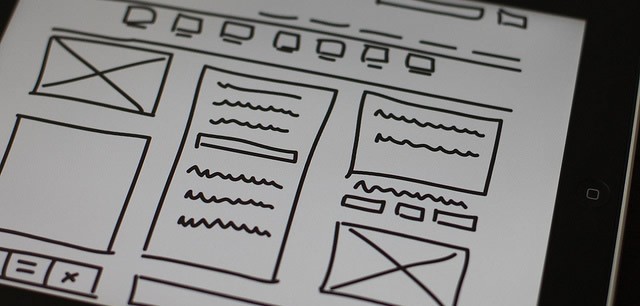
The best way for doing this is by creating a wireframe that is clickable or can be interacted.
Clickable wireframes can create a good first impression with the client. Whenever the client or anyone else asks about the functionality of a particular button, clickable wireframes will answer that.
Presenting Wireframes Carefully
This is a very important point to consider for any designer. When you present wireframes to your common clients and non-technical employers, they can easily get confused because wireframes might not be the final look of how the website’s design is going to be.
What should be the approach?
- Explain a little about what the wireframe is and what its meaning in the design project is
- Make sure to show it to those individuals who might not have enough knowledge on wireframe concepts.
Reason for Using Wireframe
- Time Saver.Using a wireframe will save your time in the long-run.
- Confusion Buster. It will also save you from having any confusion with your clients.
- Puts you and your client on the same page. Creating a wireframe will make sure that you and your client are on the same page before the coding process begins.
There can be a few exchanges of ideas during the wireframe discussion with your clients. But, it is a lot easier to change the wireframe that to change the whole website once it is coded.
Creating and Using Wireframes
There are several ways in which you can create a wireframe. Plenty of online resources and software available that can help you out in making wireframe.
Remember, you only have to get the idea about how the layout and content will be placed on your website.
The core purpose of creating wireframes is to get the visual plan of how the content, images, navigation, text, etc. will be placed on the website.
- You can sometimes create two or three wireframes with different layouts and navigation options for showing to the client.
- By doing this, client can easily choose one from it and you can start making changes to it according to the project.
- Once the process of making layouts and navigation is completed and finally approved by the client, you can start working on the Prototype.
What Is a Prototype?
The best definition of prototype that we find on the Internet is ‘a product that is designed and built to test a new design. It is used to correct mistakes and make the design more user-friendly’.
Prototyping is basically a concept used for testing that originated from concepts of mechanical and structural engineering. But with its increasing usage, it was also started using for the purpose of interactive industry as well.
Why This is Important
- Clients can take visual framework a few steps further, according to the complexity of the web design
- It helps in testing different functions of the website before carrying out the development process or before starting to code
Forms of Prototypes
Same as wireframes, prototype has two forms; high-fidelity and low-fidelity. However, people argue which form should be used and how much should the prototype resemble with the final version.
Both are proven to be very good when it comes to finding usability issues. But, we have to choose only one, right?
So, there are some things you can consider while figuring out which one is the best option for your designing project.
-
Low-fidelity prototypes
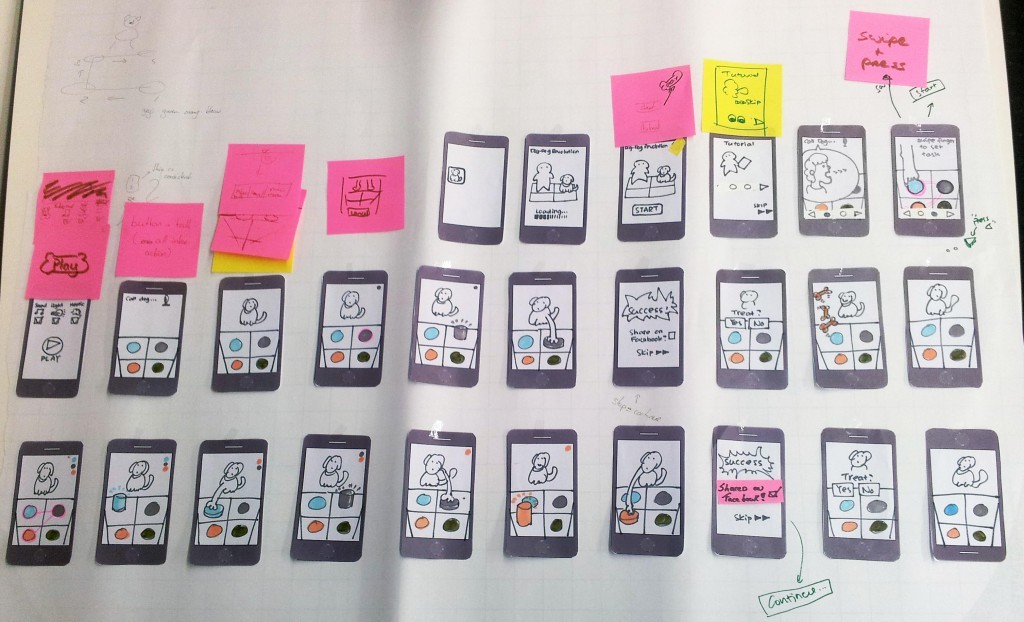
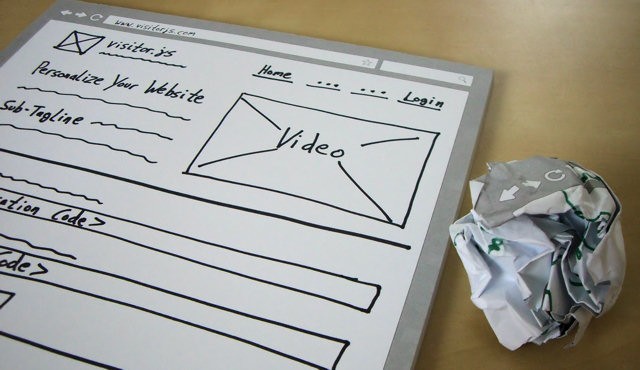
- It is paper-based. They can range from hand drawn prototypes to print-outs
- Don’t allow user interaction
- Easy to create
- Predictive of the early visual of the design
- Stimulate innovation and improvement
- Users feel comfortable in telling about the changes regardless of the rough sketches
-
High-fidelity prototypes
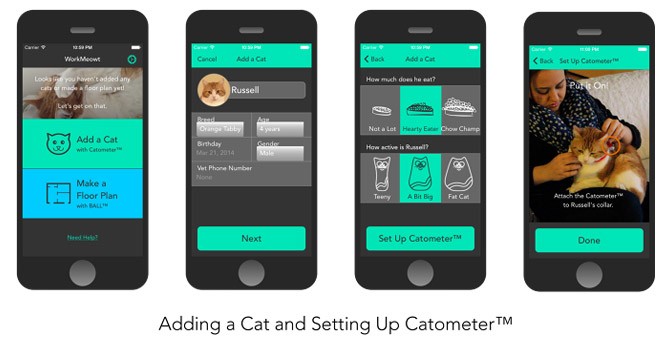
- Computer-based
- Use the keyboard mouse for user interaction
- Show the closest possible representation of the user interface
- Considered much more powerful in collecting the data through actual human performance
- Very effective in demonstrating products to the clients
Visual Diversity in Prototypes
Prototype is the final version of the product but without any coding done on it.
- The basic colors should be complete, and important contents should also be presentable
- Typography should give a hint about how it will look in the final version
- The proper response follows when the objects are clicked
Advantages of Prototyping

You must be thinking that if wireframes can show the early version of design, then, why are the prototypes important.
- For testing purposes. This is created for testing out the product with the final users
- A money saver. It can save lot of money that would have spent on coding after developing a wrong interface
- For product development. It can be a very good tool for justifying the design and development of the product
- For data collection. It can also help you in collecting data by asking the users to go through the basics and use the website
- For team motivation. This can be very motivation for the team and can provide some useful information as well
Today, many designers use reasonable priced prototyping in order to save time for coding in case of making change. There are a lot of software out there that can be used for this purpose. The changes that you want to make after testing from the users can be applied very quickly without doing much work.
Reason for Using Prototype
It has the same reason which you find in using wireframes. It saves you time.
Once you decide with the client how the final version of the website is going to look like, you can start coding. In any case there is a need of rewriting the codes, it will save you time in writing. Because, it is easy to change the color and size of any element in Photoshop than to having it change on the actual website.
Creating and Using Prototypes
Although it is much easier to create prototypes in a photo editing program, some people prefer to create prototypes in Photoshop or in Fireworks. However, there may be some other ways in which you can create prototypes. Such as:
- Photoshop
- Sketch
- Illustrator
- Keynotopia
The depth and detail that you want in to go totally depends on you. However, it can also depend on your client’s needs and the project itself.
Why the Confusion between Wireframes and Prototypes?

Prototype is also sometimes referred to as clickable wireframe, which is why some people get confused in both terms.
Wireframes are created to help out the designers in taking the early steps towards interactive developing process. Prototypes are created to test difficult functionality and interactions that are not possible in wire framing.
Both make the communication easier.
True, these two have some difference in terms of functionality. But both are used as the tools of communication in creating a better experience for the users regarding the final product.
- They are also very helpful in producing good results.
- They make it easier for the developers to make their move.
- They help clients to visually look at the condition of of the project.
- These also save time and money from having to change the coding once the process would have been completed.
- It opens the door of communication between the developers, designers and clients.
- Prototype is helpful is allowing the developers to build the website accurately from the beginning.
Choosing the Best One
These two are totally different objects according to its uses and process. In addition, the needs and requirements of your client will also be very important in this matter.
These questions can help you out in choosing the best one for your project:
- Which is the best option for everyone?
- Are you going to have a full solid research from the users or not?
- Should you go with something simple and less time-consuming?
If you do them properly, they will give you a brilliant design in the end.
Selecting the right tool will make it very easy to develop and share the wireframe and prototype correctly that will make the job done for you. In the end, everyone wants to create and launch a successful project in reasonable time and amount.

Making a decision about which one to choose totally depends on the project that you are working on. You will have to:
- Identify the main purpose of your project
- Understand about your target market
- Closely analyze your competitors
- Analyze product requirements
Conclusion
If you want to choose the best one for your project, I suggest you look on to your client’s requirements. You can also ask from your team members about it. You can choose formal document style, or a quick sketch and a face by face discussion. Your designing project will become clearer to you once you have complete knowledge about your team and projects purpose.
This post may contain affiliate links. See our disclosure about affiliate links here.