We share 100+ WordPress plugins, categorized under social, security, e-commerce, sliders galleries, speed optimization, SEO optimization, comment and form builders and much more. Just take a look at the table of contents below.
Table of Contents
- WordPress Social Plugins
- WordPress eCommerce Plugins
- WordPress Slider Plugins
- WordPress Gallery Plugins
- Security & Backup WordPress Plugins
- WordPress Speed Optimization
- WordPress SEO Optimization Plugins
- WordPress Comment & Form Builder Plugins
- WordPress Ads & Affiliate Marketing Plugins
- WordPress Membership Plugins
- WordPress Plugins With Misc Functionality
- WordPress Plugins For Social Sharing
- WordPress Live Chat Plugins
These 100 WordPress Plugins will make all the difference on your website. They offer better security, easier content management, higher conversion, and of course, your WordPress website will look amazing as well. Dig in!
Who doesn’t love WordPress? According to W3Techs, WordPress has a huge 58.5% market share of all content management systems! Yep, WordPress is popular. From small personal blogs to the largest of eCommerce sites, WordPress completely dominates the Web.
So, what do you need to transform your WordPress-powered site into a feature-rich powerhouse? You need the best WordPress plugins!
You might also like to take a look at the Top 50 Premium WordPress Themes of 2017.
UNLIMITED DOWNLOADS: 500,000+ WordPress & Design Assets
Sign up for Envato Elements and get unlimited downloads starting at only $16.50 per month!

WordPress Social Plugins
Social media is one of the crucial components of online marketing. So, choosing the best social plugins for your WordPress site is important. From simple to richly featured, below are some of the best WordPress plugins for social media.
1. Social Network Tabs For WordPress

Social Network Tabs For WordPress combines all of your favorite social network profiles & feeds into slick slide out or static tabs. Each social network tab is loaded using AJAX only when required, making the plugin very fast loading!
2. Easy Social Share Buttons for WordPress

Add social buttons to encourage visitors to share your content.
We are using this plugin ourselves because it looks great and it allows visitors to see a total number of shares in a beautiful way. With this plugin, you can use up to 20 of major social networks and encourage readers to share your content.
There are 19 templates, 12 display locations, 4 button display styles, 9 counter styles and after share actions you can add to your website. You can also add social media sharing to images and have social fans counter added. Check the full feature list here.
3. SocialBox – Social Profile Showcase Plugin

Add a social media widget to increase your social following.
With SocialBox you can add a widget to your sidebar, that will help you increase social following as well as increase brand trust if you have a healthy following.
We are using similar feature ourselves, because for the first time visitors when they see 1WD has more than 200,000 followers; they take notice that this website is being trusted by many other people.
There is support for Facebook, Twitter, Instagram, Dribbble, Forrst, Youtube, Vimeo, Mailchimp, Pinterest and more. You can either display following for each of these social networks as well as the total number of followers.
Pick between premade designs or create your own. Check the live preview for more.
4. Social Gallery WordPress Photo Viewer Plugin

Social Gallery WordPress Photo Viewer Plugin is a fantastic new way to engage visitors to your WordPress blog by adding the ultimate Lightbox featuring social media buttons (Facebook Like, Facebook Send, Pinterest ‘Pin it’, Twitters ‘Tweet This’ and now LinkedIn, StumbleUpon & Tumblr) as well as Facebook or Disqus Comments!
5. Ultimate Social Meta Pro

This plugin is the ultimate solution for your Social Meta Data problem by automatically grabingb social meta data enriched with Google+ Snippets, Facebook Open Graph and Twitter Card.
6. Social Traffic Pop for WordPress

Social Traffic Pop combines 4 of the most powerful social media tools to make one of the best social media marketing tools ever. Social Traffic Pop builds on everything that made the original Facebook Traffic Pop such a hit and takes it to the next level.
7. Ultimate Social Deux
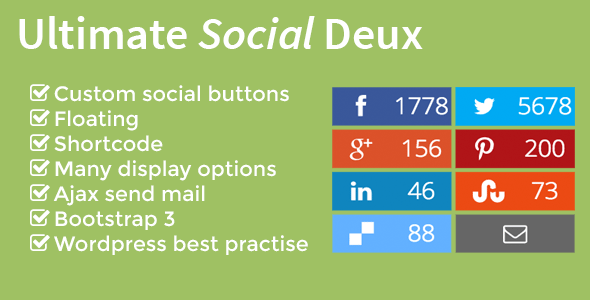
Ultimate Social Deux is a plugin that gives you 10 popular custom-styled social media sharing buttons with counters.
WordPress eCommerce Plugins
More and more people are buying things online so it is a great idea to add e-commerce functionalities on your site. With big names such as Amazon and eBay already doing great business, the web has evolved to become a great platform for product and business exposure. Good thing WordPress can now integrate e-Commerce plugins. The following are some of the best e-commerce plugin you use for your business site.
13. WooCommerce Amazon Affiliates – WordPress Plugin
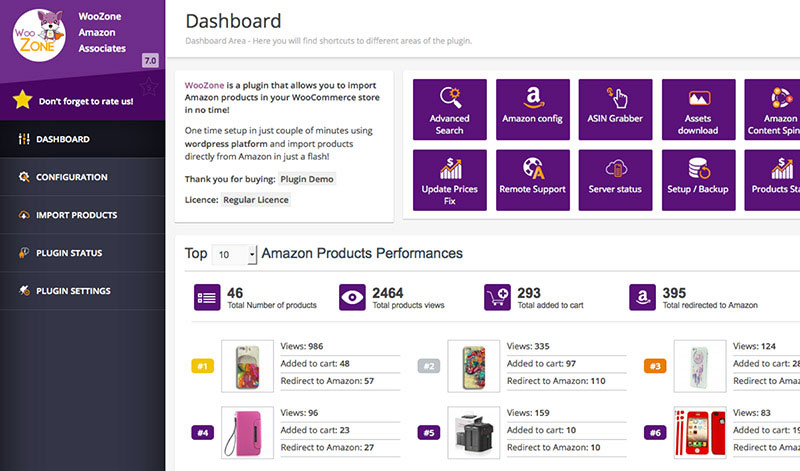
Keep track of Amazon products you promote and analyze your conversion rates.
WooZone Report is a cool plugin, that you will want to use if you promote Amazon products in your WooCommerce shop. You will be able to keep track of the Amazon products and see how many views, how many products were added to cart and redirected to Amazon. You can receive reports straight in your inbox.
14. WooCommerce Plugin – excelling eCommerce
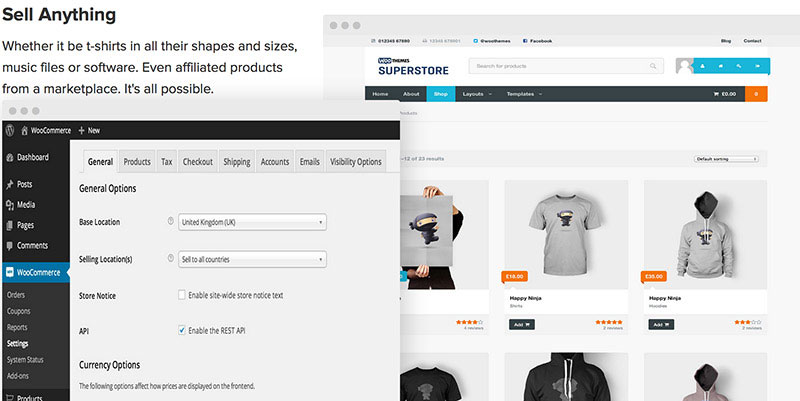
Add shopping cart and store to your WordPress website with WooCommerce.
WooCommerce is the most popular WordPress plugin for eCommerce solutions. With this plugin, you will be able to transform your WordPress website into eCommerce store.
Note that all the promoted themes and most add-ons there are paid, and only WooCommerce plugin itself is free, but it’s still a great deal.
15. WP e-Commerce Car/Parts Filter Plugin
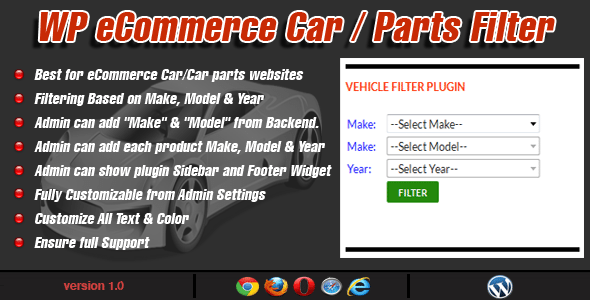
WP e-Commerce Car/Parts Filter Plugin is the best plugin for a vehicle or vehicle parts website. With this plugin, the administrator can show filter plugin on the sidebar or footer widget. He can also add car models, products at the backend.
16. WooCommerce e-Commerce Bundle Rate Shipping

The WooCommerce e-Commerce Bundle Rate Shipping allows you to provide special bundled shipping rates when a customer purchases multiple items. The plugin is designed to be flexible, so you can define bundled shipping rates based on the shipping destination, the categories of the products being sold, or their shipping class.
16. WP eCommerce Authorize.Net

WP eCommerce Authorize.Net is a WordPress Plugin which allows the WP e-Commerce Store owners to accept credit cards. It can take less than 5 minutes to set up. This is, by far, the quickest way to integrate Authorize.net.
17. WorldPay Gateway for WP E-Commerce

WorldPay Gateway is a payment service provider for all sizes of business. Accept debit and credit card payments online and in multiple currencies.
18. Friendly Manual Order Processing for WP E-Commerce
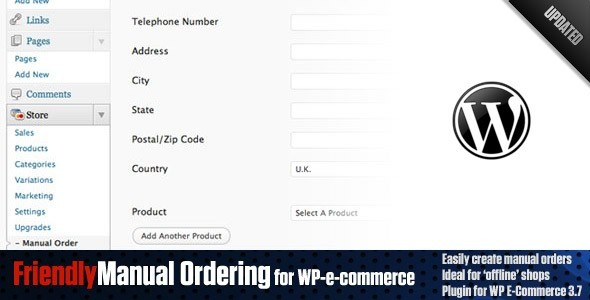
Friendly Manual Order Processing for WP E-Commerce provides an easy-to-use and flexible way for you or your client to process orders directly from the WordPress backend without having to go through the payment process necessary on the front end of the site.
Sliders
Sliders provide a great way to display images, videos or other content in an engaging way. If your theme doesn’t have one built-in or you would just like to add something a bit more exciting then take a look at these premium plugins.
19. Metaslider WordPress Slideshow Plugin
This plugin is the most popular WordPress slider plugin with over 2 million downloads, 500,000 active installs, and 250 five star ratings. There are four different slideshow types – Flex Slider, Nivo Slider, Responsive Slides and Coin Slider. Check out their website to see live demo.
With Metaslider you will be able to create responsive and SEO optimized slideshows in seconds. You also can crop images, drag and drop reorder slides, preview slides within admin panel and configure your slideshow a lot.
20. RoyalSlider – Touch-Enabled jQuery Image Gallery
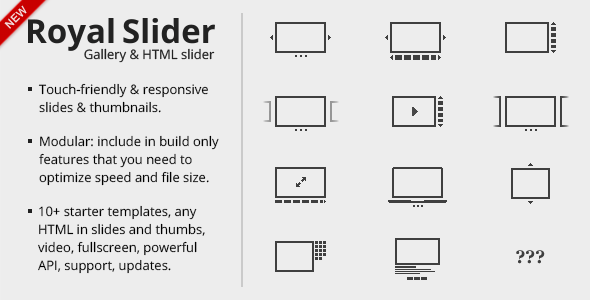
RoyalSlider is an easy-to-use jQuery image gallery and content slider plugin with animated captions, responsive layout and touch support for mobile devices. For its menu, you can use thumbnails, tabs or bullets. Use it as image slider, slideshow, HTML content slider, gallery, banner rotator, video gallery, carousel or even presentation.
21. Slider Revolution Responsive WordPress Plugin
Slider Revolution is currently the top-selling plugin on Codecanyon. It is widely-used by theme authors on Themeforest. It is a responsive (mobile friendly) or full-width slider with must-see-effects. It also keeps or builds your SEO optimization (all content always readable for search engines).
22. LayerSlider Responsive WordPress Slider Plugin
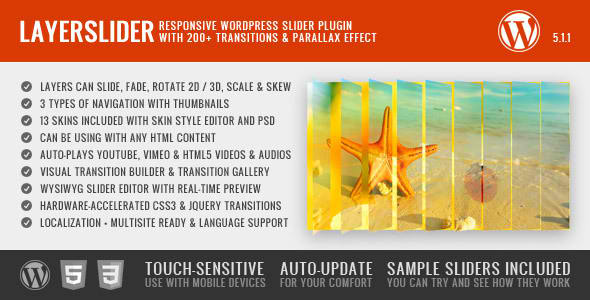
LayerSlider Slider Plugin is a premium multi-purpose slider for creating image galleries, content sliders, and mind-blowing slideshows with must-see effects, even from your WordPress posts and pages. It uses cutting edge technologies to provide the smoothest experience that’s possible, and it comes with more than 200 preset 2D and 3D slide transitions.
23. Slider PRO – WordPress Premium Slider Plugin

Slider PRO is one of the most powerful slider plugins for WordPress in the market. The slider is fully responsive and mobile-ready. It provides 150+ options, 100+ possible transition effects, from simple ‘fade’, ‘slide’ or ‘swipe’ effects to more complex ‘slice’ effects, 15+ skins and much more.
24. Showbiz Pro Responsive Teaser WordPress Plugin

Showbiz Pro is a responsive teaser displaying solution that allows you to show WordPress posts or any custom content with a set amount of teaser items.
25. Accordion Slider – Responsive WordPress Plugin

Accordion Slider is a fully responsive and touch-enabled WordPress plugin that combines the functionality of an accordion with that of a slider.
26. Soliloquy Lite – Responsive WordPress Slider

WordPress Slider Plugin
Soliloquy is a very popular WordPress slider plugin, which is paid, but now there is also available free and lite version of this plugin. What makes this plugin special is that it is really simple to add sliders wherever you want with just a few clicks.
By utilizing custom post types, this plugin allows you to create as many sliders as you want with as many images as you want. You can do all of this with just a few clicks.
WordPress Image Gallery Plugins
Gallery is a cornerstone of many websites today, allowing you to showcase pictures, illustrations, videos and more. If you’re looking for the best photo gallery plugin for WordPress to help you display your images for maximum effects on your blog or website. The following I listed are the best WordPress gallery plugins that will surely blow your mind.
27. NextGen Gallery WordPress Plugin

NextGen Gallery Plugin
This plugin has been around for a very long time; it has over 12 million downloads, and it has over one million active installs. One red flag is that it has received quite a bit 5-star and 1-star ratings, but still active installs are the highest ever seen on WordPress repository for gallery plugin.
28. Responsive Photo Gallery WordPress Plugin

Responsive Photo Gallery
Photo Gallery is an advanced plugin, which allows you to add and edit images for different views. You can create image galleries and albums to posts, pages and add them as widgets.
This gallery is fully responsive and has several gallery views you can choose from.
29. Essential Grid WordPress Plugin

Essential Grid Building Solution
This is one more plugin similar to Justified Image Grid, but functionality and design preview look different. Live preview for Essential Grid is great since they have collected all the best user works, you can use as the base for your designs.
The plugin also has lots of included skins you can use to display any content on grid-like portfolios, price tables, service listings, product sliders, video grids and more. You can easily import or export your grid, skin or meta date later to use for another WordPress installation.
30. Justified Image Grid – Premium WordPress Gallery Plugin

This plugin aligns thumbnails into a justified grid using jQuery, just like Google image search.
This plugin will take existing WordPress galleries and display them, the way you want. You can alternatively load images from Facebook, Flickr, Instagram or use NextGen (image manager) as a source for images. You can also pull image RSS feeds and videos from Youtube or Vimeo and much more.
You can also control every aspect how the gallery will be displayed, there are lots of options. You will also get 87 pages of PDF documentation to learn how to use this plugin.
31. Responsive Lightbox by dFactory

This plugin allow readers to view larger versions of images and galleries in a lightbox overlay effect, which is optimized for mobile devices. It has more than 100,000 active installs and have received 250 five star ratings.
32. Media Grid – WordPress Responsive Portfolio
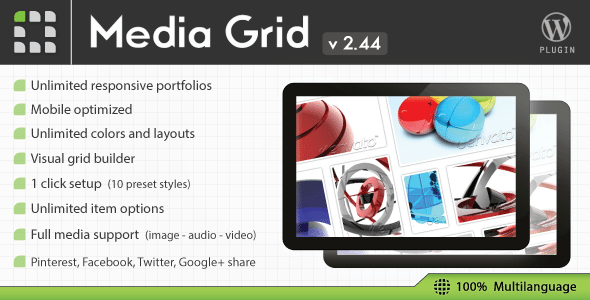
A responsive and filterable portfolios with ease on your website. Media Grid comes with masonry layout; it is designed to adapt each portfolio to any situation and mobile optimized for responsive themes.
33. Video Gallery WordPress Plugin /w YouTube, Vimeo

Responsive, localized, awesome, fully featured and fast gallery. This is the most advanced stock video gallery in the world and, now, as a WordPress plugin.
34. Simple 3D Coverflow WordPress Plugin

Simple 3D Coverflow is a fully responsive media 3D coverflow WordPress plugin that allows you to display media content with an unique original layout from a 3D perspective. It’s perfect for any kind of presentation, for anyone that wants to deliver a great impact on their visitors.
35. Awesome Gallery
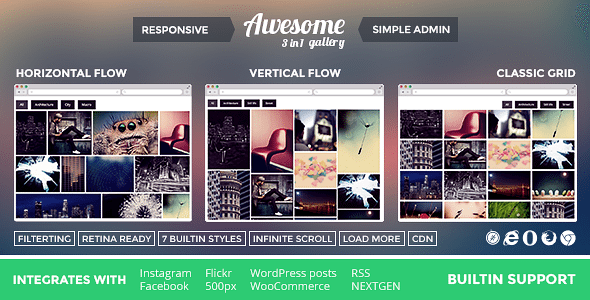
It’s another great gallery plugin that comes with a horizontal flow, vertical flow and classic grid. Especially helpful when you use both portrait and landscape images at the same gallery. Ideal for presenting your photographs and really close to the way images are presented in Flickr.
36. Thumbnail Gallery (WordPress Plugin)

This plugin will help you to easily add a thumbnail gallery to your WordPress website or blog. The gallery is completely customizable, resizable and is compatible with all browsers and devices (iPhone, iPad and Android smartphones). You will be able to insert it in any page or post you want with inbuilt short code generator.
37. Mikado Grid Gallery for WordPress

Mikado Grid Gallery is a gallery for WordPress based on random grids with a lot of features. It’s responsive, and images will adapt with a nice and smooth animation when the browser is resized. You just need to decide width (also percentage) and height and Mikado will create a random grid inside the rectangle.
Security And Backup WordPress Plugins
WordPress is pretty secure against hacker attacks, but since WordPress is being used by 20% of all world websites, you should take security precautions nevertheless. Better be safe than sorry, right?
All websites should have regular backups, in case something bad happens, but other things are just like icing on cake.
38. Backup WordPress Plugin

Premium WordPress Backup Plugin – BackupBuddy
This is the most popular premium backup plugin for WordPress, and it is the best way to backup and move your WordPress website.
Backups come handy in case something troublesome happens to your databases or server.
Backupbuddy isn’t free, but if you are looking for high quality and reliability, and you can pay a little for that – BackupBuddy is the top choice.
39. iThemes Security Pro

Ensure your site is safe and protected at all times.
This is another plugin created by iThemes, they also have created BackupBuddy mentioned before. iThemes Security is a premium and comprehensive plugin, including all the things you will ever need to secure your website.
40. UpdraftPlus Backup and Restoration

UpDraft Plus Backup And Restoration WordPress Plugin
This is the most popular free plugin on WordPress repository and with over 2.4 million downloads, more than 400,000 active installs and 1400 5-star ratings is a good choice. UpdraftPlus allows you to backup your data to the cloud to places like Amazon S3, Dropbox, Google Drive and much more. You can later restore this backup with a single click.
41. Wordfence Security

Wordfence security and performance WordPress plugin.
Wordfence is a free enterprise class security and performance plugin that makes your site up to 50 times faster and more secure. This plugin provides a complete anti-virus and firewall package and tools that will help you to recover from a hack. It has more than 900,000 active installs and more than 2000 5 star ratings.
42. Sucuri Security – Auditing, Malware Scanner and Security Hardening

Sucuri Security WordPress plugin
Sucuri Inc. is the most recognized company when it comes to website security. They were the ones who first discovered the HeartBleed bug, which haunted WordPress websites in 2014.
43. Login Lockdown

Simple security WordPress plugin protecting your admin area.
Login Lockdown is a simple plugin that records the IP address and time of every failed login attempt. Usually hack attempts rely on breaking into your website admin area buy inputting lots of password lists to guess the password. This plugin locks IP out for 1 hour after 3 failed login attempts within 5 minutes.
44. Hide My WP
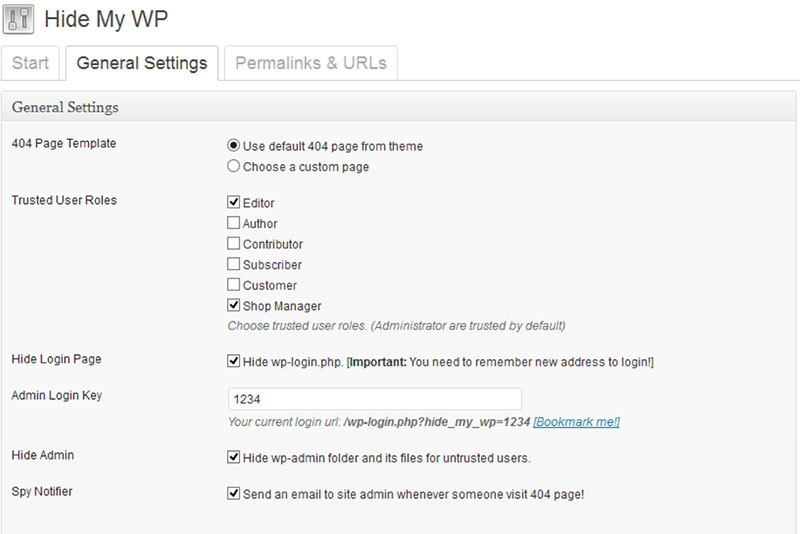
Hide the fact you use WordPress for your site with Hide My WP plugin.
This handy security plugin lets you hide the fact you are using WordPress making it harder for anybody to breach your security.
You can use the plugin to control access to PHP files, which will protect your site from almost 90% of SQL-Injection and XSS attacks, which are caused by accessing PHP files directly. This means you can install unsafe plugins without worrying about security.
Install new plugins and themes on your website without worrying about being exposed to common web attacks and new vulnerabilities that are discovered within plugins.
45. Security Ninja

Security Ninja WordPress plugin
This plugin allows you to perform 35+ security tests including brute-force attacks. It will automatically scan your website for security vulnerabilities and holes, and you will receive notifications via email.
46. Core Scanner add-on for Security Ninja

Core Scanner add-on for Security Ninja can scan WP core files with one click. It quickly identifies the problematic files that occurs in your WordPress core files.
47. WP Security Manager

WP Security Manager is a WordPress plugin that provides all in one security solutions to your WP site.
48. Smart Security Tools

Smart Security Tools is a powerful plugin for improving security of your WordPress powered website. Plugin contains collection of tweaks and tools for extra security protection along with Security Advisor that can help you determine what needs to be done.
49. WP-Lens – Security and Analysis

WP-Lens – Security and Analysis is the ultimate plugin for WordPress security analysis on your current theme and WordPress installation. WP-Lens combines a variety of checks and mechanisms that give you a clear picture of your current state of security and installation.
WordPress Speed Optimization – Responsive, Mobile Support Plugins
As we know optimization of a website is critical as our visitors don’t want to wait for the site to load or just leave because there is no way to get support. In today’s world website has to be mobile friendly. So here are some plugins that can help you achieve that in no time.
50. W3 Total Cache WordPress Plugin

Ensure that your website loads fast for visitors.
We are using W3 Total Cache on 1WD, because it really helps to improve the speed your website loads. This plugin is a must have on any high trafficked WordPress website, because of it’s CDN (content delivery network) integration.
There is up to 10x improvement on overall site performance, when W3 Total Cache plugin is fully configured. Page load speed is very important, because it improves user experience and helps you rank higher on search engines. There are many more features like catching of minified CSS, Javascript, feeds, search results and more. There is also a mobile support.
51. WPtouch Mobile Plugin

Make your WordPress website mobile-friendly with just a few clicks.
WPTouch helps you make your website fully responsive, it will help even for responsive themes, because they usually don’t work well with third party WordPress plugins you install. WpTouch claims to be up to 5x faster than desktop or responsive themes, because their mobile solution is 100% CSS.
52. EWWW Image Optimizer WordPress Plugin
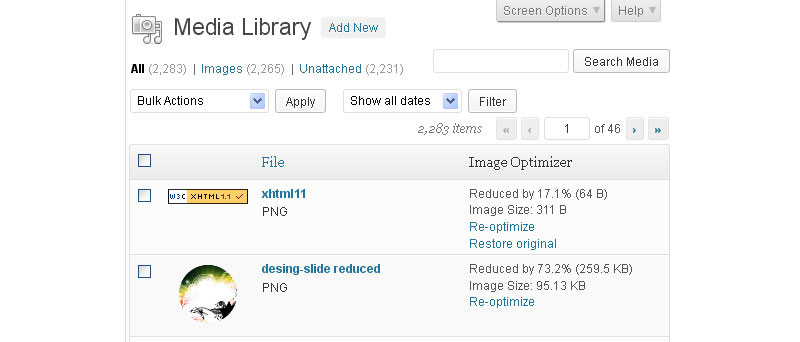
Reduce file sizes for images with EWWW Image Optimizer
This plugin reduces file sizes for images in WordPress using lossless methods and image format conversion. It’s important to keep file size low because the faster it takes to load your pages the more visitors will stay on the page and you will also rank higher in search engines. EWW Image Optimizer compresses JPG and PNG files without any loss of image quality. There are so many benefits to having smaller image file size, read more on their plugin page.
SEO Optimization Plugins
Another important subject. SEO optimization is important as this is our ticket to the top of search engines. Here are a few great plugins that will make your life easier when SEO optimizing your website.
53. WordPress SEO by Yoast
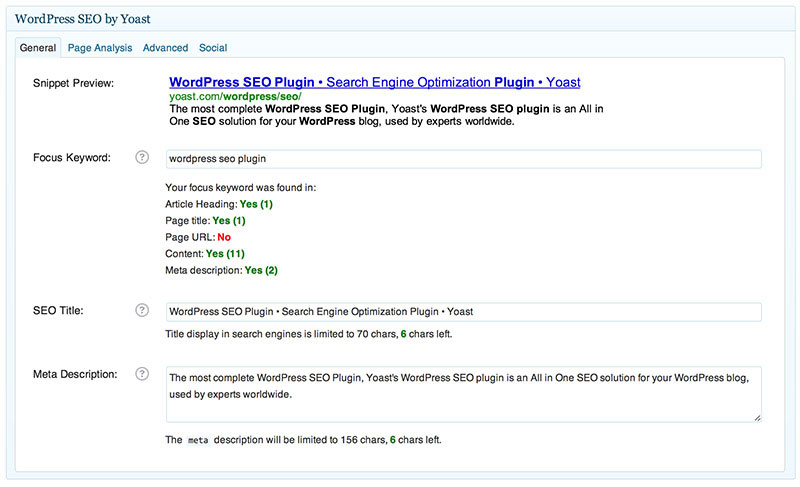
Every WordPress website should have this plugin installed if you want to be well optimized for search engines and Google. With this plugin you can optimize every page, post and overall website optimization, including XML sitemaps.
This plugin will also help you to understand how well each post is optimized and how it will look in Google. It is a very, very helpful SEO plugin – definitely a must-have.
54. Premium SEO Pack – WordPress Plugin
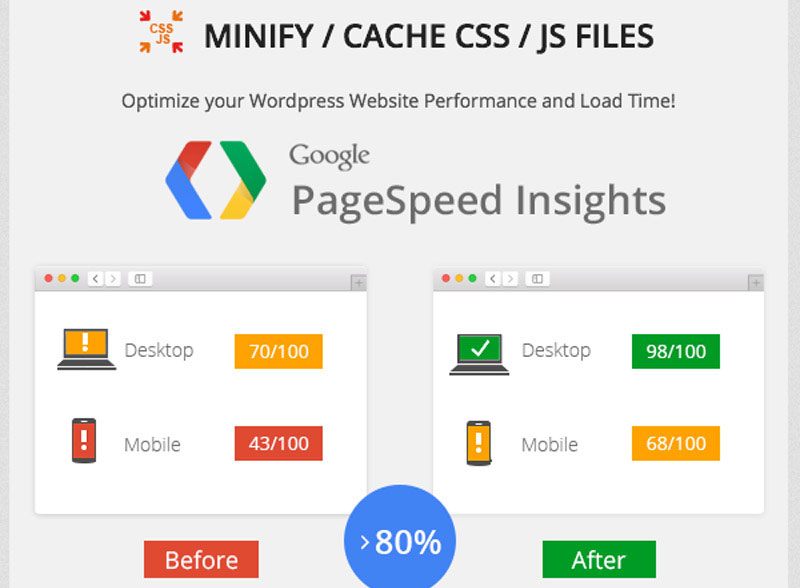
Premium SEO Pack includes several unique SEO optimization features, you won’t find anywhere else.
This is a great new SEO plugin which has lots of great functionality not found in Yoast plugin.
Premium SEO Pack will help you optimize your website speed performance and load time.
55. WordPress Auto Spinner – Articles Rewriter Plugin

Automatically rewrite your post to convert it to fresh content.
Use this plugin with precaution: this plugin won’t be ideal for high-quality blogs, but if you want to have more content on your site, or be able to republish original content to get more good backlinks, you can use this.
WordPress Auto Spinner rewrites existing content by replacing most of the text with synonymous words and phrases. This is a popular plugin on CodeCanyon, check more of it’s features to understand if you want to use it. If you are into building SEO sites, you might be interested trying this plugin out. I wouldn’t recommend it for your company website, since the content won’t be readable for real visitors, but only help you rank well on Google.
56. Rankie – WordPress Rank Tracker Plugin

Keep track of your keyword rankings on Google straight from your dashboard.
Rankie is a WordPress rank checker plugin that helps to keep a close eye on each keyword position on Google. This plugin will update keywords ranking positions daily and generate handy reports for you. You can get these reports in a daily email delivered straight to your inbox.
You can also use Rankie’s keyword research tool which generates keyword list that other people are using to search for topics which interest you. Check Rankie’s plugin preview video to learn more.
57. All In One SEO Pack

All in One SEO Pack is an alternative to Yoast SEO plugin. For full description Check the plugin page. With out the doubt it will help you to always have your site optimized for SEO.
58. Broken Link Checker

It can be used to keep tabs on 404 pages and the plugin will send you an email. You can then go in and manually fix or redirect them.
59. Simple 301 Redirects
Provides an easy way to add a 301 redirect for the posts, pages on your WordPress site. You can even set wildcard redirect rules using this plugin.
60. YARPP

YARPP comes with a lot of features like cached related posts, adding related post in RSS feed.
WordPress Comment And Form Builder Plugins
If you have a blog, an important feature is having a comment section below your posts. For every site, however, there is importance to have a contact form. Check these plugins for building forms and comment sections.
61. Gravity Forms
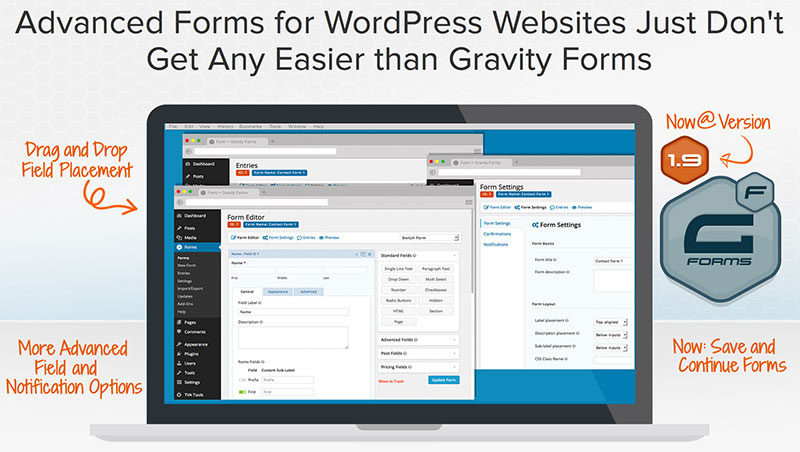
Add advanced forms to WordPress website.
Gravity Forms is a well known plugin, because it allows you to create WordPress forms quickly and easily. Anything form related – Gravity Forms can do it. Create order forms, customize content and style, even add advanced fields, like file uploads.
62. Contact Form 7

QuForm – Drag and Drop Form Builder.
This simple plugin, will empower you to create contact forms on your website. It supports CAPTCHA spam filter and Akismet spam filtering.
63. Quform – WordPress Form Builder

Encourage and manage comments better with Disqus.
QuForm plugin is a drag and drop form builder, that lets you create unlimited forms with 15 form elements you can choose from. Entries will be saved on WordPress with an option to export data. There are lots of customization you can do, like enabling Ajax, using CAPTCHA, add animation and more. Check Quform live preview to see what’s possible.
64. Disqus Comment System
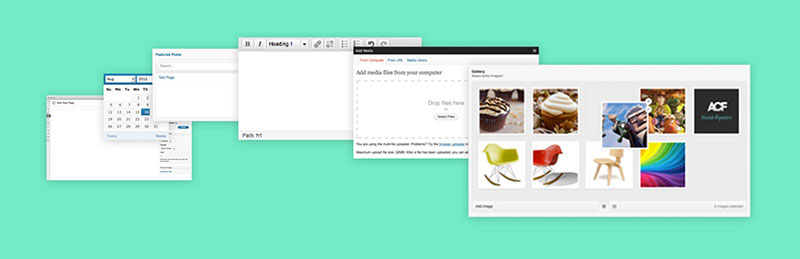
Add custom input fields and start collecting data you need.
Disqus is a free comment system; that replaces your WordPress comment system with Disqus comments. Since many websites are using Disqus (more than 200,000 active installs), it is already widely recognized. Its best feature is its connection with a large discussion community where commentators can keep track of their comments across the web encouraging them to comment more.
65. Advanced Custom Fields Plugin
There are more than 20 field types you can choose from, making custom data management and collection real easy and simple. Make surveys and collect necessary data from your clients without any issues now!
Ads and Affiliate Marketing WordPress Plugins
You can do almost everything on your website. If you want to advertise affiliates of yourselves these plugins below are your saviors.
66. Pretty Link Pro Affiliate Link Plugin For WordPress

Cloak your affiliate links and optimize your site by testing links.
Pretty Link Pro will help you to shrink, cloak, track and organize your links. The most helpful feature is that it lets you cloak your affiliate links, but you can do much more with it.
67. Ninja Popups for WordPress
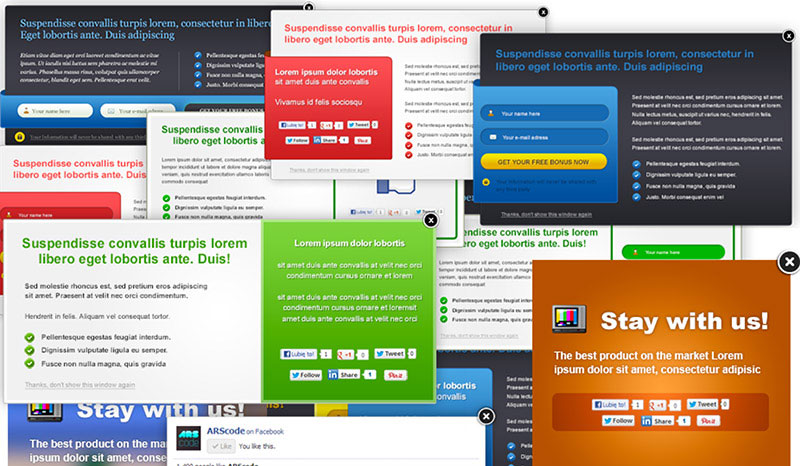
Use Ninja popups to grow your mailing list.
Ninja Popups is great plugin to convert website visitors into qualified leads, by getting them to subscribe to your email list. This plugin supports all the main (and not so well know) email marketing providers. It has all the features you would expect in a good popup plugin.
68. HelloBar

Great marketing tool, that allows to direct visitors to take desired action.
With this plugin, you can show a bar on top of your website, that you can use to promote your product, special post or drive more email subscribers to your list. We are using this tool on 1stWebDesigner too from time to time.
69. AdSanity Ads Banner Management Plugin
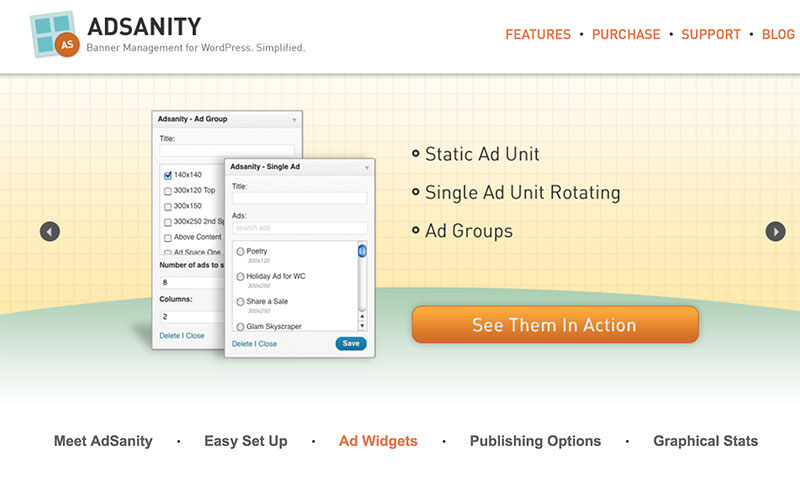
Ad Rotator plugin for WordPress.
If you have a blog and want to have and manage ads yourself, instead of using 3rd party services like BuySellAds, you might consider this plugin.
Adsanity lets you pick between two custom widgets – one is for displaying single ads, another for showing ad groups and rotate them. You will also be able to keep statistics on views and clicks on each ad, so you can quickly see how ads are performing.
Membership Plugins
You want to offer more for you members, but don’t know how? These plugins are your answer!
70. UserPro WordPress Plugin – User Profiles with Social Login
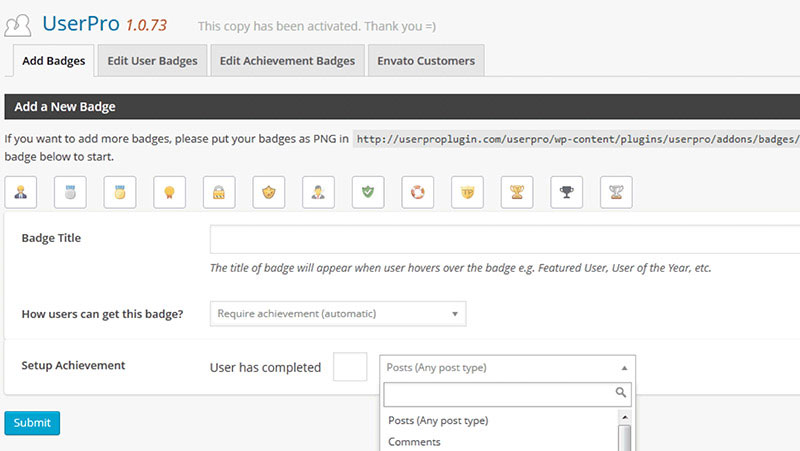
Create users easily, have content restrictions and member directory with UserPro plugin.
UserPro will allow you to start your own user community, create profiles and open registration for new users in minutes! You will be able to sync UserPro with WooCommerce, BuddyPress and BBPress as well as integrate with email auto-responders like Mailchimp, Aweber and Campaign Monitor.
If you are in need of creating a community or upgrading existing one, you should check out UserPro live preview, to see if it’s for you.
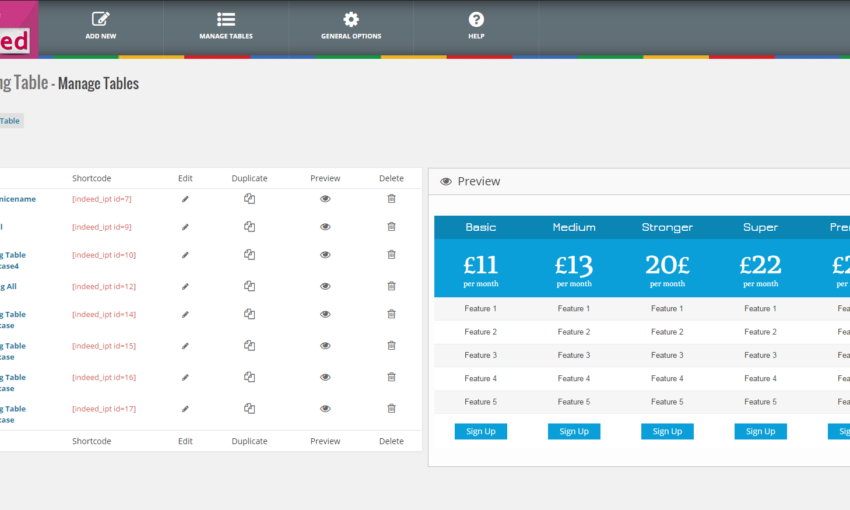
71. CSS3 Responsive WordPress Compare Pricing Tables

CSS3 Pricing Tables Grids For WordPress.
This plugin is a pure CSS3 web pricing tables with 2 table styles and 20 predefined color versions. You have lots of configuration options within admin panel to edit table, columns, rows, active columns, hover states, tool tips, column ribbons, tick/cross icons and lots of more.
Plugins With Misc Functionality
72. Full-width Audio Player Plugin
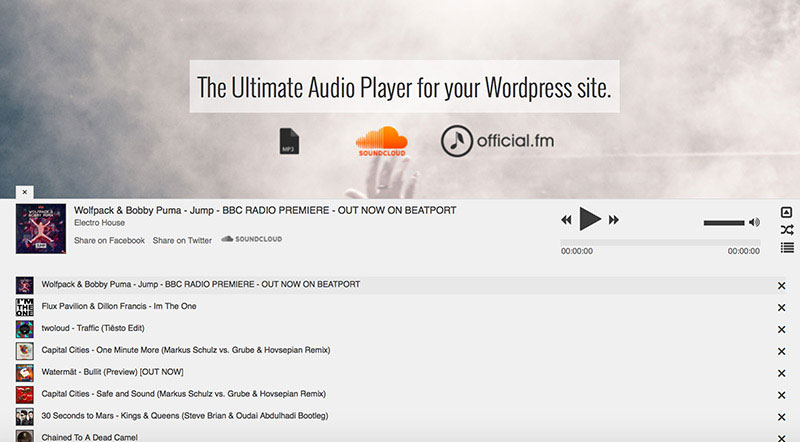
Ultimate audio player for your WordPress website.
With this plugin you will be able to add an audio play at the top or bottom of your website. Audio player is fully HTML5 audio engine powered and will run on all the mayor browsers and mobile devices.
73. Maintenance PRO Plugin
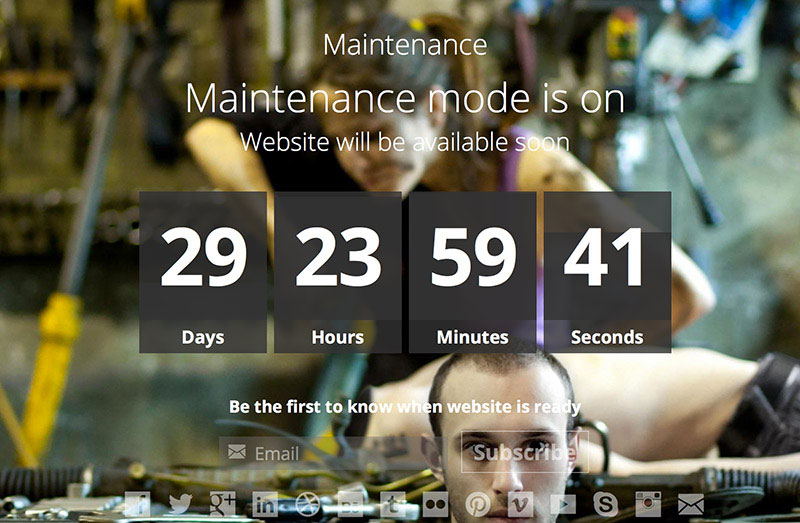
Add the maintenance mode when updating a website.
Use this plugin to easily setup and customize your coming soon, under construction or maintenance pages. It comes handy whenever you are upgrading your WordPress installation or plugins, so your visitors don’t see a broken page if anything goes wrong.
74. Team Member Showcase Plugin

Display your About Us team member area with style.
Have you ever wanted to display your About Company area with style? With this plugin you can. You can add the images, customize the number of columns, image shapes, hover effects and add special styles like grayscale, image borders and shadow styles.
75. wpDataTables – Responsive Tables and Charts in WordPress
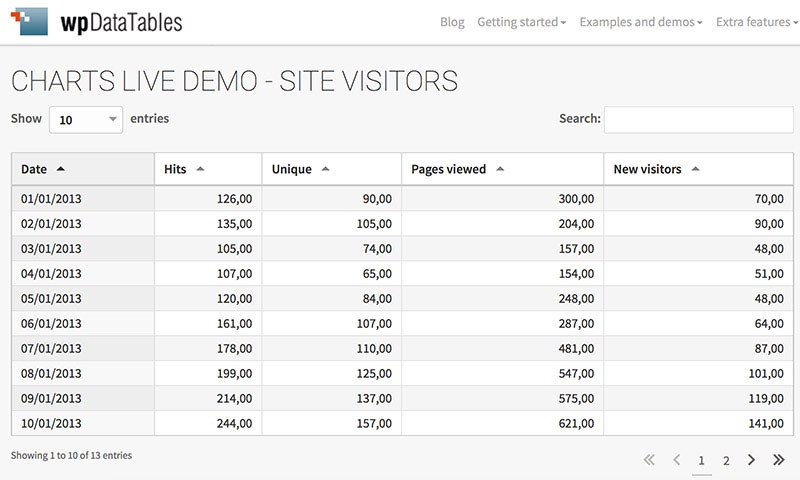
Create and manage tables and charts on WordPress.
Have you ever wanted to display tables, pie charts, bar or area charts on your WordPress posts or pages? Now you can do it without additional coding.
76. Ultra WordPress Admin Theme
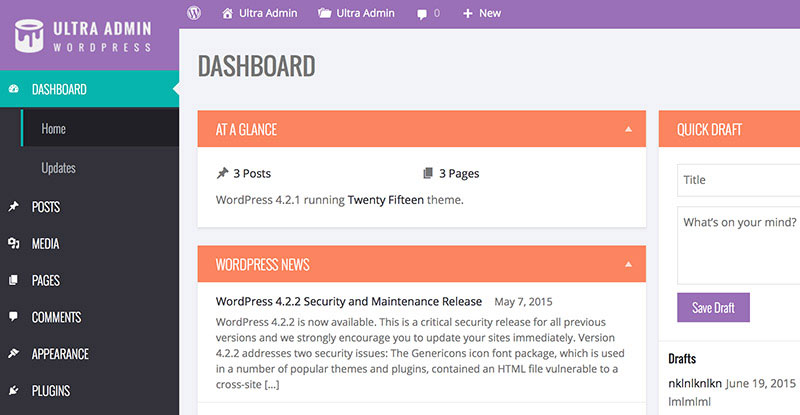
Ultra Admin brings your WordPress admin panel to life.
With this plugin, you will be able to make your WordPress back-end beautiful. There are 30 premade admin themes, and you also have the option to create your own design. You can customize everything, from the admin menu, buttons, typography, forms, background colors, branding, etc.
77. Visual Composer: Responsive Page Builder for WordPress
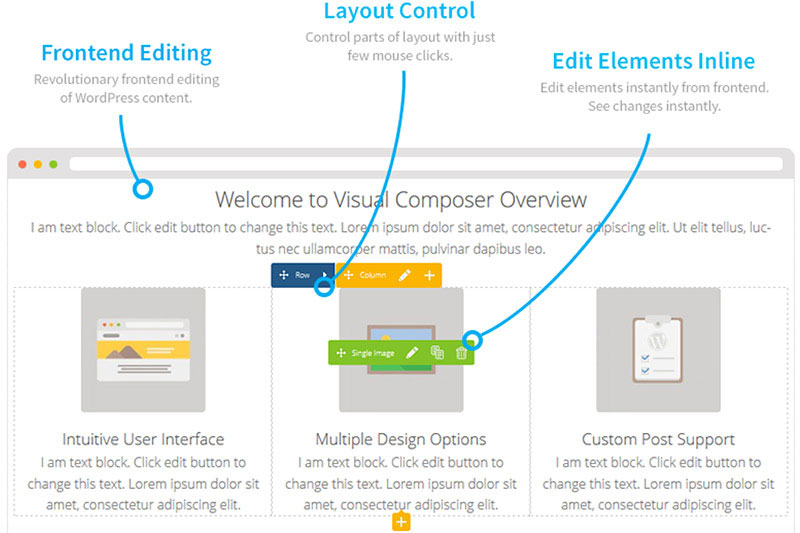
Visual Composer Page Builder Plugin
This is the most popular WordPress plugin on CodeCanyon, as it is being used by more than 500,000 websites. Visual Composer is a drag and drop page responsive page builder plugin with frontend and backend editors. The best thing is that you can use it for any WordPress theme. If you don’t prefer to always work from NotePad, you will appreciate this website builder, that will save lots of your time, because you won’t even need to touch code.
78. UberMenu – WordPress Mega Menu Plugin
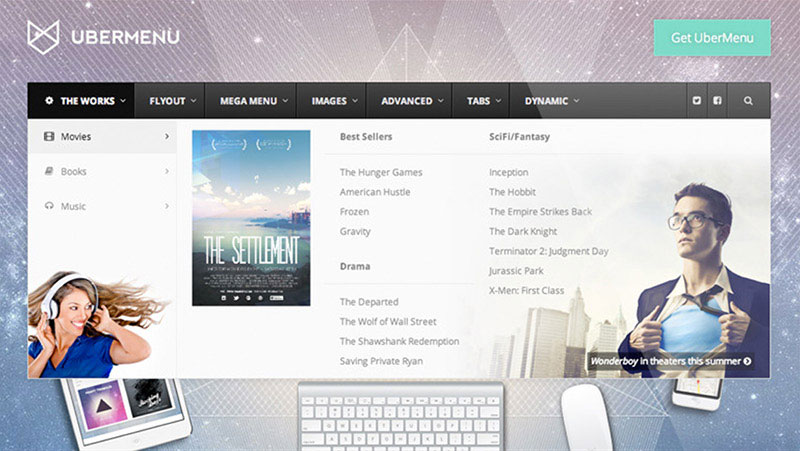
UberMenu is the most powerful mega menu plugin I’ve ever seen.
UberMenu is a very powerful and responsive mega menu WordPress plugin. It works well with WordPress 3 menu system, so it’s easy to start creating highly customized and powerful mega menu configurations.
It is important to note, that UberMenu looks great on different devices, it is fully responsive. It is also touch-enabled making it intuitive to use on touch screens.
79. EventOn – WordPress Event Calendar Plugin
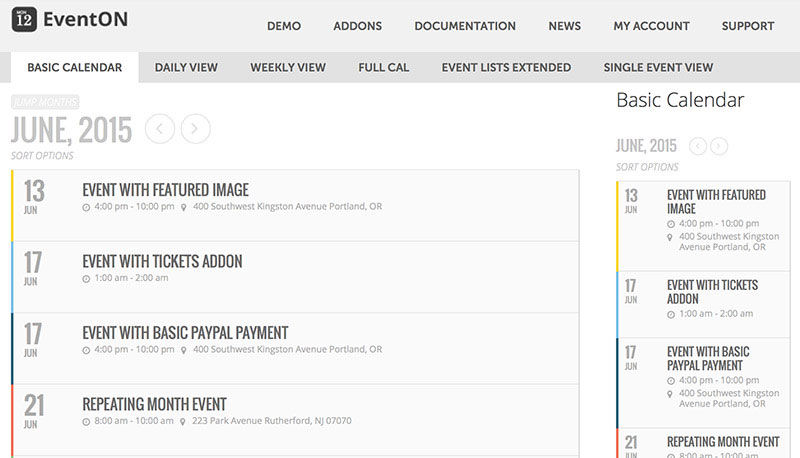
EventOn – WordPress Event Calendar
If you need to display lots of events on your website, show locations and be able to filter them, EventOn is the plugin of choice.
80. Interactive World Maps Plugin
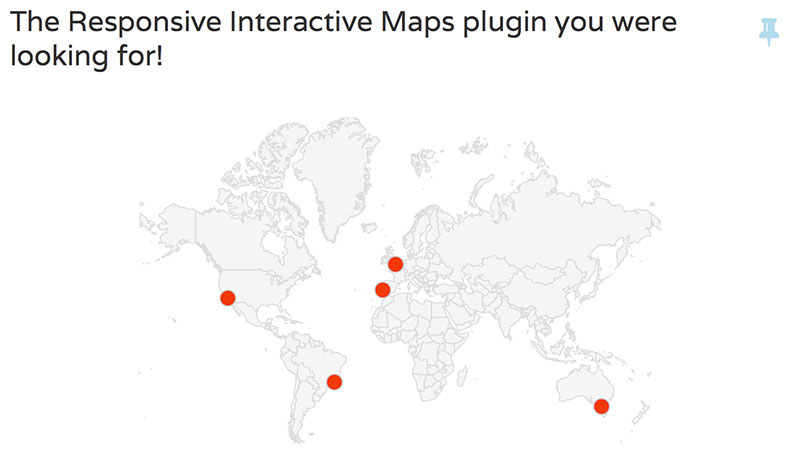
Create as many maps as you want with interactive and colored markers, countries or regions.
With this plugin you will be able to show hundreds of different kinds of maps. You can add highlight regions to the map and display them either as regions (color whole region) or as markers (colored bubble). You can also add a tooltip or action to highlighted active regions and customize lots of other things.
81. Special Recent Posts PRO Edition

Display your recent posts with thumbnails with a beauty.
Manage your WordPress posts with thumbnails just the way you want with just a few clicks. Special Recent Posts plugin will be great for web magazines as it comes with more than 120 customization options. Check out their official website to find out more.
82. Bookly – Responsive WordPress Appointment Booking and Scheduling Plugin
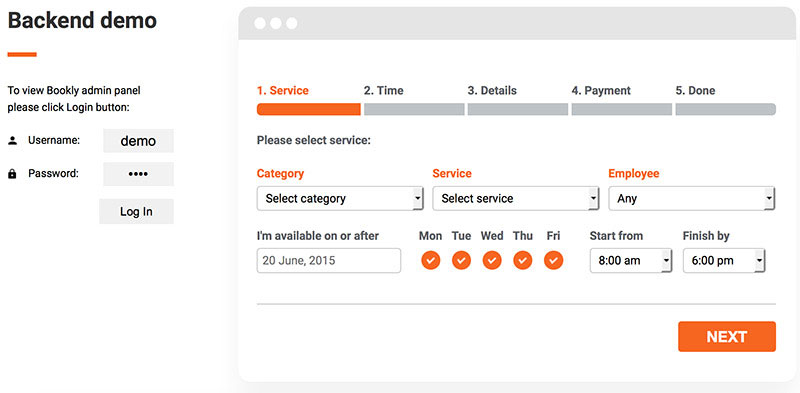
Bookly – Appointment Booking Plugin
This plugin is a great tool to let people book your service online. Bookly will be the best for online companies, who need their visitors to do reservations through websites.
Every person who wants to book your service will be lead through clear 5-step booking process. No need to talk with every person one by one – both you and person, who wants your service will receive email notifications to remind about their reservation.
83. Google Analytics by Yoast
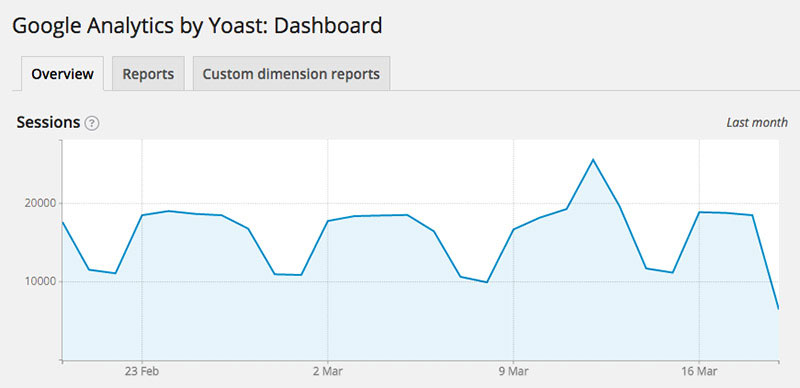
Keep track of Google Analytics on your dashboard.
Simple plugin to integrate your Google Analytics with WordPress and keep track of your traffic stats easily. Handy to keep track any custom events, custom internal affiliate links or downloads as well as 404 error pages.
84. Jetpack by WordPress.com

Must have plugin in every installation.
Jetpack is a plugin created by Automattic (WordPress official company) and it adds lots of powerful features previously only available to WordPress.com users including customization, traffic, mobile, content, and performance tools.
85. WordPress Importer Plugin

Simple importer plugin.
This WordPress plugin will help you import the data from one WordPress installation to another. You can import posts, pages, comments, categories, tags, authors and more to WordPress export file. With more than one million active installs, this plugin is proving to be useful for many.
86. Edit Flow – Editorial Workflow Management Plugin

Add editorial calendar to your WordPress dashboard.
Edit Flow is a handy plugin if you have several people in your editorial team. It lets you collaborate between members with notifications, editorial calendar and editorial comments.
87. TinyMCE Advanced Plugin
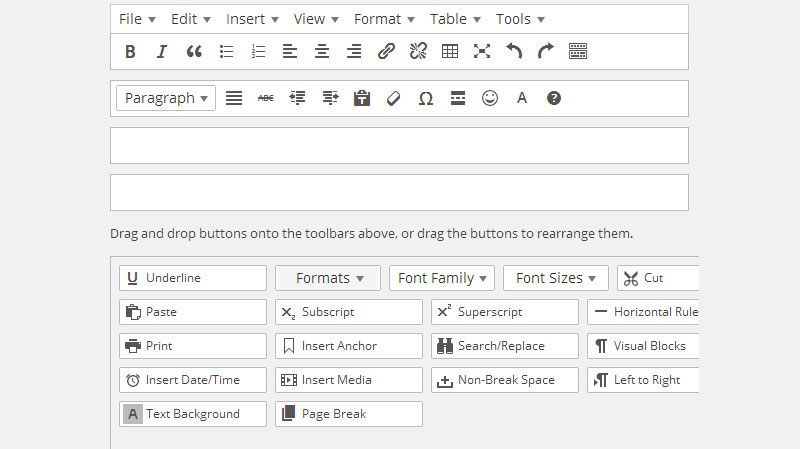
Have advanced editing features to your visual editor toolbar.
This plugin will add more functionality to visual post and page editor. With TinyMCE you will be able to create tables, search and replace within editor, set font family, font size and many more. With more than one million active installs TinyMCE is a very useful plugin to use when you want to customize pages and posts more than available by default.
WordPress Plugins For Easy Social Sharing
When you spend a lot of time writing a blog post or creating a landing page, you want people to be able to share it. Here are several social sharing WordPress plugins to help your readers share your hard work.
88. Animated Twitter Bird

While this social sharing WordPress plugin doesn’t add a direct social sharing option, it does let your readers connect with you outside of your site. There are a lot of people who may comment on Twitter but not say a word to you in the comment section.
89. Respond (advertising and social sharing with Facebook, Twitter and LinkedIn)

There is always a cost to having a site. Even if that cost is just a web host, the money needs to come from somewhere. Respond is a dual purpose social sharing WordPress plugin packaging social sharing with possible revenue. You will need to sign up for an account with them and let them check out your site before you can start earning though.
90. Trackable Social Share Icons

When you are marketing anything, there is a good chance you will want to track what you are doing to make sure your efforts aren’t wasted. Trackable Social Share Icons is a good place to start tracking how people are sharing your site. One feature here that differentiates Trackable Social Share Icons is it links to Google Analytics.
91. Add Google +1 (Plus one) Social Share Button

Google+ is growing like crazy and shouldn’t be overlooked. If your audience is there, it is a good idea to give them a way to share. Add Google +1 lets you add the +1 button to the location of your choosing with a bit of code, or by setting the default location and size.
92. Social Media Widget
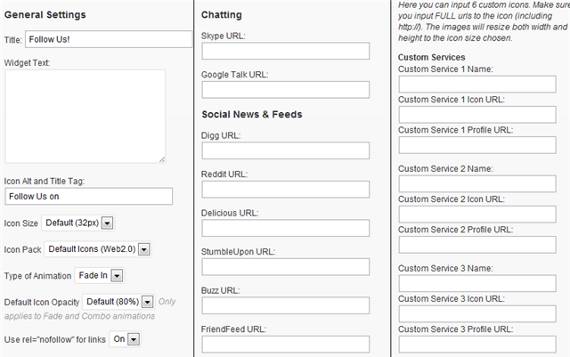
This sidebar widget lets you have a ton of different social icons in your WordPress Sidebar. Many times, if people don’t see the social site they want to share on, they don’t dig any further than a glance to find it.
93. Follow Me

Follow Me is one of those icons that stick to the side of the page and stays in the same spot as you scroll up and down the page. At the time of this writing, there are 43 different social sites you can ask people to follow you on. Some sites are not your normal choices like Blip.fm and Mahalo.
94. Social Metrics
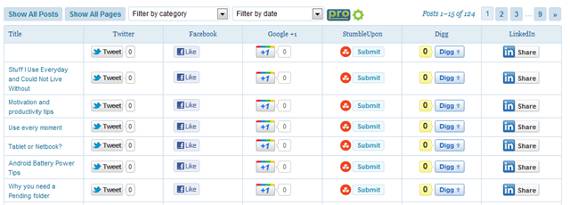
If you can’t track something, it never happened. Tracking the reach you have on social networks is a must these days. Social Metrics is a social plugin for WordPress that tracks your awesomeness on these sites. You can see how many people are sharing your information and who they are. If they are already talking about you, don’t you think you may want to see what they are talking about and maybe add your 2 cents?
Best WordPress Live Chat Plugins for Easy Customer Access
If you have an online store or you offer services that sometimes need answers right away these plugins are a must. Even if you don’t have such sell such things, now days is a good addition to your website. As we all know, we all appreciate a responsive business.
95. Bankcle Chat
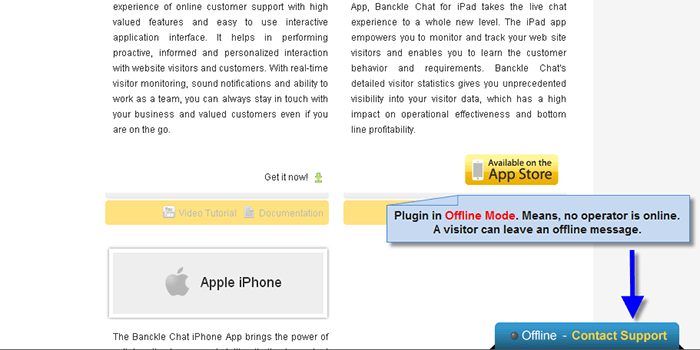
Bankcle Chat is a WordPress plugin that provides a reliable, highly customizable, and economical platform for live chat. Besides giving live support to customers, it also keeps you updated regarding your site visitor activity and tracking.
96. ClickDesk Live Support
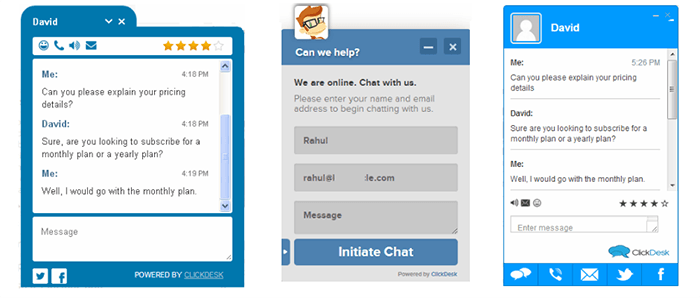
This WordPress plugin is one of the fastest live chat services available. ClickDesk allows the web visitors to click to call and voice chat with you (website owner) directly from the browser. Visitors can also dial the local access numbers available in 40+ countries. You can manage your emails and offline chats with new integrated help desk. Agents can answer live chats and calls from online agent panel through Google Talk and Skype.
97. WP ChatBlazer
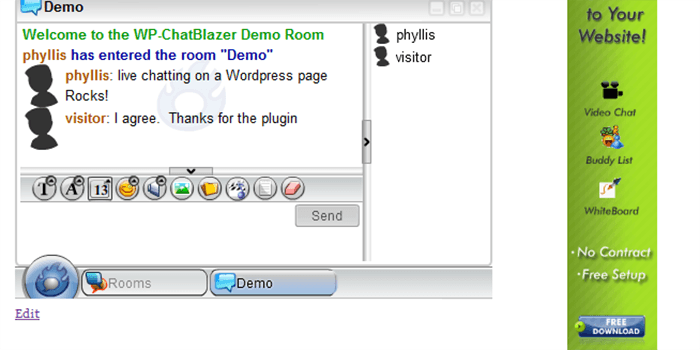
This plugin allows you to embed the Chatblazer application to chat on a WordPress page. You can post with an easy to use shortcode. You can host your own chatroom on your blog for interacting with your audience.
It has an easy-to-use interface that allows users to video chat, chat by sending instant messages, and share all types of media.
98. Video Chat Plugin

This plugin is highly flexible and supports and rooms, moderators, private messages, and public and private video chat, etc. It is BuddyPress-compatible, and automatically adds the avatars to user profiles in the video chat. It is simple to install and compatible with all search engines.
99. Flexy Talk

The Flexy Talk plugin allows you to get started with chatting to the Facebook fans and site visitors. You can easily do it from any device, including the mobile and tablets, etc. You can create a free account and enjoy unlimited chats with your visitors.
100. Vivocha Activation Tool

This is a multi-channel communication platform for the websites. This plugin can be used to assist customers during their visit, provide support, and answer questions. There is no coding skill required for it. This plugin will enable Callback, VoIP, and Video on your website. Also, it includes fully customizable graphics and real time analytics.
101. Formilla Live Chat
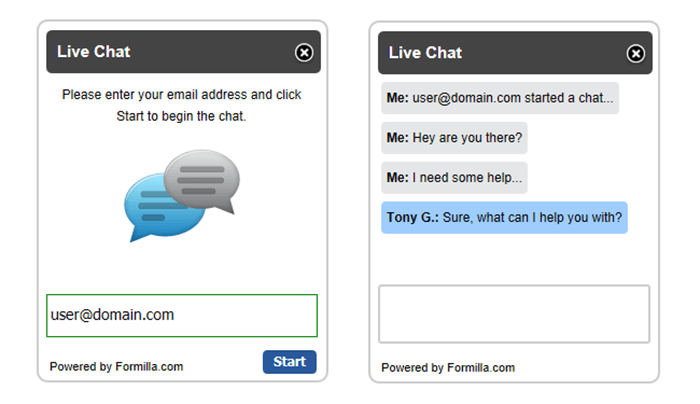
This plugin allows you to chat with your visitors with a clean and easy to use interface. You can respond to chats from your iPhone or Android device. You can also enable the proactive chat to trigger live chat automatically with visitor after some defined seconds.
102. Live Chat by OggFlow
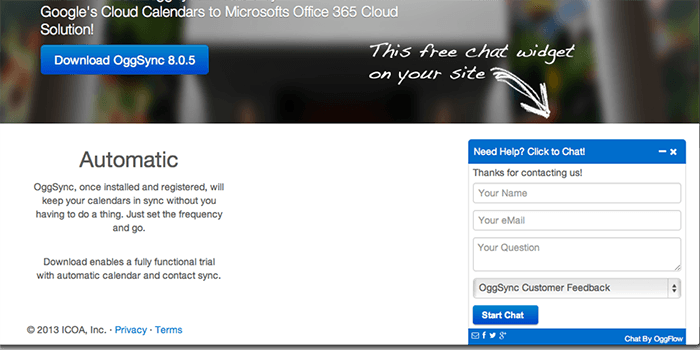
This plugin lets you easily add beautiful live chat to your site or blog. You can handle all the live chats, emails, tickets, Facebook and Twitter feeds. You can easily modify the look and feel of this plugin with custom CSS, logos, and messages.
103. Chat
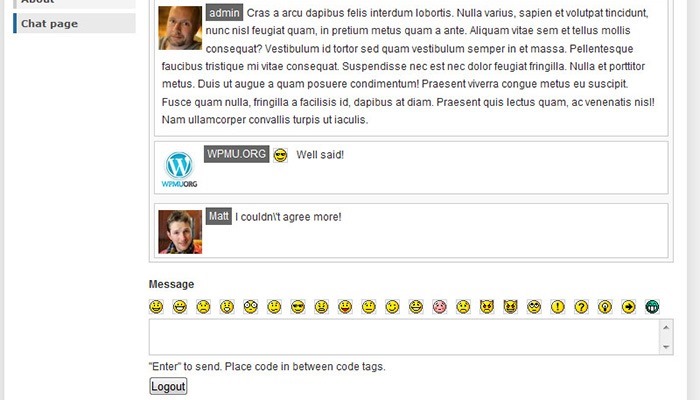
With this chat plugin, you can bring two-way chat to your website. You can host your own live sessions, interact with your visitors and boost your sales without taking help from third party JavaScript or other codes. Chat plugin allows you to add a site wide-chat window in the bottom corner of your site. You can also add chat to any blog post or page, and answer support questions.
104. WordPress Live Chat Plugin
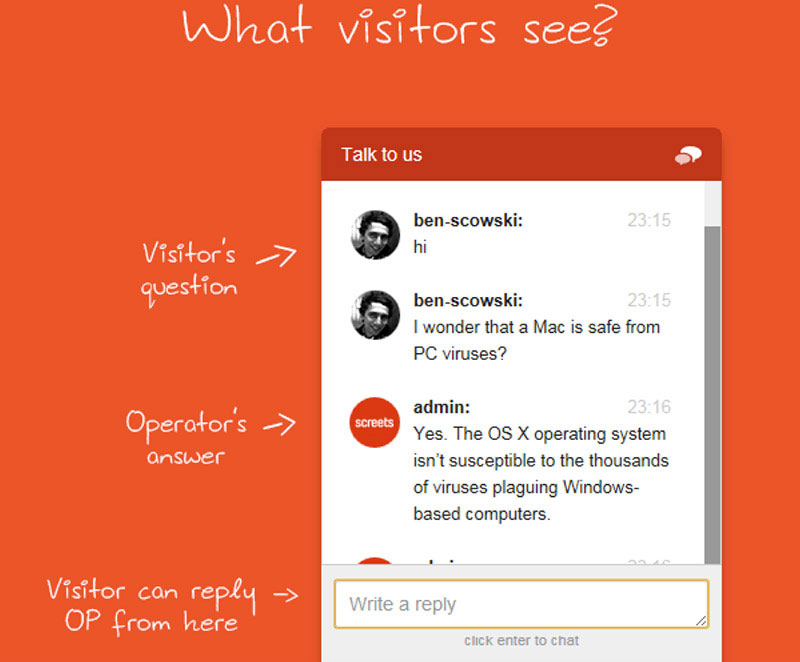
Chat with your visitors on your website.
Live Chat plugin is a simple great plugin, that lets you chat with your potential customers or visitors of the site. Live chat is a great marketing tool because you can address visitor issues right before they are making a decision. You’ll get up to 30% more sales by actively using this tool and having it on your landing page.
105. Visitor Chat
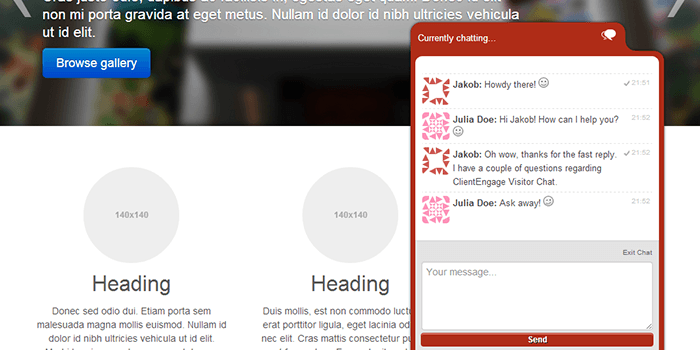
This plugin is fully featured real-time chat for your WordPress website. This plugin has a window-based client out of the box. Without having to visit the admin interface, you will be notified from your Windows tray from where you can start chatting straight away.
106. WordPress Live Chat

This plugin provides real time chat for the customer support. The plugin has a 3-way widget embedding including auto, shortcode, and a WP widget. It also provides high quality emoticons and avatars.
107. Chat X

Chat X answers the support questions and solves the technical problems and product defects on your website easily. You can easily customize your chat skin, and change the colors to fit your website look and feel. The plugin runs on Firebase technology to make your chat faster and reliable.
Conclusion
Plugins allow your blog or website be more effective and functional. The list that we’ve provided are premium plugins that are worth every money. Since they are premium, the full features will be utilized compared to the free ones. So download them now and let your WordPress site rock!
This post may contain affiliate links. See our disclosure about affiliate links here.