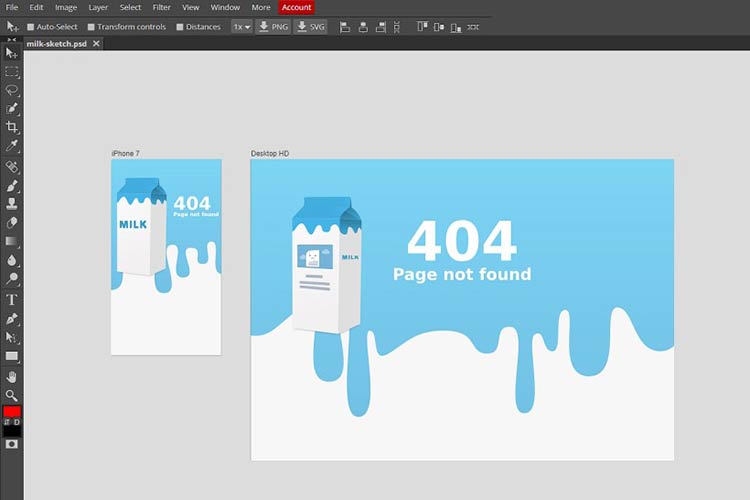
Photoshop boasts many impressive and exciting features, and in recent years they have introduced some amazing new features, like vector layers, Content Aware Patch/Move tool, Adaptive Wide Angle filter, Crop tool, and so much more.
Adobe has not tried to replace Illustrator, but if you need creative, simple shapes for use in design projects, then Vector Layers of Photoshop can do a superb job without making you switch to other applications.
Your Designer Toolbox
Unlimited Downloads: 500,000+ Web Templates, Icon Sets, Themes & Design Assets

Unlimited Downloads: 500,000+ Fonts, Web Templates, Themes & Design Assets

1. Discover Photoshop New 3D Tools
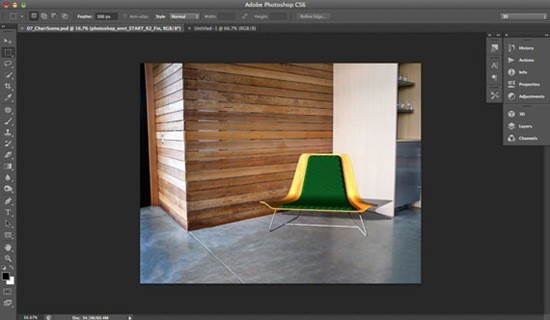
Photoshop includes a 3D tools engine that draws on the capabilities of graphics card to perform robustly. In this tutorial, you will learn how you can use this new 3D engine to combine 3D sources and harmonize other light sources, textures and use with 2D photographs.
2. Photoshop Crop Tool Step-by-Step
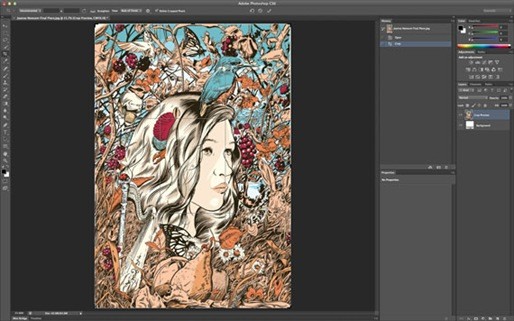
The Crop tool hasn’t really improved since Photoshop CS, but in the latest version of Photoshop, it comes with major changes. This step-by-step guide demonstrates how to use this tool, which has received a modern overhaul.
3. Layer Tricks in Photoshop
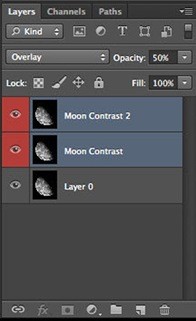
Adobe has enhanced Photoshop’s Layers panel, considering the feedback from users and adding the options popular in other applications like After Effects. For example, it allows changing the blending mode, fill and opacity of different layers simultaneously. Just select the respective layers prior making changes and it is done.
4. Explore Photoshop’s Vector Toolset
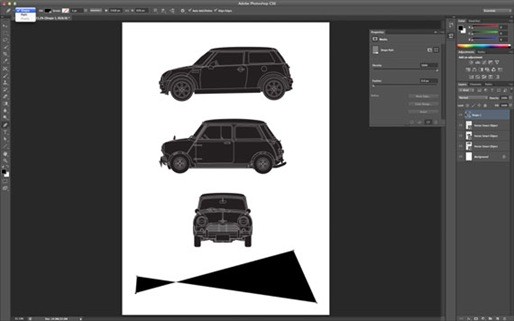
Adobe didn’t put Illustrator in Photoshop, but with some new powerful vector tools, designers can now design and shape graphic elements more easily and quickly.
5. Photoshop Blur Gallery Tutorial

For photographers, focal length, subject distance and aperture are the key elements to identify in-focus and blurred parts of a photograph. Most often, due to some technical limitations, it becomes hard to create an intended effect.
6. Tool Recording Using Actions in Photoshop
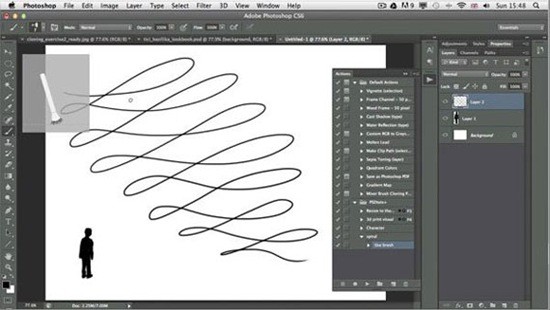
This tutorial teaches about the creative ways, which are possible with this new feature.
7. The Crop Tool in Photoshop
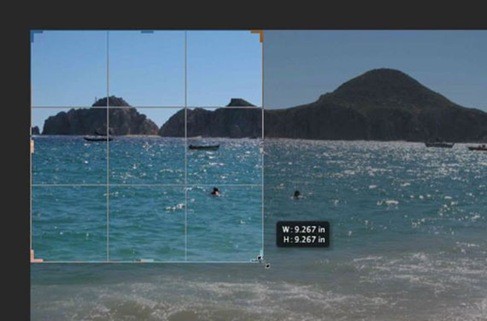
Cropping is a powerful tool, which can make a big difference in the look of any image. The Crop Tool in Photoshop includes lots of major enhancements to make it work even better. This tutorial focuses on the new features introduced in the Crop Tool and helps us learning how to use it more productively.
8. The Brush Features in Photoshop6

Photoshop introduces a brilliant and simple Brush Panel, which features lots of new options. In this tutorial, you learn about using Live Pen Tilt Preview, Brush Projection, the Erodible Tip and Airbrush brushes and how to achieve quick and creative results with these tools.
9. Introduction to the Oil Paint Filter in Photoshop

If you are something like me, you’ll need Filters, which are robust tools in Photoshop, to quickly create effects on the photographs. Oil Paint filter in Photoshop offers everything that you might need to give a photograph a painted look. In this tutorial, you will learn how to use this new filter on your images.
10. How to Use the Timeline Panel in Photoshop
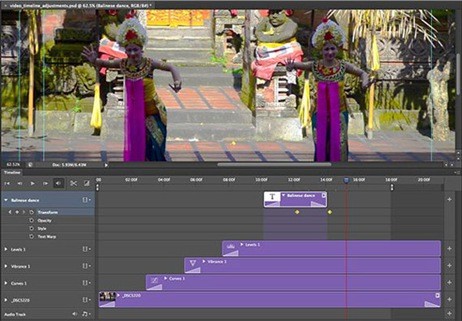
Special effects can make a big difference to videos. Many think that learning Adobe Premiere or After Effects is quite tough and painstaking. Now, in Photoshop, we have a new addition of a video timeline panel, which enables us to add effects to the video clips right in Photoshop.
11. How to Use the Content Aware Move Tool in Photoshop

One of the most state-of-the-art tools in Photoshop is a content aware tool, Content Aware Move. Content Aware Move enables us to mark pixels and drag the selection to some other part of a photograph without using layers or masks. Photoshop clears the previous selection and shifts the pixels to the new position. In this lesson you will learn how to use this new tool in your work.
12. How to Use the Content Aware Patch Tool in Photoshop

When Adobe first introduced Content Aware in Photoshop CS5, many called this tool “magical” and extremely tough. But today, as we have worked for more than two years practicing it, for many it has become an indispensable tool in their design work. In Photoshop, you will see a new addition, the Content Aware feature in the Patch Tool. In this tutorial, you learn how to play with this new feature to get better results.
13. Manage Your Layers More Efficiently with Photoshop
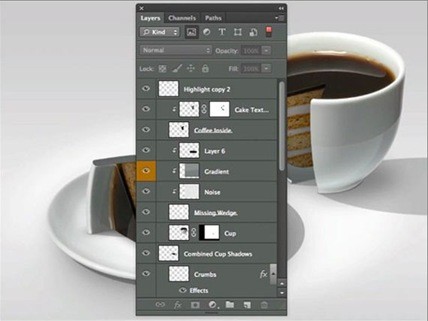
Top-notch designers usually work with PSD files comprising of dozens and, sometimes, hundreds of layers. Earlier versions of Photoshop were not able to manage a large number of layers, but in Photoshop, Adobe has included a few new tools for designers that they were dying to get their hands on. Follow this tutorial, step by step, to learn how this new Layer Panel and advance features can do for you in your designing process.
14. How to Use Adaptive Wide-Angle Filter in Photoshop
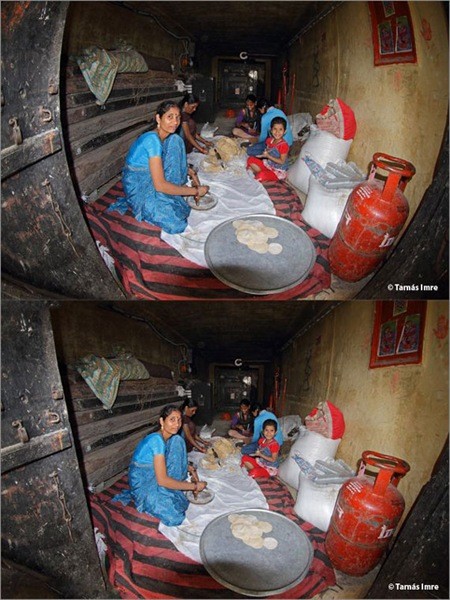
Adobe Photoshop offers an impressive new Adaptive Wide Angle Filter. The concept of this new tool is to enable us to straighten curves and lines in photographs captured by a fisheye or wide-angle lens. This tutorial will take you through a process of using this new filter effectively, a nice feature for photographers.
15. Using Paragraph and Character Styles in Photoshop
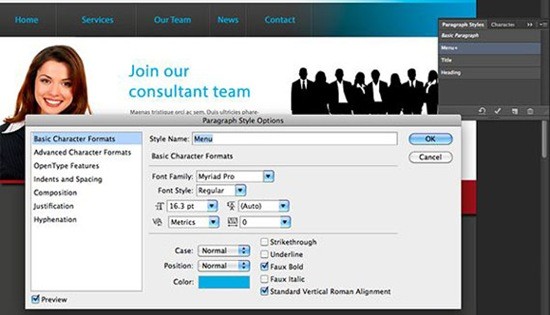
Managing and working with a lot of text was a hassle in the previous versions of Photoshop. For many, making global changes to text was a bit daunting and time-consuming. Photoshop comes with new Paragraph and Character style panels, which allow intuitive techniques to work with our text and this tutorial is all about it.
16. Quickly Select Skin Tones in Photoshop
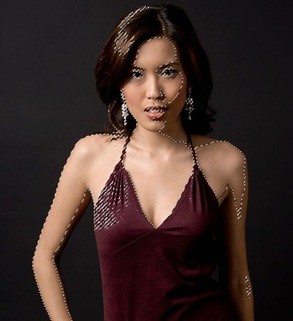
Have you ever wanted to quickly select skin tones in a photograph? Photoshop team introduced a new Skin Aware technology in Photoshop in the Skin Tones options. This tutorial helps learning this new feature.
17. Photoshop Patch Tool
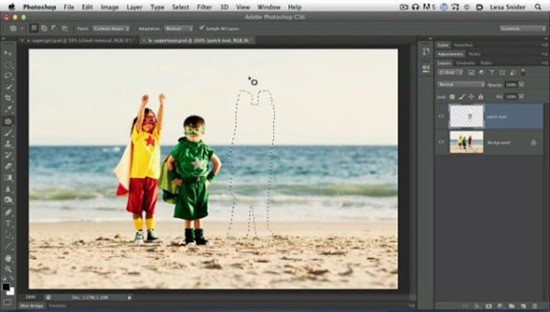
You may be familiar with Photoshop’s manipulation features, but the new additions in Patch Tool makes retouching and re-composition unbelievably easy and quick. Now, you have access to the features like adaptation settings and content aware, which are taught in this tutorial.
18. Mix vector shape layers in Photoshop for abstract effects – Video Tutorial

Adobe has not tried to put Illustrator’s tools in the Photoshop, but it has introduced a new Vector Shape Layers feature that will stop many from switching to AI, when they need to create elements containing flat graphics. Whether you need quick and simple results or precise drawing functionalities, this new vector shape layers will soon become an indispensable tool in your arsenal.
19. Use Photoshop’s Tilt-Shift filter

Photoshop team added incredibly useful and smart Tilt-shift Blur functionality that designers can use along with a saturation boost function for simulating miniature model photography. This tutorial takes us through the process of adding this effect to our photographs.
20. Using Scripted Patterns in Photoshop

Lesa Snider discusses the new scripted patterns in Photoshop with a few intuitive techniques to apply this new function.
21. Content-Aware Move Tool Tutorial – Photoshop Beta
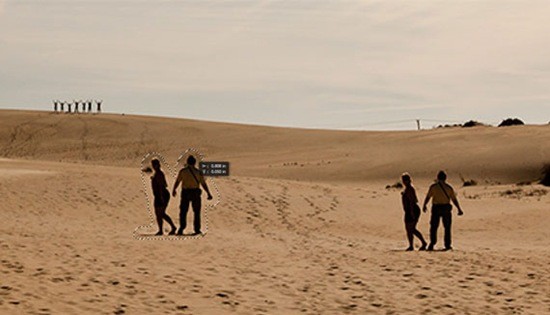
I’m sure you’ll admire the new Content-Aware Move tool. The capabilities of this tool enable selecting elements and placing them at some other area. Photoshop will re-blend the selected element into whatever section of the photograph you place it to.
22. Blur Gallery in Photoshop
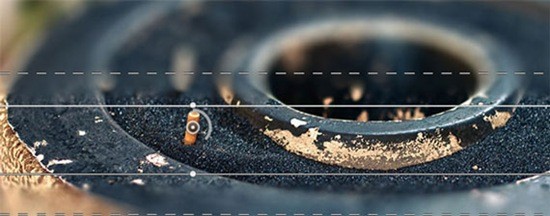
Though Photoshop always had a number of blur filters, they never truly fascinated the photographers. Now, whether you are a seasoned or fresh photographer, you’ll be stormed by the three incredibly useful and new filters, what photographers always demanded: Field Blur, Iris Blur, and Tilt-Shift.
23. Photoshop Blur Gallery – Field Blur
Field Blur empowers us with unique ways to create blur effect on our image. In this Photo Retouch tutorial, you’ll see, Field Blur bestows us an extensive control over the effect as we don’t just apply same blurring on the entire photo, but rather, we can set and tweak the blur in any selected section.
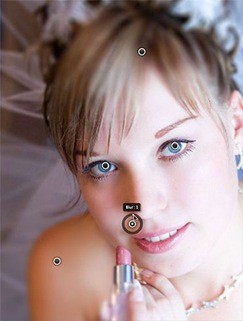
24. Photoshop Blur Gallery – Iris Blur

This lesson takes us through the process of using Iris Blur, which is a second of the new blur filters introduced in the Blur Gallery of Photoshop. Besides having all the capabilities of the Field Blur, Iris Blur has some other ways to precisely manage the techniques and areas the blurring effect is used.
25. Color Range Changes – Photoshop Beta

You will find two new inclusions to Color Range – Skin Tones and Detect Faces. While working with photographs of people, Skin Tones enables you to select the skin tones of the people. Photoshop selects skin tones, and if Color Range select tones of other parts of an image, there is a feature of Detect Faces checkbox to tackle it.
26. Adobe Camera RAW 7.0 Tutorial for Photographers

For photographers of all levels, pros and novices, taking snaps in RAW is essential to get high-quality results. This tutorial takes us through all the important features in Camera RAW 7.0, which photographers will need the most.
27. Photoshop Tutorial: Black and White Photos with ACR 7
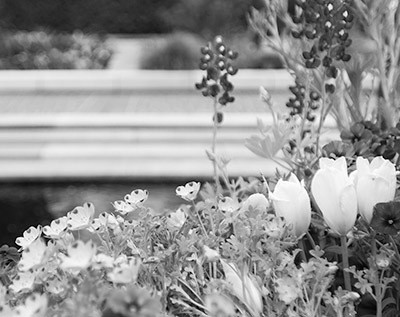
I have picked this tutorial to show you how simple is to get black and white photos with ACR 7 as well as working with the HSL/Grayscale panel and the Targeted Adjustment Tool.
28. Camera RAW Update in Photoshop
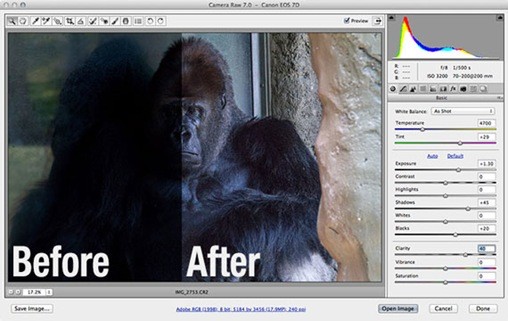
Since the introduction of Camera RAW, there have been lots of enhancements in every new version of Photoshop. It continued and now, for photographers working with RAW images, Camera Raw has been upgraded to version 7. Learn about new enhancements in this tutorial.
29.Photoshop New Adoptive Wide Angle Filter

In this tutorial, you will see how the Adaptive Wide Angle filter in Photoshop enables us to create a distortion-free vertical panorama and fine-tune the stitched image.
30. Adaptive Wide Angle Filter in Photoshop
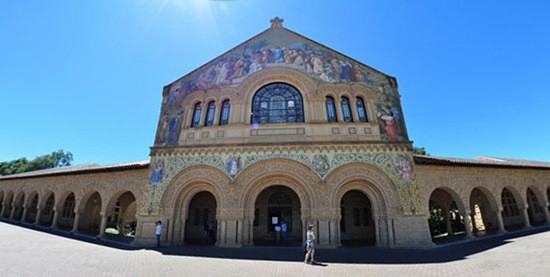
In Photoshop, Adaptive Wide Filter is a powerful tool for the photographers, which enables to quickly achieve effects on the images, when there is a less space.
31. Type Styles in Photoshop
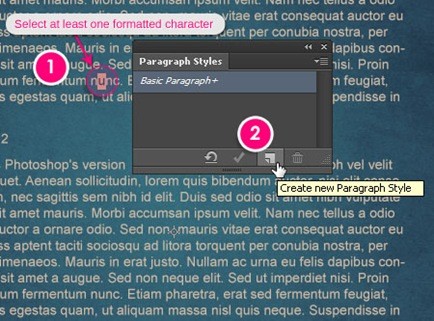
There are lots of impressive new tools in Photoshop, which are added in a free beta version, like Type Styles. The addition of Type Styles makes it easy and quicker to define text styles, just as seen in InDesign; it works the same for both paragraphs and characters.
32. Using The Oil Paint Filter In Adobe Photoshop
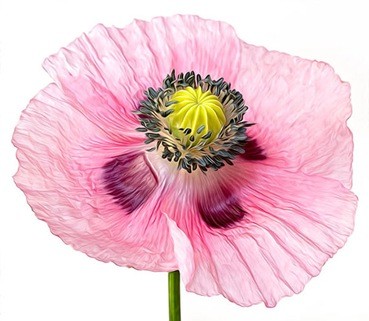
In this tutorial lesson, a poppy photograph is used to show some secret techniques of applying the oil paint filter in order to achieve the desired results.
33. Oil Paint Filter in Photoshop

You have been familiar with the built-in filter, which was used to give painting effects to the photographs, but those were not so attractive. Adobe has released new Oil Paint Filter in Photoshop, which is worth-using.
34. Photoshop 3D Tutorial

This lesson covers many of the new 3D features and workflows introduced in CS6, which are the best and the designers will probably use the most. In this tutorial, you will practice spelling the word Bicubic in capital letters shaped buildings.
35. Improved Lighting Effects in CS6
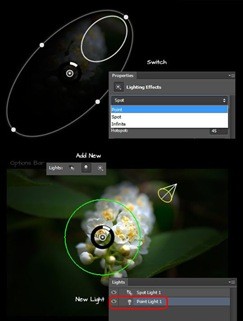
Lighting Effects filter has got a few new and enhanced features which are great to achieve different types of lighting effects.
36. Photoshop New Features – The Perspective Crop Tool
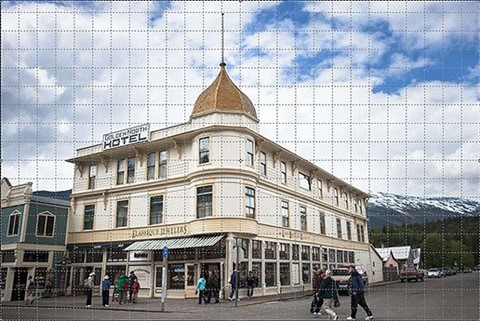
Besides improving the Crop Tool, Adobe also added a new Perspective Crop Tool. This impressively smart crop tool helps in quickly fixing common distortion and perspective issues in a photograph. Go through this tutorial to learn about it.
37. Photoshop Beta Making Editable 3D Type
39. Photoshop: Photographic Toning Gradients
These new and relatively obscure gradients in Photoshop are great to give nice-looking stylish effects.
40. Photoshop: Merge Shape Layers
In the new Photoshop, we have another good feature which enables us to merge shape layers while retaining their vector attributes. An interesting feature!
What do you think of these Photoshop tutorials? Let us know in the comments!
This post may contain affiliate links. See our disclosure about affiliate links here.