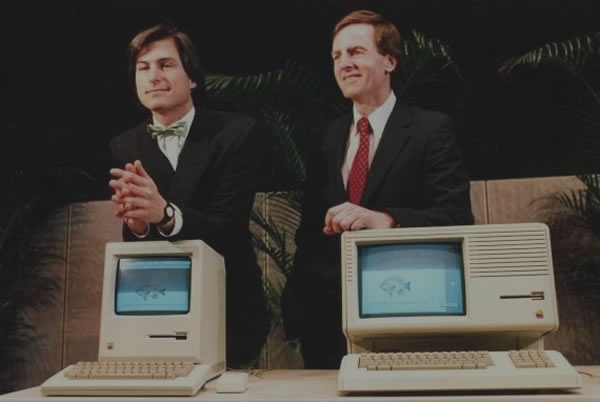
Personally, I have a Mac Book Pro and from unboxing to every day use, there is never a hassle. Everything is nice, clean and easy; which is why I’m here to guide you through the process.
So you got your self a brand new Mac. It’s time to start using it. Let’s set it up!
Your Designer Toolbox
Unlimited Downloads: 500,000+ Web Templates, Icon Sets, Themes & Design Assets

1. Unboxing
From experience, unboxing a new Mac can be heavenly. Pay attention to the details in the packaging, like the user guide. Please read the User Guide, especially if you haven’t owned a Mac before. It will really help you understand what’s going on.
The rest is pretty self explanatory, but have fun! Take pictures, and show the world just how pretty your new Mac is!
Hint: Don’t throw away the box like I did, it will come in handy in case something is wrong, or you need to pack it up again.
2. Arranging your Workspace
If you have a laptop, there’s not much hardware that you have to set up, but if you have a Magic Mouse, or Time Capsule, you should get those set up now. Refer to your manual, although Apple products behave very well with each other, so there shouldn’t be problems.
If you’ve got an iMac, or a Mac Mini, or even a Mac Pro, set up your displays and keyboard/mouse. It’s best to arrange things how you want them to me, don’t just temporarily plug-in wires wherever. Don’t forget to clean your workspace!
3. Set Up OS X
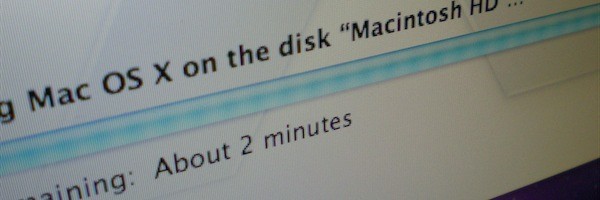
When you pop in the set up CD, a ‘Setup Assistant’ will pop up, and guide you through getting things running. This is another one of those self-explanatory things, so I don’t go into much detail here. If you already own a Mac, it will also help you move things over to the new computer.
Note: If you’re moving from a Windows to the Mac, I suggest investing in a Portable Harddrive, and keeping your important files on there, and then transferring the files once you’ve got things going. The good thing about getting a Portable Harddrive is that you can use Time Machine to back up your data.
4. First Uses and Understanding What’s Going On
If you have a Mac already, welcome home. There shouldn’t be anything you don’t already know. But, If you haven’t really interacted with a Mac before, things might looks a bit odd. Here are some things to keep in mind when using the OS:
- For laptops, the ‘right click’ is either a two finger click, or control+click.
- When using the dock, you can rearrange the icons, and add them as needed.
- To take away items, just hold the icon and drag out, it should make a nice poof noise.
- To add items, you can drag the application icon to the dock; OR when the app is open, you can hold and press the icon, and then press ‘Keep in Dock’
- You can pretty much drag+drop everywhere. For example, you can drag an image from the web onto your desktop, and then drag that same image into Photoshop’s dock icon.
- Just because you dragged an item to the trash, doesn’t mean that its ‘deleted‘. In order to really delete an item and regain the space it’s taking up, you have to open the trash (click on the icon), and press ‘empty‘ on the gray bar.
- To ‘quick preview’ a file (works best for videos, documents, images etc) click its icon once, and then press the spacebar. If you’ve ever seen lightbox in action, it has a similar effect.
- Taking Screen Shots
- Command+Shift+3 – Full Screen Shot
- Command+Shift+4 – Selection Shot (See Example Below)
- Command+Shift+4+Spacebar – Window Shot
5. Customizing
There are tons of ways to make your Mac look exactly how you want it! To start off simple, you can change the desktop – click the ‘apple’ in the top left, and then on “System Preferences”. In the “Personal” bar, you’ll see the “Desktop and Screen Saver” – or even decide to design your own!
You can also change the appearance of things like scroll arrows, and highlight colors int he “Appearance” section.
In the “Dock” area, you can change it’s position, size, and magnification. There also ways to change the dock’s background and general appearance using a program called Candy Bar. Using this, you can also change the way your icons look. I’m using this for my Mac too!
6. Download New Apps
No Mac is complete without a plethora of apps to play with. Here are some I recommend:
- Google Chrome: Google’s Web Browser. I use it everyday, and would never go back to FF.
- VLC: A video player that can play any type of video file. Plays DVD’s too.
- Candy Bar: As mentioned before; great for doing icon and dock changes. Free Demo.
- Transmission: Open Source Bittorent client.
- Bowtie: Manage iTunes from the desktop in a very cool way.
- Mac Heist: Not technically an app, but a great way to win cool free ones, as well as buying app bundles.
And here are some links to more useful apps!
7. Enjoy!

Hopefully we were able to help you set up your brand new Mac! A brand new computer will bring a smile to anyone’s face, and now that your Mac is bling-ed up and ready for action, your smile should be bigger than ever.
This post may contain affiliate links. See our disclosure about affiliate links here.